







Question: question 6 & 8 only 1. Use Ubuntu VM or Subsystem to create a new directory with the name ec4 Navigate to the new directory
question 6 & 8 only 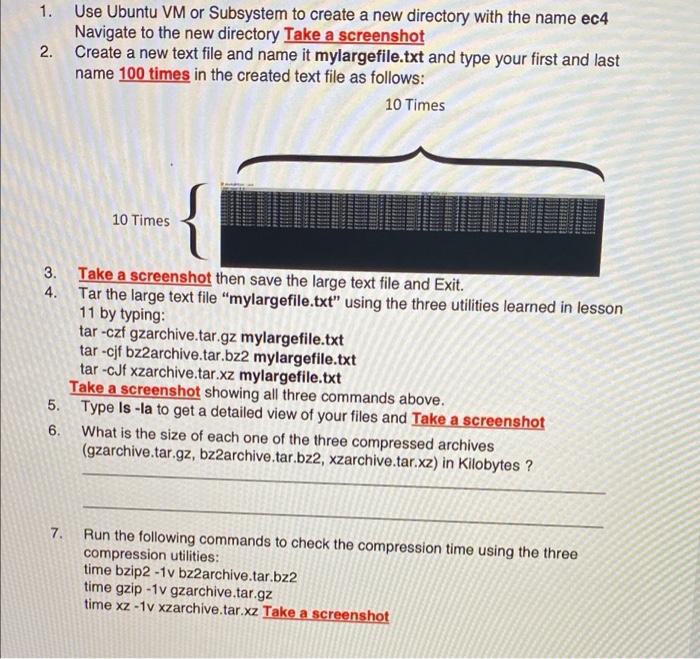

1. Use Ubuntu VM or Subsystem to create a new directory with the name ec4 Navigate to the new directory Take a screenshot 2. Create a new text file and name it mylargefile.txt and type your first and last name 100 times in the created text file as follows: 10 Times 10 Times 3. Take a screenshot then save the large text file and Exit. 4. Tar the large text file "mylargefile.txt" using the three utilities learned in lesson 11 by typing: tar -czf gzarchive.tar.gz mylargefile.txt tar-cjf bz2archive.tar.bz2 mylargefile.txt tar-cJf xzarchive.tar.xz mylargefile.txt Take a screenshot showing all three commands above. 5. Type Is -la to get a detailed view of your files and Take a screenshot 6. What is the size of each one of the three compressed archives (gzarchive.tar.gz, bz2archive.tar.bz2, xzarchive.tar.xz) in Kilobytes ? 7. Run the following commands to check the compression time using the three compression utilities: time bzip2 - 1v bz2archive.tar.bz2 time gzip -1 v gzarchive.tar.gz time xz - 1v xzarchive.tar.xz Take a screenshot 8. Rank all three utilities (gzip, bizp2, and xz) according to their compression time from faster to slower. 1. Use Ubuntu VM or Subsystem to create a new directory with the name ec4 Navigate to the new directory Take a screenshot 2. Create a new text file and name it mylargefile.txt and type your first and last name 100 times in the created text file as follows: 10 Times 10 Times 3. Take a screenshot then save the large text file and Exit. 4. Tar the large text file "mylargefile.txt" using the three utilities learned in lesson 11 by typing: tar -czf gzarchive.tar.gz mylargefile.txt tar-cjf bz2archive.tar.bz2 mylargefile.txt tar-cJf xzarchive.tar.xz mylargefile.txt Take a screenshot showing all three commands above. 5. Type Is -la to get a detailed view of your files and Take a screenshot 6. What is the size of each one of the three compressed archives (gzarchive.tar.gz, bz2archive.tar.bz2, xzarchive.tar.xz) in Kilobytes ? 7. Run the following commands to check the compression time using the three compression utilities: time bzip2 - 1v bz2archive.tar.bz2 time gzip -1 v gzarchive.tar.gz time xz - 1v xzarchive.tar.xz Take a screenshot 8. Rank all three utilities (gzip, bizp2, and xz) according to their compression time from faster to slower
Step by Step Solution
There are 3 Steps involved in it
1 Expert Approved Answer
Step: 1 Unlock

Question Has Been Solved by an Expert!
Get step-by-step solutions from verified subject matter experts
Step: 2 Unlock
Step: 3 Unlock
 Study Help