







Question: Question Completion Status: To select a range, you can: O A. Click and hold the 1st cell and drag the mouse to the last cell
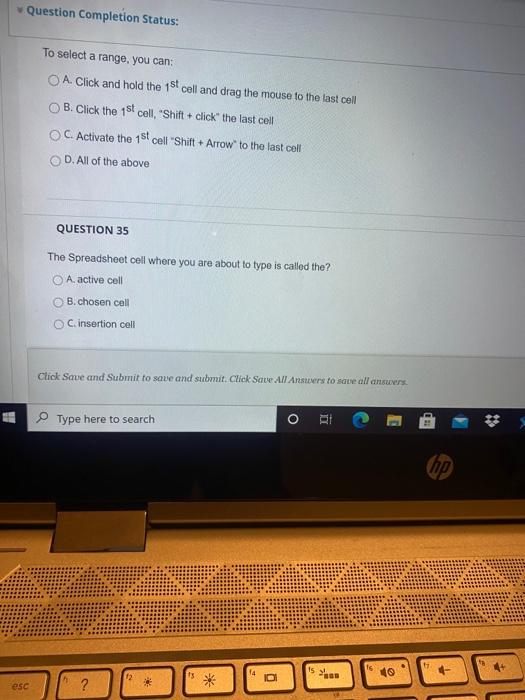
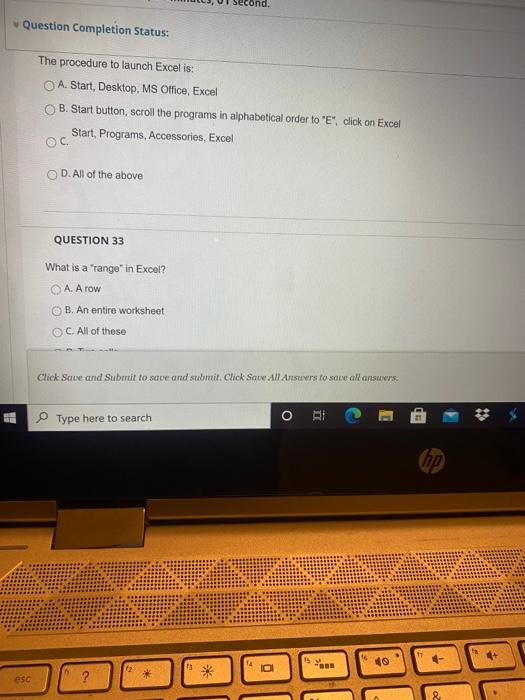
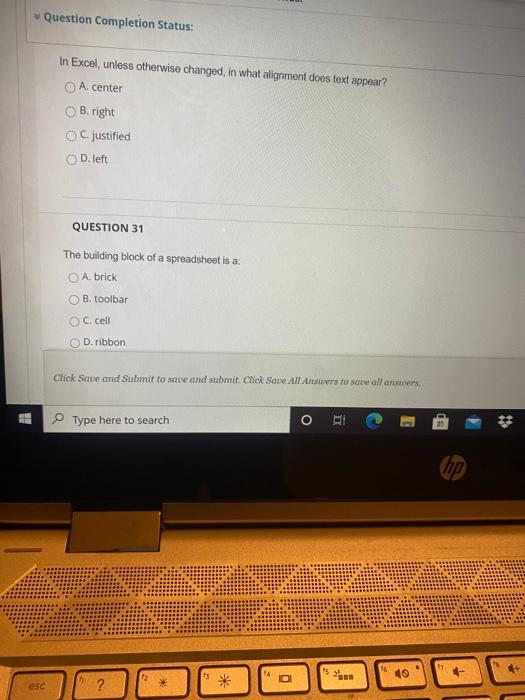
Question Completion Status: To select a range, you can: O A. Click and hold the 1st cell and drag the mouse to the last cell B. Click the 1st cell, Shift + click the last cell OC. Activate the 1st cell Shift + Arrow" to the last cell D. All of the above QUESTION 35 The Spreadsheet cell where you are about to type is called the? A. active cell B. chosen cell C.insertion cell Click Save and Submit to save and submit. Click Save All Answers to save all answers Type here to search O 14 16 ID esc ? Question Completion Status: The procedure to launch Excel is: O A Start, Desktop, MS Office, Excel B. Start button, scroll the programs in alphabetical order to "E", click on Excel Start, Programs, Accessories, Excel . D. All of the above QUESTION 33 What is a "range" in Excel? . B. An entire worksheet OC. All of those Click Save and Submit to save and submit. Click Save All Answers to saw all answers Type here to search ORI hp 10 * 0 esc ? Question Completion Status: In Excel, unless otherwise changed, in what alignment does text appear? A.center B. right C.justified D. left QUESTION 31 The building block of a spreadsheet is a: A brick B. toolbar C. cell D. ribbon Click Save and Submit to save and submit. Click Save All Ansters to save all answers Type here to search OHI * hp 15 st a 10 * esc
Step by Step Solution
There are 3 Steps involved in it

Get step-by-step solutions from verified subject matter experts
 Study Help