







Question: Question Simple Swing Dialogs Simple 2D Drawings Study the 3-page Simple Swing Dialogs companion handout extracted from chapter 3. Review the first 3 pages of
 Simple Swing Dialogs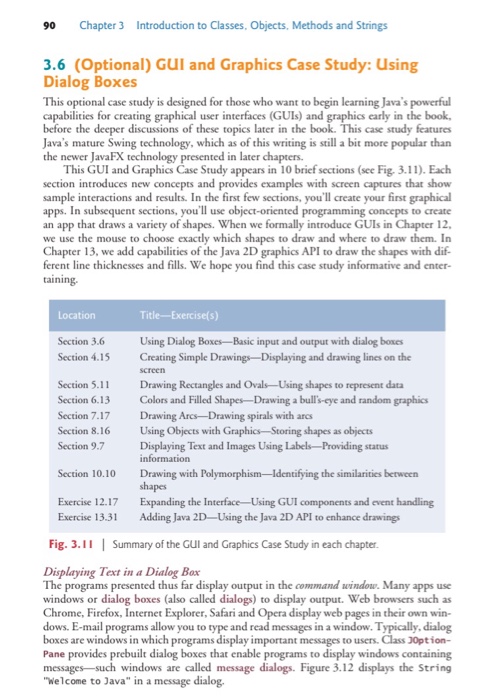
 Simple 2D Drawings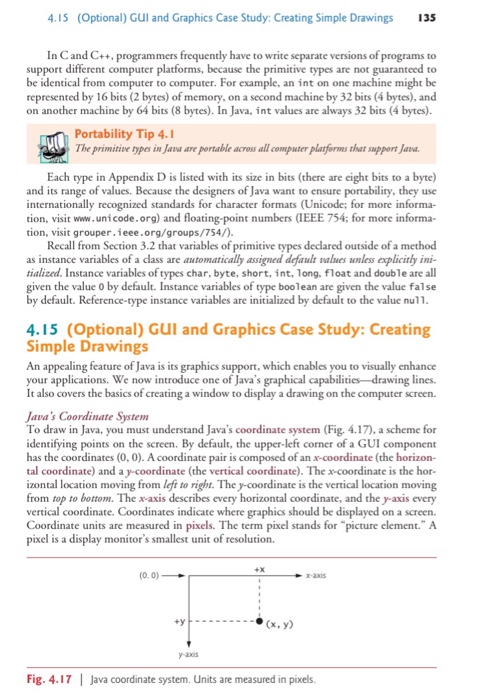
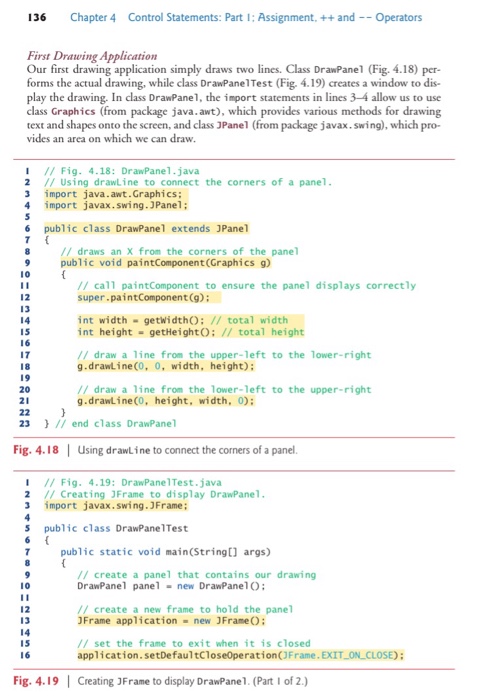
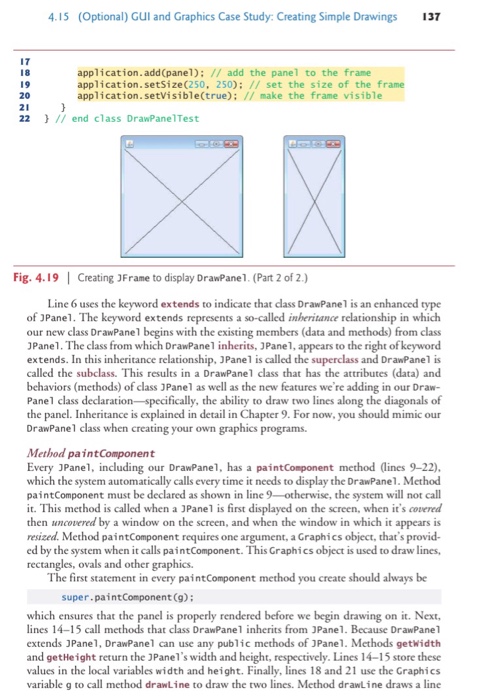
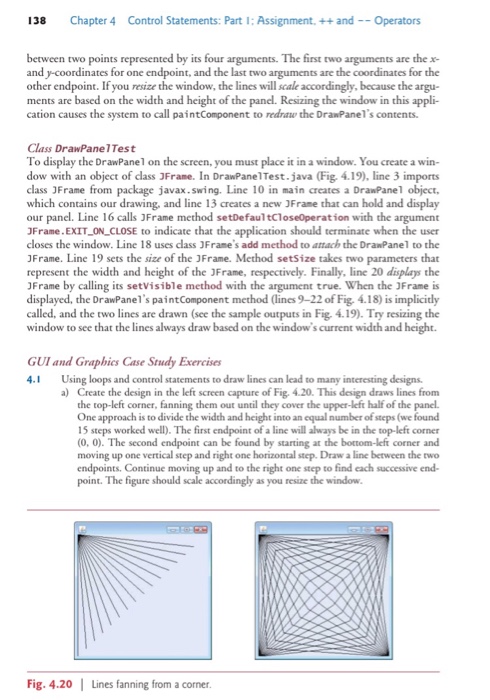
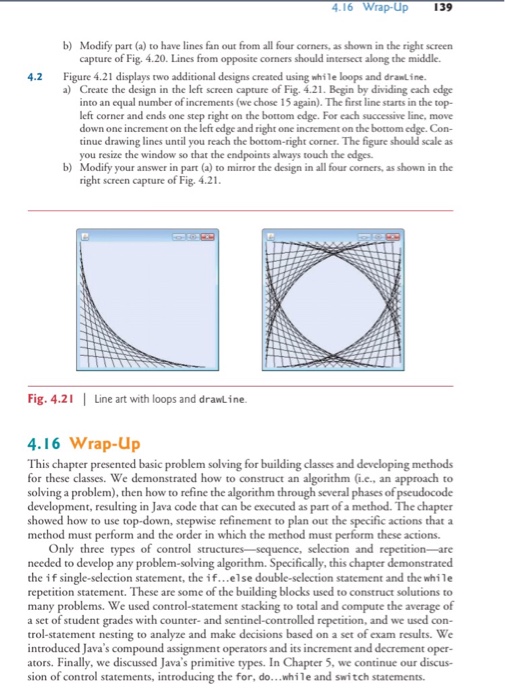
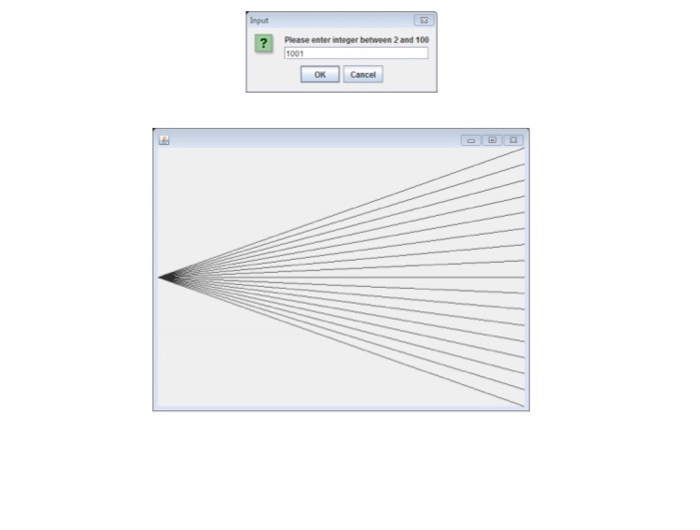
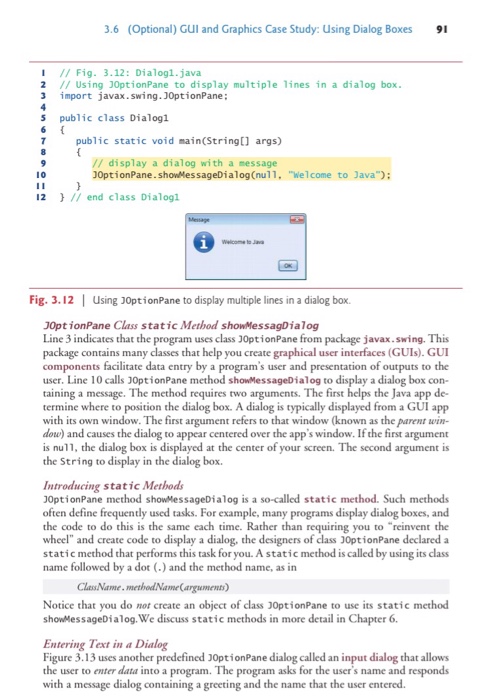
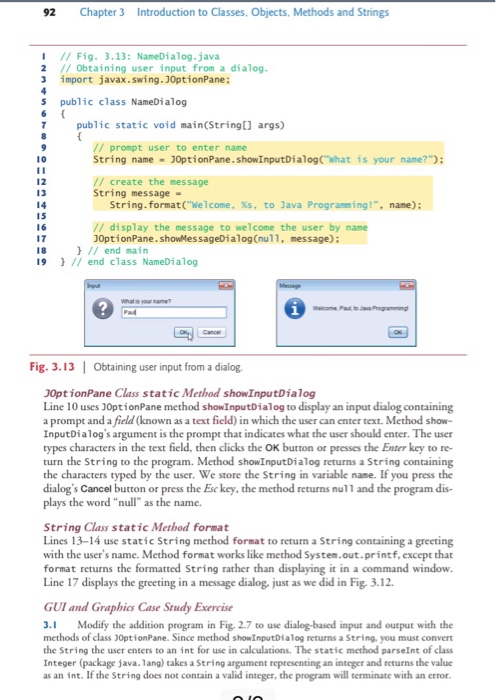
Study the 3-page "Simple Swing Dialogs" companion handout extracted from chapter 3. Review the first 3 pages of the 5-page companion handout "Simple 2D Drawings" extracted frorn the end of chapter 4 of the textbook. The remaining 1 pages will be needed for the upcoming Programming Project 1 Given a user specified integer number N, draw a set of (N+1) line segments in a JPanel according to the following pattern Each line segment has its first endpoint positioned at the center of the left side of the Panel while its second endpoint is positioned along the right side of the JPanel such that all these second endpoints are evenly spread along the right side. The second endpoints are spread from the upper right corner to the lower right corner and are vertically apart from each other by height of JPanel divided by N " The JPanel should draw "nicely" when the window is resized. A window is resized when the user clicks on the (lue) 3Frame and drags the mouse while pressed and then releases the mouse. Here, "nicely" means that the four lines should remain attached to the edges of the JPanel .Don't forget to put your JPanel in a JFrame (see figures 4.18 and 4.19 in the "Simple 2D Drawings" companion handout). .The number N is specified by prompting the user with a Swing Dialog Box using OptionPane.showInputDialog (see companion handout "Simple Swing Dialogs) o Add to your DrawPanel class an instance variable named numLines and a constructor that takes an argument N and initializes numLines by the value of N. o Add to your DrawPanelTest class code that prompts the user to specify N, the number of lines to draw optionPane.showInputDialog("Enter number of lines between 2 and 100" Validate that N is a positive integer between 2 and 100. If invalid, keep prompting the user (in a loop) until the user gives o a valid response. o From DrawPanelTest construct a DrawPanel instance using your newly added constructor Submit a zip file into Lab 8 Drop Box that contains: Your Java source code (do not include ".class files) Screenshot of your Dialog box (see figure below) Screenshot of the initial window with default square layout Screenshot of the window resized by stretching it horizontally Screenshot of the window resized by stretching it vertically
Step by Step Solution
There are 3 Steps involved in it

Get step-by-step solutions from verified subject matter experts
 Study Help