







Question: Simple Graphical Interfaces ZOOM+ Due Date: Saturday September22, 2018 (by midnight) Weight: 1 point Objectives: Simple Graphical Interfaces with Java Swing (end of chapter 4)
Simple Graphical Interfaces
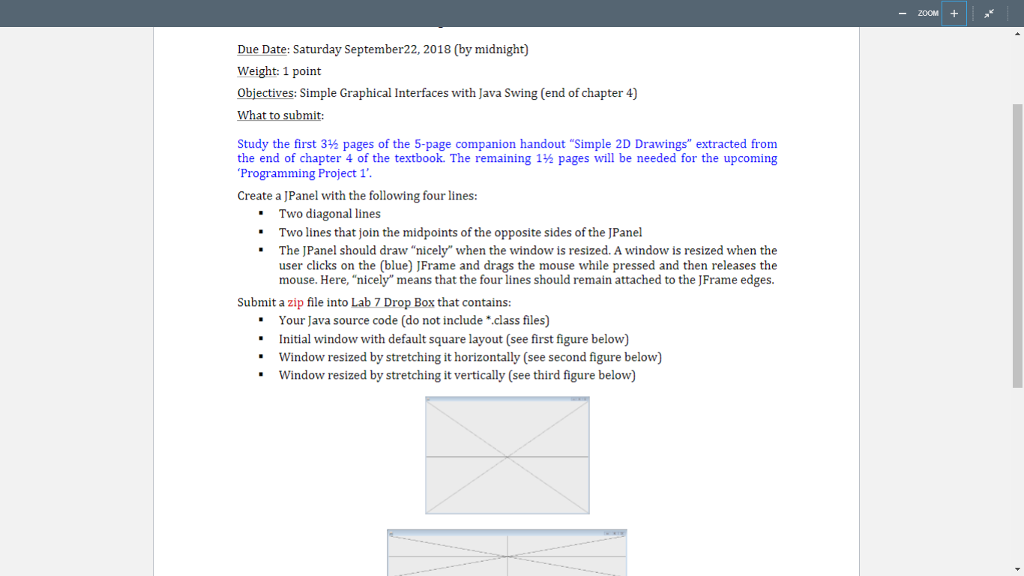
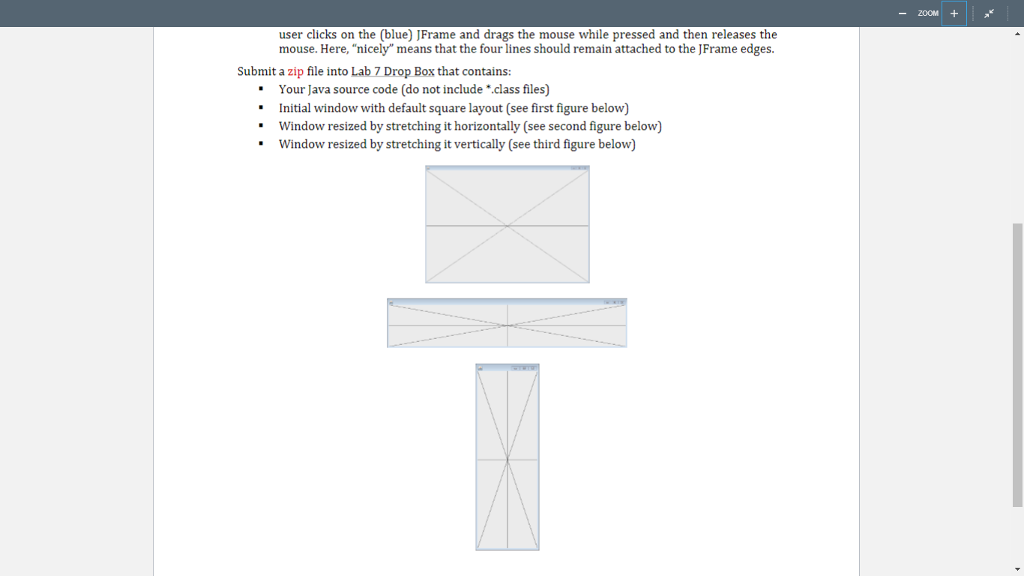
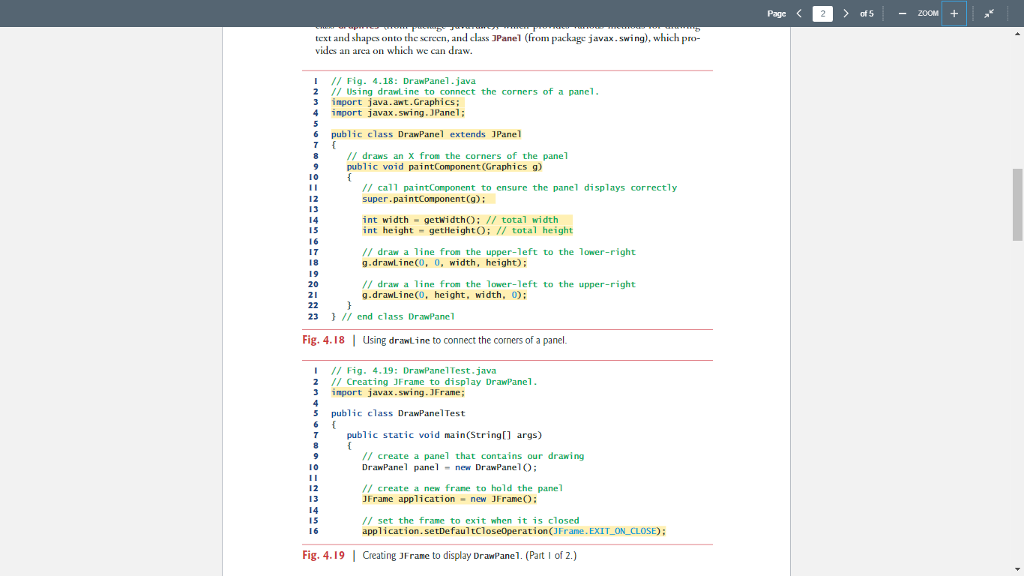
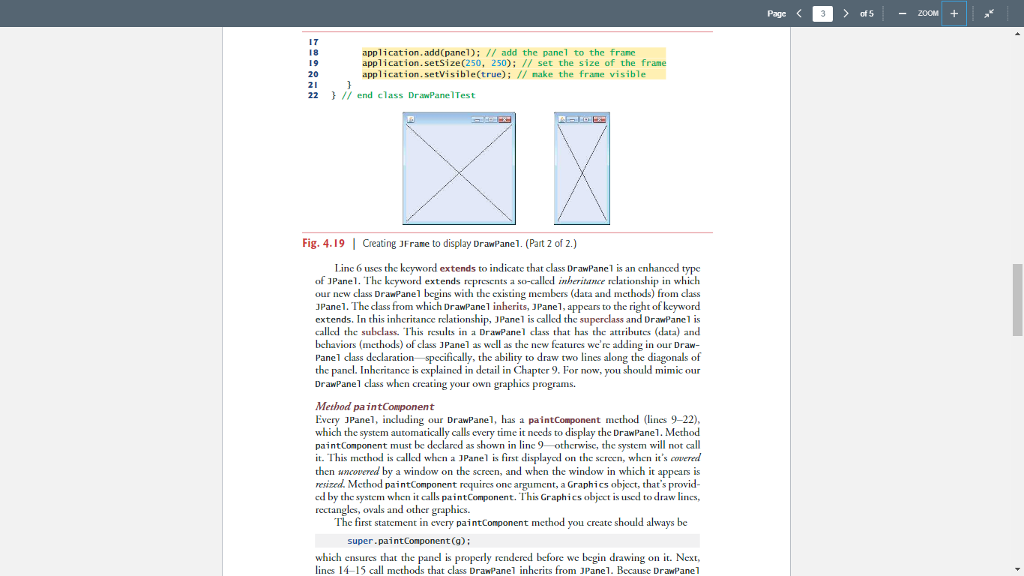
ZOOM+ Due Date: Saturday September22, 2018 (by midnight) Weight: 1 point Objectives: Simple Graphical Interfaces with Java Swing (end of chapter 4) Study the first 3 pages of the 5-page companion handout "Simple 2D Drawings" extracted from the end of chapter 4 of the textbook. The remaining 1 pages will be needed for the upcoming Programming Project 1 Create a JPanel with the following four lines: Two diagonal lines "Two lines that join the midpoints of the opposite sides of the JPanel "The JPanel should draw "nicely when the window is resized. A window is resized when the user clicks on the (blue) JFrame and drags the mouse while pressed and then releases the mouse. Here, "nicely"means that the four lines should remain attached to the JFrame edges Submit a zip file into Lab 7 Drop Box that contains: Your Java source code (do not include "class files) Initial window with default square layout (see first figure below) Window resized by stretching it horizontally (see second figure below) Window resized by stretching it vertically (see third figure below)
Step by Step Solution
There are 3 Steps involved in it

Get step-by-step solutions from verified subject matter experts
 Study Help