







Question: Question: To make a Grocery Checkout Receipt list using c++ map class. we only need to work on the GroceryCheckout.h and GroceryCheckout.cpp . Link to
Question: To make a Grocery Checkout Receipt list using c++ map class.
we only need to work on the GroceryCheckout.h and GroceryCheckout.cpp.
Link to the Source files is attached at the end.
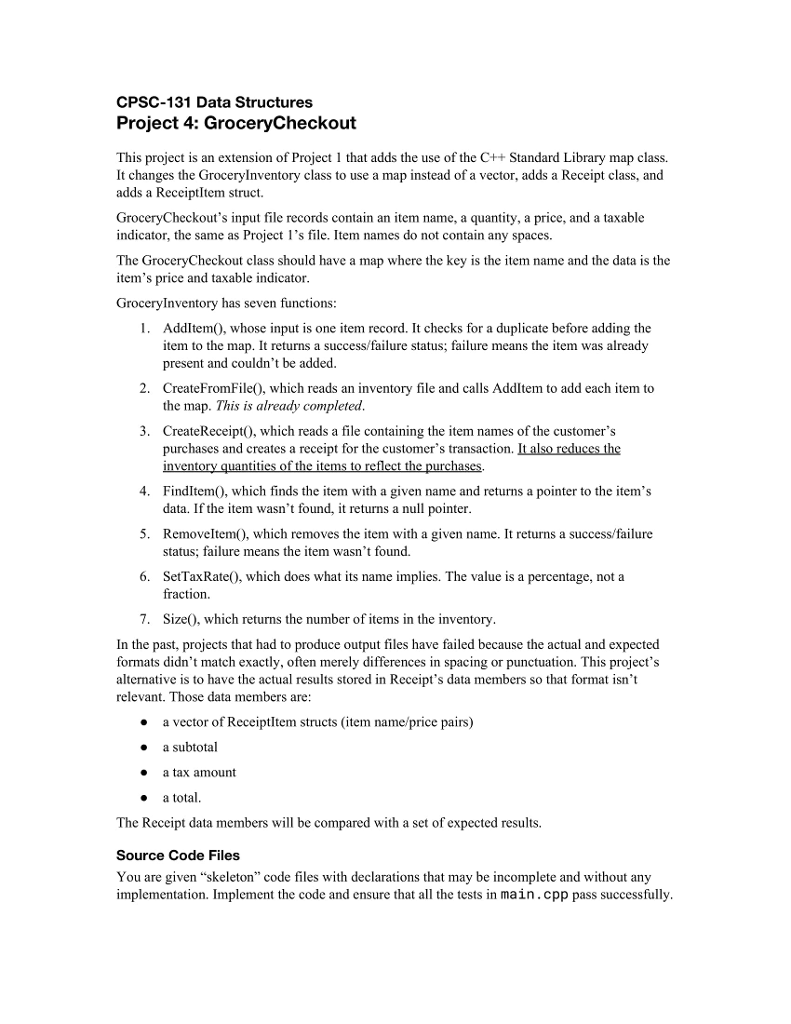
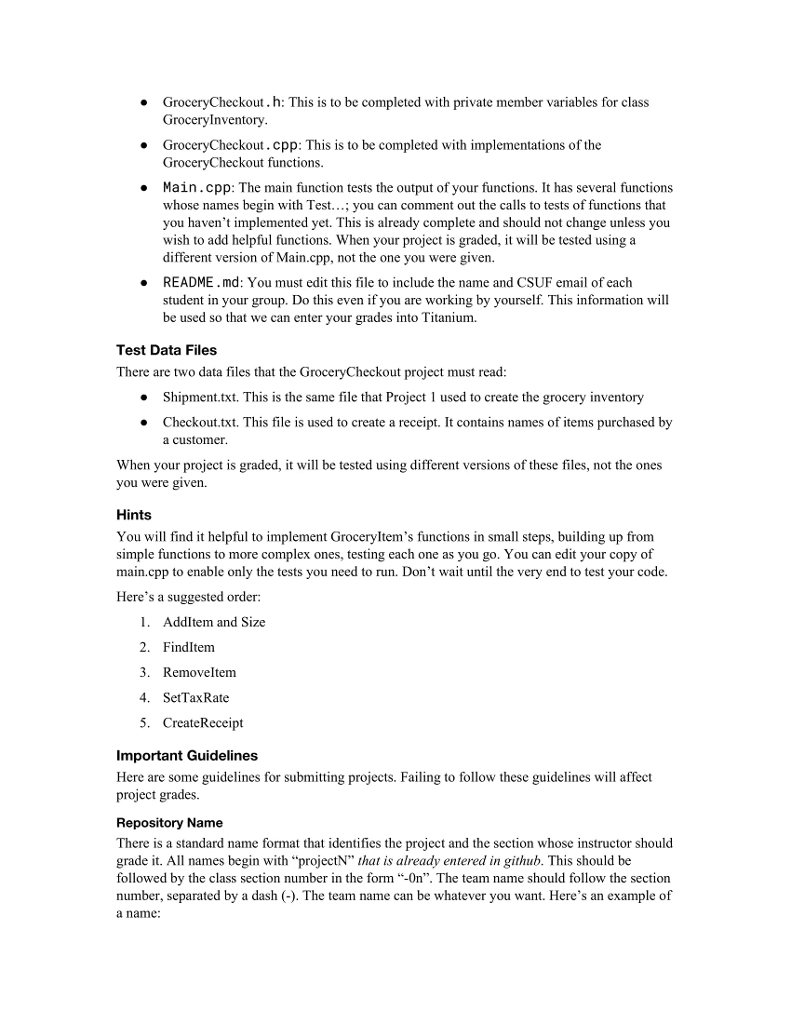
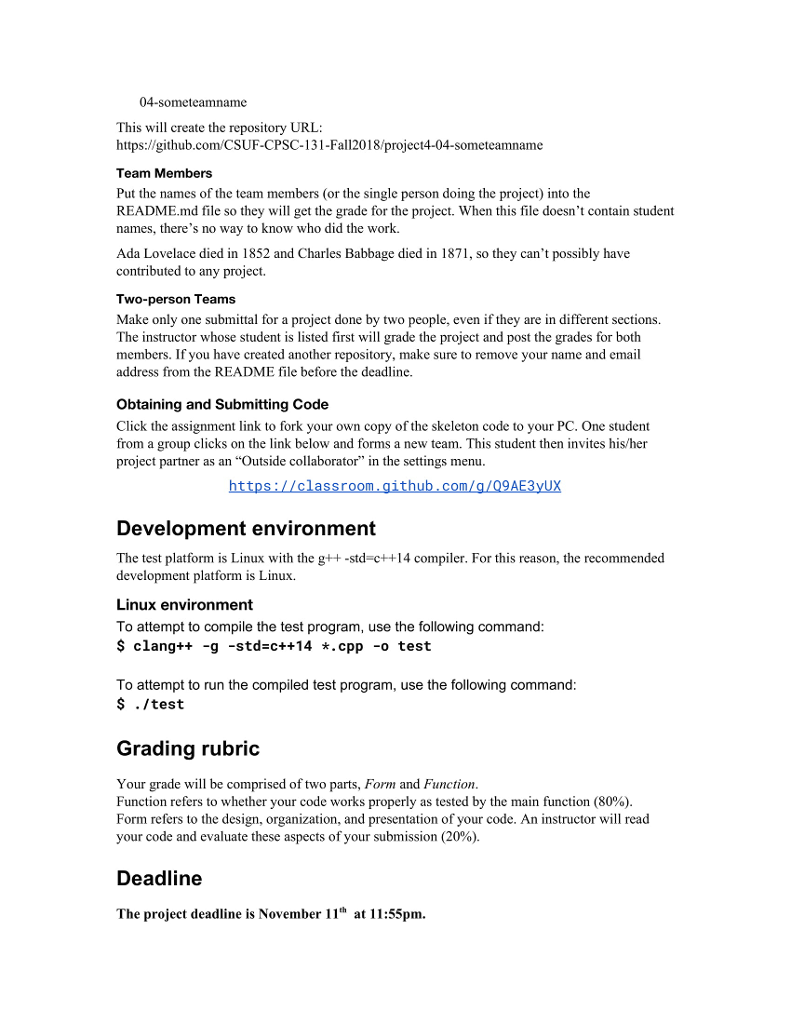
Here is the prompt:

As attached is a dropbox link from the repository.
https://www.dropbox.com/s/7ynkbyiy185gsdy/Proj4%20Orig.zip?dl=0
Thank you very much!
CPSC-131 Data Structures Project 4: GroceryCheckout This project is an extension of Project 1 that adds the use of the C++Standard Library map class. It changes the Grocerylnventory class to use a map instead of a vector, adds a Receipt class, and adds a Receiptltem struct. GroceryCheckout's input file records contain an item name, a quantity, a price, and a taxable indicator, the same as Project 1's file. Item names do not contain any spaces. The GroceryCheckout class should have a map where the key is the item name and the data is the item's price and taxable indicator GroceryInventory has seven functions 1. Addltem), whose input is one item record. It checks for a duplicate before adding the item to the map. It returns a success/failure status; failure means the item was already present and couldn't be added 2. CreateFromFile0, which reads an inventory file and calls Addltem to add each item to the map. This is already completed CreateReceipt0, which reads a file containing the item names of the customer's purchases and creates a receipt for the customer's transaction. It also reduces the 3. 4. Findltem0, which finds the item with a given name and returns a pointer to the item's data. If the item wasn't found, it returns a null pointer 5. RemoveltemO, which removes the item with a given name. It returns a success/failure status; failure means the item wasn't found. 6. SetTaxRate0, which does what its name implies. The value is a percentage, not a fraction. 7. Size0), which returns the number of items in the inventory In the past, projects that had to produce output files have failed because the actual and expected formats didn't match exactly, often merely differences in spacing or punctuation. This project's alternative is to have the actual results stored in Receipt's data members so that format isn't relevant. Those data members are: a vector of Receiptltem structs (item name/price pairs) a subtotal a tax amount a total The Reccipt data members will be compared with a set of expected results. Source Code Files You are given "skeleton" code files with declarations that may be incomplete and without any implementation. Implement the code and ensure that all the tests in main.cpp pass successfully
Step by Step Solution
There are 3 Steps involved in it

Get step-by-step solutions from verified subject matter experts
 Study Help