







Question: reate an EClipse project, then mport the CPS150-PAS, Java source code Tlle. Do nor create a Main Class: Instead. 1. Download the file into the
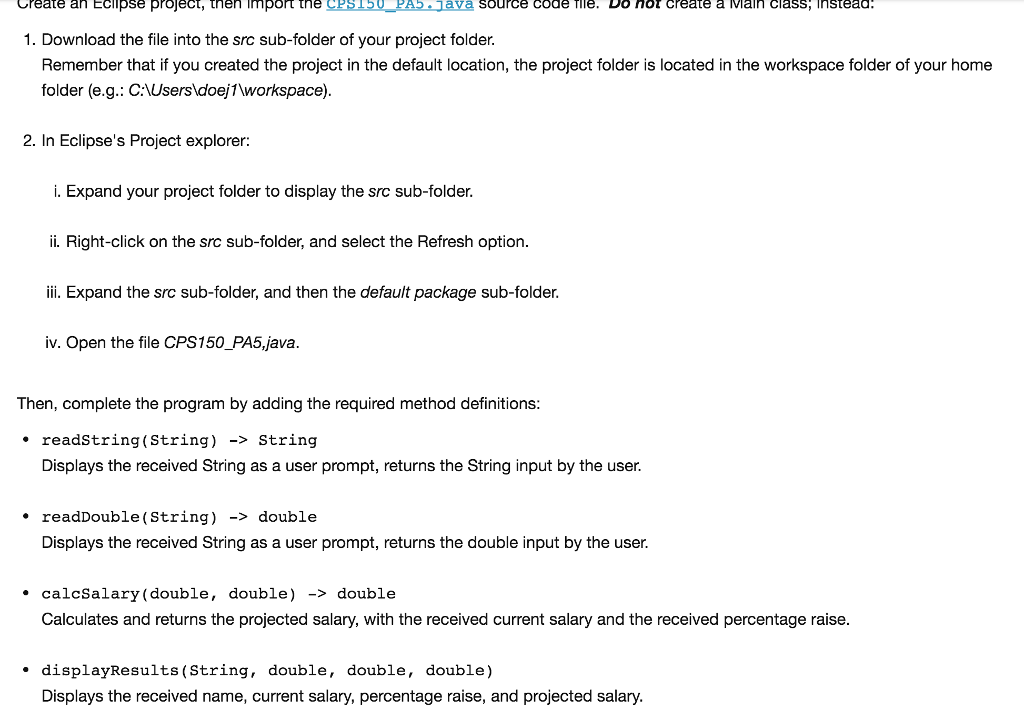
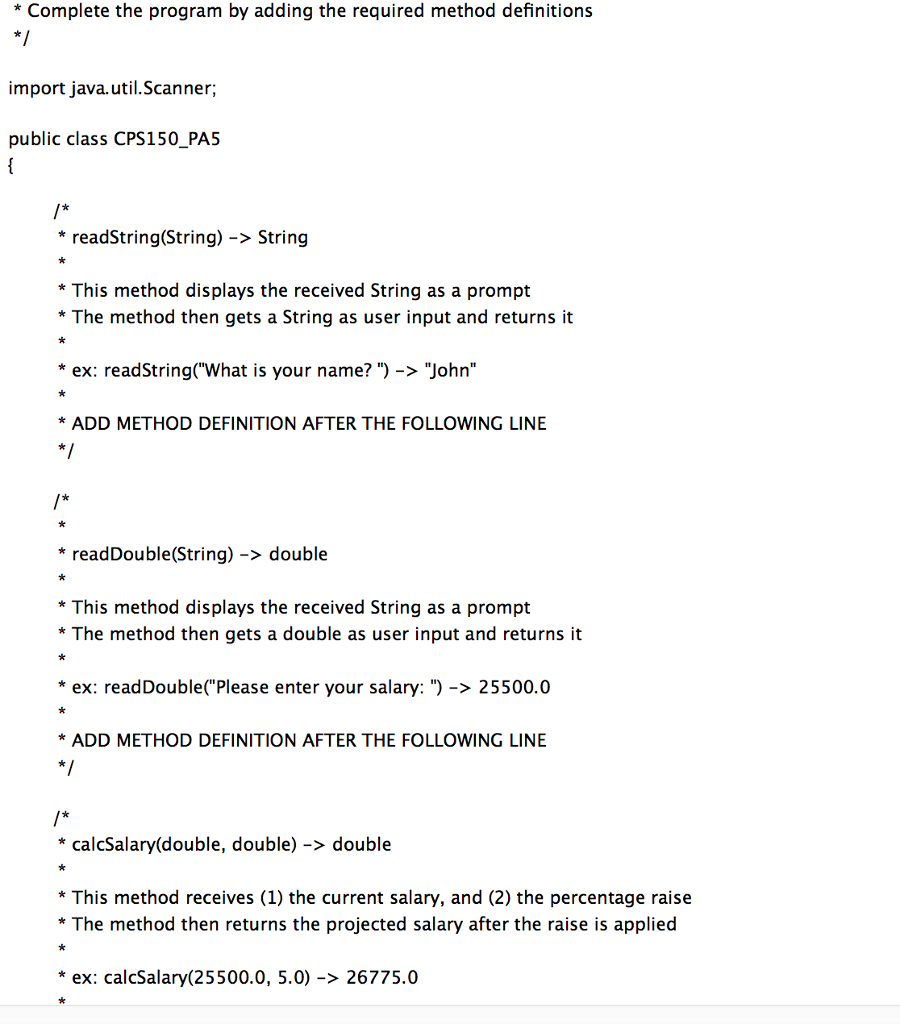
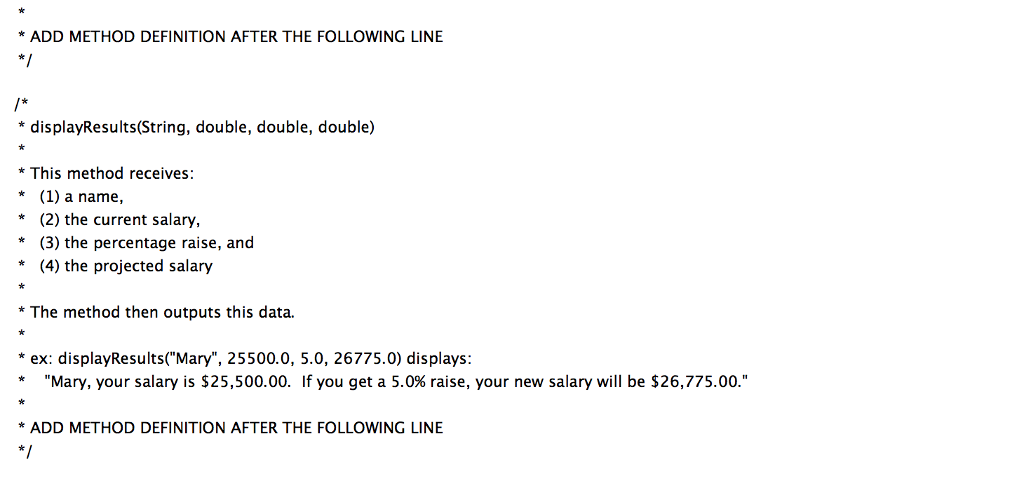
reate an EClipse project, then mport the CPS150-PAS, Java source code Tlle. Do nor create a Main Class: Instead. 1. Download the file into the src sub-folder of your project folder. Remember that if you created the project in the default location, the project folder is located in the workspace folder of your home folder (e.g.: C Usersldoej1workspace) 2. In Eclipse's Project explorer: i. Expand your project folder to display the src sub-folder. ii. Right-click on the src sub-folder, and select the Refresh option. ii. Expand the src sub-folder, and then the default package sub-folder. iv. Open the file CPS150_PA5,java. Then, complete the program by adding the required method definitions: . readstring(String) -> String Displays the received String as a user prompt, returns the String input by the user. . readDouble (String) -> double Displays the received String as a user prompt, returns the double input by the user. calcSalary (double, double) -> double Calculates and returns the projected salary, with the received current salary and the received percentage raise. displayResults (String, double, double, double) Displays the received name, current salary, percentage raise, and projected salary
Step by Step Solution
There are 3 Steps involved in it

Get step-by-step solutions from verified subject matter experts
 Study Help