







Question: RF Witte a MATLAB program that will do the following 1. Create a row vector named t containing the values from 20 to 10.0 with
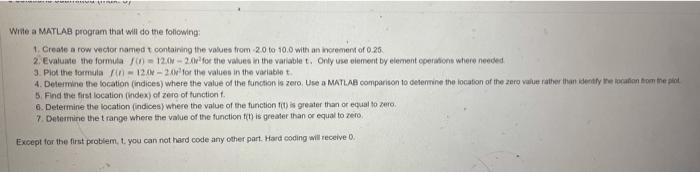
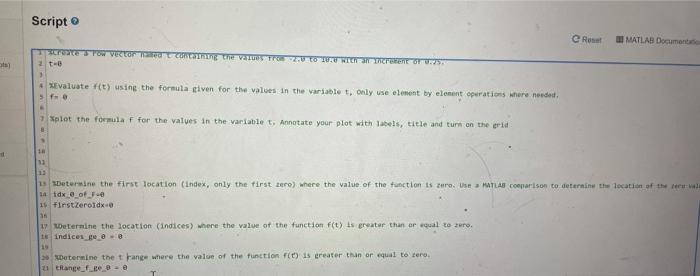
RF Witte a MATLAB program that will do the following 1. Create a row vector named t containing the values from 20 to 10.0 with an increment of 0.25 2. Evaluate the formula 0 - 12.00-2.0r for the values in the variablet. Only use element by element operations where needed 3.Plot the formula fin - 12/24v for the values in the variablet 4. Determine the location (indices) where the value of the function is zero Use a MATLAB comparison to determine the location of the zero value rather than endly eaten to the pot 5. Find the first location index) of zero of function 6. Determine the location indices) where the value of the function() is greater than or equal toe 7. Determine the trange where the value of the function is greater than or equal to zero Except for the first problem, t. you can not hard code any other part Hard coding will receive 0. Script e Rose MATLAB Document screte Tow Vector Che 2.0 to creo.25 2 - at * Evaluate fit) using the formula tiven for the values in the variablet, only use element by element operations where needed fo Splot the formula f for the values in the variablet. Annotate your plot with labels, title and turn on the grid 1 11 13 1 Determine the first location (index, only the first zero) where the value of the function is ture. Use MATLAB comparison to deternine the location of the new 1. dx @_of 16 FirstZeroTdx. an 17 Wetermine the location (indices) where the value of the function F(t) is greater than or equal to zero. Indices - 19 - Determine the trange where the value of the function () is creater than or equal to tero trange_
Step by Step Solution
There are 3 Steps involved in it

Get step-by-step solutions from verified subject matter experts
 Study Help