







Question: RGB You are given a binary file that holds ( mathbf { 1 6 } ) different RGB values. Your job is
RGB
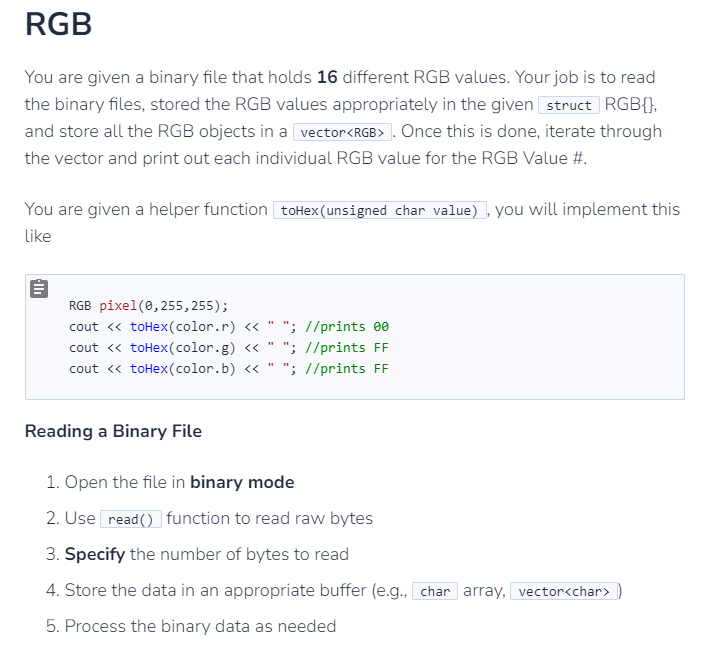
You are given a binary file that holds mathbf different RGB values. Your job is to read the binary files, stored the RGB values appropriately in the given struct RGB and store all the RGB objects in a
Once this is done, iterate through the vector and print out each individual RGB value for the RGB Value #
You are given a helper function toHexunsigned char value you will implement this like
RGB pixel;
cout toHexcolorr; prints
cout toHexcolorg; prints FF
cout toHexcolorb; prints FF
Reading a Binary File
Open the file in binary mode
Use function to read raw bytes
Specify the number of bytes to read
Store the data in an appropriate buffer eg array,
Process the binary data as needed
#include
#include
#include
#include
using namespace std;
struct RGB
unsigned char R G B;
RGB : R G Bdefault constructor
RGBunsigned char r unsigned char g unsigned char b : Rr Gg Bbparamaterized constructor
if you're confused on the constructor syntax, you will learn this when class inheritance is brought up
;
string toHexunsigned char value
const char hexchars ABCDEF"; create hex values using char
string result;
result hexcharsvalue & xF; bitshift left bytes & logical AND gets first hex digit
result hexcharsvalue & xF; logical AND gets second hex digit
return result; returns the hex value of a given unsigned char as a string
int main
const string filename "studentbinarycolorsbin";
ifstream filefilename ios::binary;
Read RGB values from binary file
vector colors;
open file in binary
if file
cerr "Error opening file for reading: filename endl;
return ;
RGB objunsigned char r unsigned char g unsigned char b;
create an RGB object, read all hex values in binary file
hint use a while loop
hint use a while loop
file.close;
Print the RGB values
for int i ; i colors.size; i
RGB color colorsi;
cout RGB Value #i endl;
use toHex to print the RGB values
RGB pixel;
cout toHexcolorr; prints
cout toHexcolorg; prints FF
cout toHexcolorb; prints FF
cout endl;
return ;
Step by Step Solution
There are 3 Steps involved in it
1 Expert Approved Answer
Step: 1 Unlock

Question Has Been Solved by an Expert!
Get step-by-step solutions from verified subject matter experts
Step: 2 Unlock
Step: 3 Unlock
 Study Help