







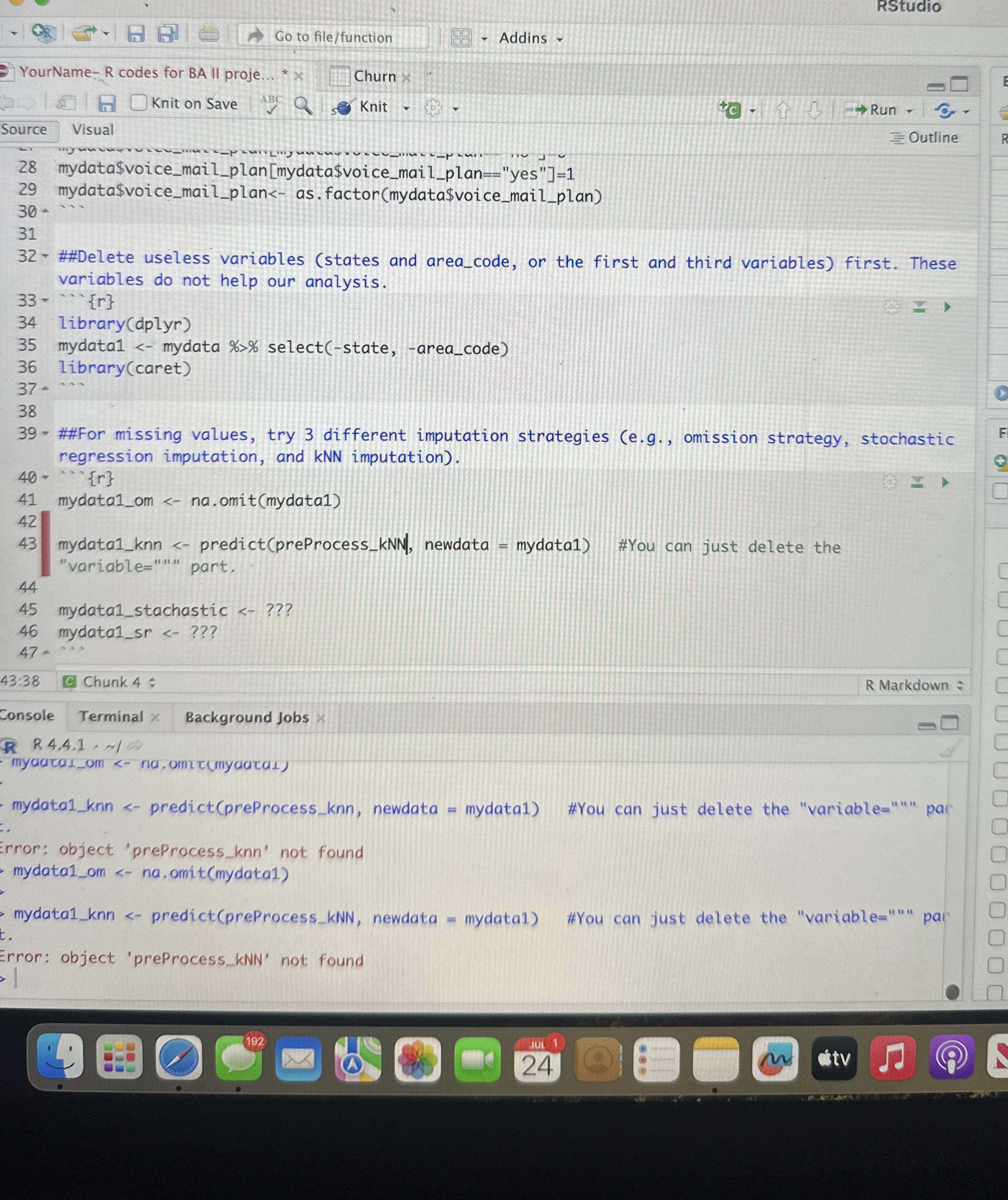
Question: RStudio Trouble with lines 4 0 - 4 7 Go to file / function Addins YourName - R codes for BA II proje Churn Knit
RStudio
Trouble with lines
Go to filefunction
Addins
YourName codes for BA II proje
Churn
Knit on Save
Knit
Run
Outline
Source
Visual
mydata$voicemailplanmydata$voicemailplan"yes"
mydata$voicemailplanasfactormydata$voicemailplan
##Delete useless variables states and areacode, or the first and third variables first. These variables do not help our analysis.
cdots
librarydplyr
mydatamydata selectstate, areacode
librarycaret
##For missing values, try different imputation strategies eg omission strategy, stochastic regression imputation, and kNN imputation
cdots
mydataom naomitmydata
mydataknn predictpreProcesskNN newdata mydata #You can just delete the "variable part.
mydatastachastic
mydatasr
:
Chunk :
R Markdown
Console
Terminal
Background Jobs
R
mydataknn predictpreProcessknn newdata mydata
#You can just delete the "variable par
Error: object 'preProcessknn not found mydataom na omitmydata
mydataknn predictpreProcesskNN newdata mydata #You can just delete the "variable pai
Error: object 'preProcesskNN not found
Step by Step Solution
There are 3 Steps involved in it
1 Expert Approved Answer
Step: 1 Unlock

Question Has Been Solved by an Expert!
Get step-by-step solutions from verified subject matter experts
Step: 2 Unlock
Step: 3 Unlock
 Study Help