





Question: Save Answer QUESTION 4 20 points Question 4: 1. Download and open the Packet Tracer Activity named Question 4 and 5.pka 2. PKA file: Question
Save Answer QUESTION 4 20 points Question 4: 1.
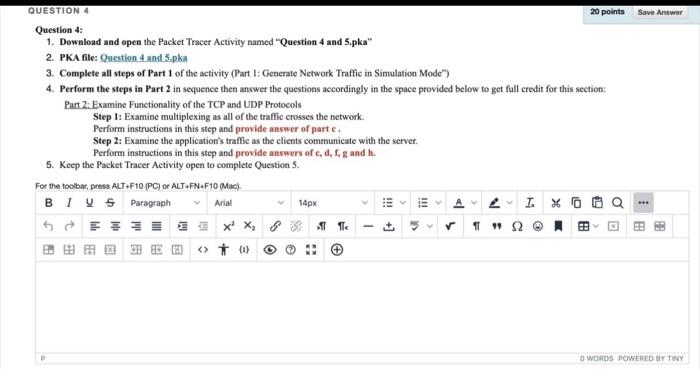
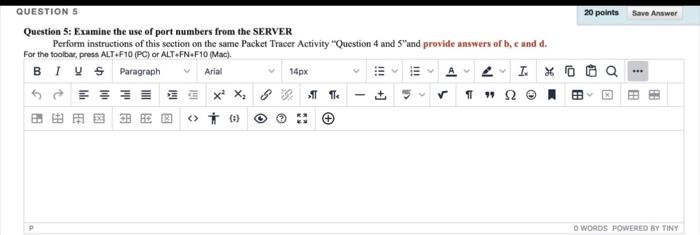
Save Answer QUESTION 4 20 points Question 4: 1. Download and open the Packet Tracer Activity named "Question 4 and 5.pka" 2. PKA file: Question 4 and 5.pka 3. Complete all steps of Part 1 of the activity (Part 1: Generate Network Traffic in Simulation Mode") 4. Perform the steps in Part 2 in sequence then answer the questions accordingly in the space provided below to get full credit for this section: Part 2: Examine Functionality of the TCP and UDP Protocols Step 1: Examine multiplexing as all of the traffic crosses the network. Perform instructions in this step and provide answer of parte. Step 2: Examine the application's traffic as the clients communicate with the server. Perform instructions in this step and provide answers of c, d, fgandhi 5. Keep the Packet Tracer Activity open to complete Questions. For the toolbar, press ALT F10 (PC) or ALT-FN+F10 Mac). BIUS Paragraph 4 I 0 X X B C E . Arial 14px 1!! A - P +] [ O WORDS POWERED BY TINY Save Answer QUESTION 5 20 points Question 5: Examine the use of port numbers from the SERVER Perform instructions of this section on the same Packet Tracer Activity "Question 4 and 5"and provide answers of b, c and d. For the toolbar, press ALT-F10 (PC) or ALT-FNF10 Mac). BI VS Paragraph Arial 14px A4 IXO GEIX X. Te 12B 0 !!! a -- > CS O WORDS POWERED BY TINY

Step by Step Solution

There are 3 Steps involved in it

1 Expert Approved Answer
Step: 1 Unlock blur-text-image

Question Has Been Solved by an Expert!

Get step-by-step solutions from verified subject matter experts

Step: 2 Unlock
Step: 3 Unlock

Students Have Also Explored These Related General Management Questions!