







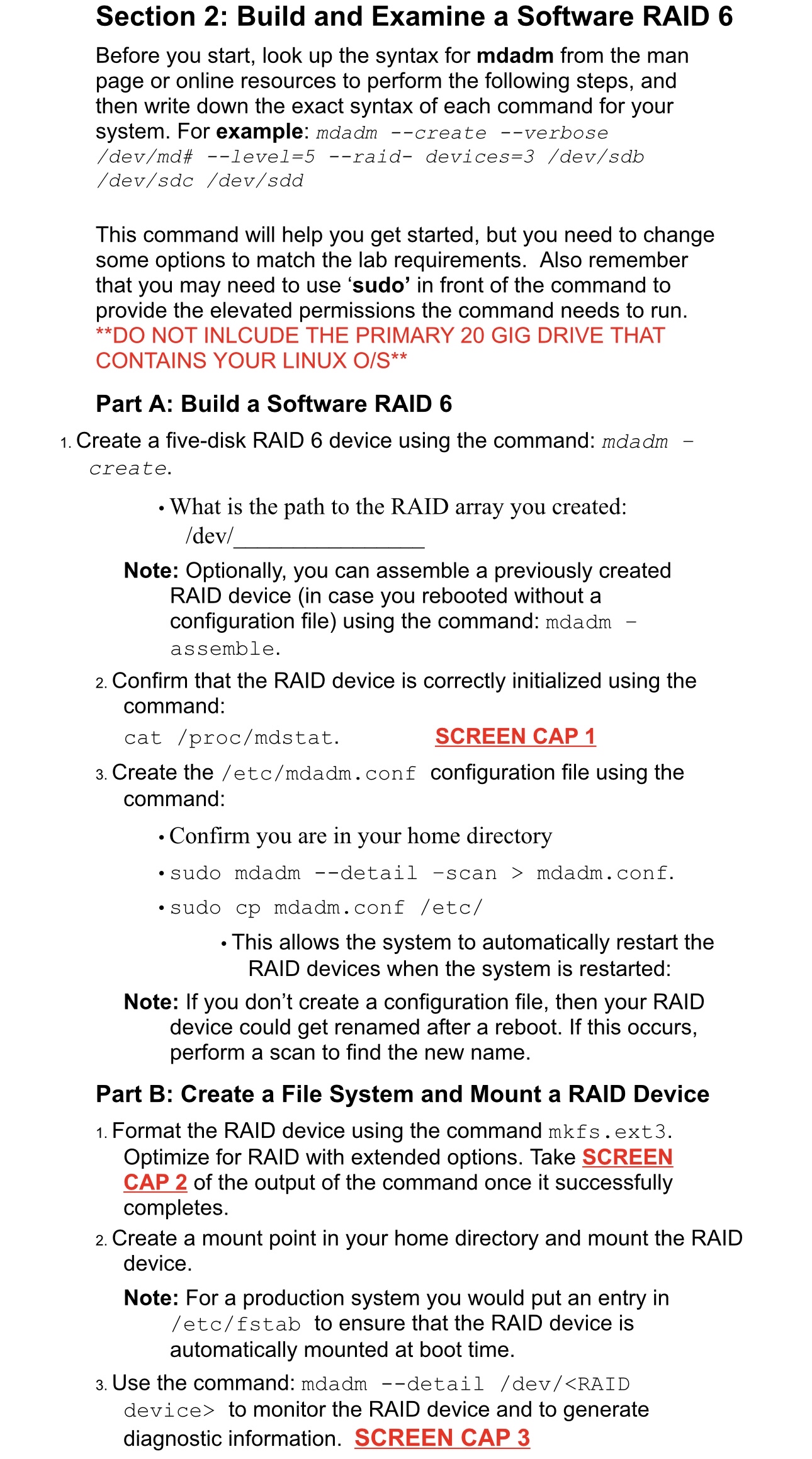
Question: Section 2 : Build and Examine a Software RAID 6 Before you start, look up the syntax for mdadm from the man page or online
Section : Build and Examine a Software RAID
Before you start, look up the syntax for mdadm from the man page or online resources to perform the following steps, and then write down the exact syntax of each command for your system. For example: mdadm create verbose #levelraiddevicesdevsdb
This command will help you get started, but you need to change some options to match the lab requirements. Also remember that you may need to use 'sudo' in front of the command to provide the elevated permissions the command needs to run.
Part A: Build a Software RAID
Create a fivedisk RAID device using the command: mdadm create.
What is the path to the RAID array you created: dev
Note: Optionally, you can assemble a previously created RAID device in case you rebooted without a configuration file using the command: mdadm assemble.
Confirm that the RAID device is correctly initialized using the command:
catprocmdstat
SCREEN CAP
Create the etcmdadm conf configuration file using the command:
Confirm you are in your home directory
sudo mdadm detail scan mdadm.conf.
sudo cp mdadm.conf etc
This allows the system to automatically restart the RAID devices when the system is restarted:
Note: If you don't create a configuration file, then your RAID device could get renamed after a reboot. If this occurs, perform a scan to find the new name.
Part B: Create a File System and Mount a RAID Device
Format the RAID device using the command mkfs ext Optimize for RAID with extended options. Take SCREEN CAP of the output of the command once it successfully completes.
Create a mount point in your home directory and mount the RAID device.
Note: For a production system you would put an entry in etc fstab to ensure that the RAID device is automatically mounted at boot time.
Use the command: mdadm detail dev
Step by Step Solution
There are 3 Steps involved in it
1 Expert Approved Answer
Step: 1 Unlock

Question Has Been Solved by an Expert!
Get step-by-step solutions from verified subject matter experts
Step: 2 Unlock
Step: 3 Unlock
 Study Help