







Question: SECTION B Directions: Read the following scenario. Provide the commandes) in context of the environment established in the scenario. 1. Write a shell script (cm)
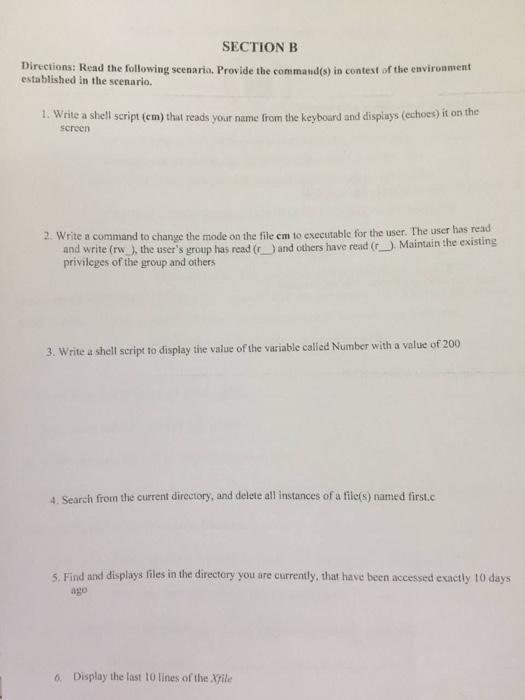
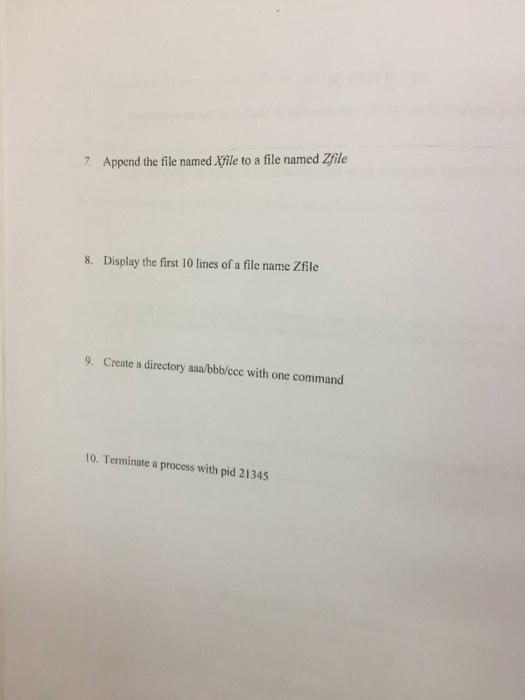
SECTION B Directions: Read the following scenario. Provide the commandes) in context of the environment established in the scenario. 1. Write a shell script (cm) that reads your name from the keyboard and displays (ethoes) it on the screen 2. Write a command to change the mode on the file cm to executable for the user. The user has read and write (w the user's group has read (and others have read (r). Maintain the existing privileges of the group and others 3. Write a shell script to display the value of the variable called Number with a value of 200 4. Search from the current directory, and delete all instances of a file(s) named first.c 5. Find and displays files in the directory you are currently, that have been accessed exactly 10 days ago 6. Display the last 10 lines of the file 7 Append the file named Xfile to a file named Zfile 8. Display the first 10 lines of a file name Zfile 9. Create a directory ana/bbb/ece with one command 10. Terminate a process with pid 21345 SECTION B Directions: Read the following scenario. Provide the commandes) in context of the environment established in the scenario. 1. Write a shell script (cm) that reads your name from the keyboard and displays (ethoes) it on the screen 2. Write a command to change the mode on the file cm to executable for the user. The user has read and write (w the user's group has read (and others have read (r). Maintain the existing privileges of the group and others 3. Write a shell script to display the value of the variable called Number with a value of 200 4. Search from the current directory, and delete all instances of a file(s) named first.c 5. Find and displays files in the directory you are currently, that have been accessed exactly 10 days ago 6. Display the last 10 lines of the file 7 Append the file named Xfile to a file named Zfile 8. Display the first 10 lines of a file name Zfile 9. Create a directory ana/bbb/ece with one command 10. Terminate a process with pid 21345
Step by Step Solution
There are 3 Steps involved in it

Get step-by-step solutions from verified subject matter experts
 Study Help