







Question: Selenium is an open source tool used to automate test cases for web applications running on a browser. It provides multiple ways to locate UI
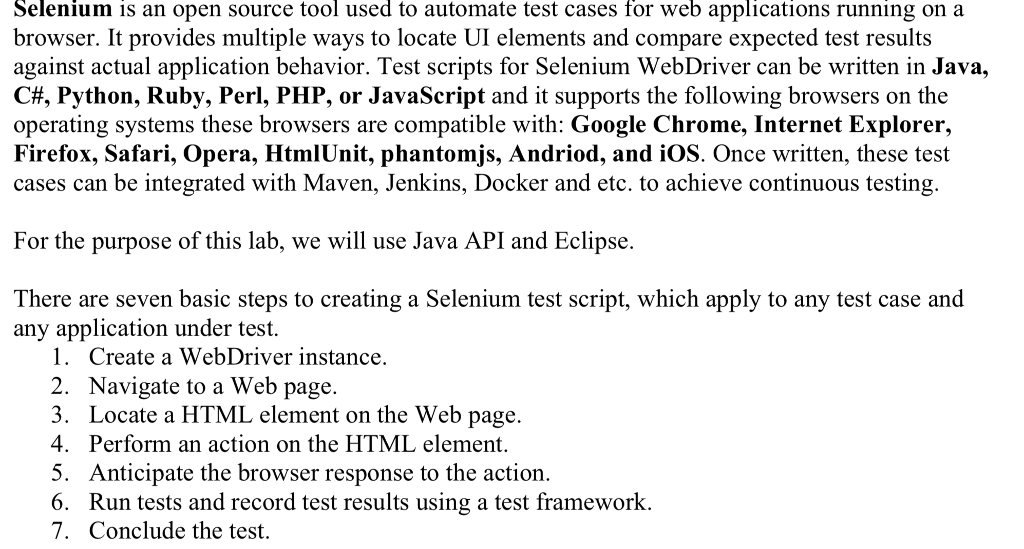
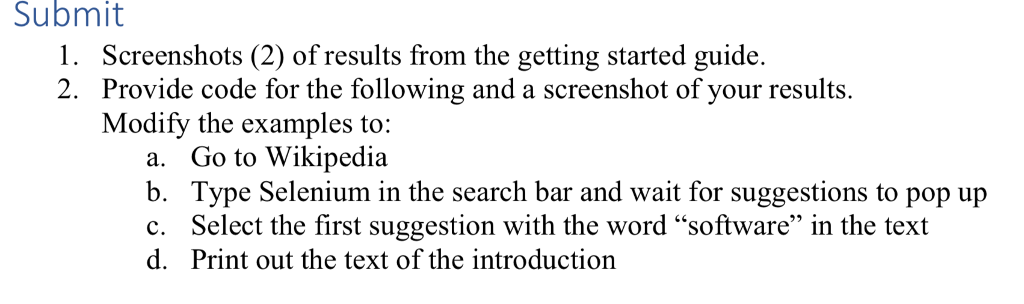
Selenium is an open source tool used to automate test cases for web applications running on a browser. It provides multiple ways to locate UI elements and compare expected test results against actual application behavior. Test scripts for Selenium WebDriver can be written in Java, C#, Python, Ruby, Perl, PHP, or JavaScript and it supports the following browsers on the operating systems these browsers are compatible with: Google Chrome, Internet Explorer, Firefox, Safari, Opera, HtmlUnit, phantomjs, Andriod, and iOS. Once written, these test cases can be integrated with Maven, Jenkins, Docker and etc. to achieve continuous testing. For the purpose of this lab, we will use Java API and Eclipse. There are seven basic steps to creating a Selenium test script, which apply to any test case and any application under test. 1. Create a WebDriver instance. 2. Navigate to a Web page. . Locate a HTML element on the Web page. 4. Perform an action on the HTML element. 5. Anticipate the browser response to the action. 6. Run tests and record test results using a test framework. 7. Conclude the test. Selenium is an open source tool used to automate test cases for web applications running on a browser. It provides multiple ways to locate UI elements and compare expected test results against actual application behavior. Test scripts for Selenium WebDriver can be written in Java, C#, Python, Ruby, Perl, PHP, or JavaScript and it supports the following browsers on the operating systems these browsers are compatible with: Google Chrome, Internet Explorer, Firefox, Safari, Opera, HtmlUnit, phantomjs, Andriod, and iOS. Once written, these test cases can be integrated with Maven, Jenkins, Docker and etc. to achieve continuous testing. For the purpose of this lab, we will use Java API and Eclipse. There are seven basic steps to creating a Selenium test script, which apply to any test case and any application under test. 1. Create a WebDriver instance. 2. Navigate to a Web page. . Locate a HTML element on the Web page. 4. Perform an action on the HTML element. 5. Anticipate the browser response to the action. 6. Run tests and record test results using a test framework. 7. Conclude the test
Step by Step Solution
There are 3 Steps involved in it

Get step-by-step solutions from verified subject matter experts
 Study Help