



Question: siep 4 : rretly rinit mie repurts For the next few functions, copy your formatting functions from your Notepad into the sandbox environments below. In
siep : rretly rinit mie repurts
For the next few functions, copy your formatting functions from your Notepad into the sandbox
environments below.
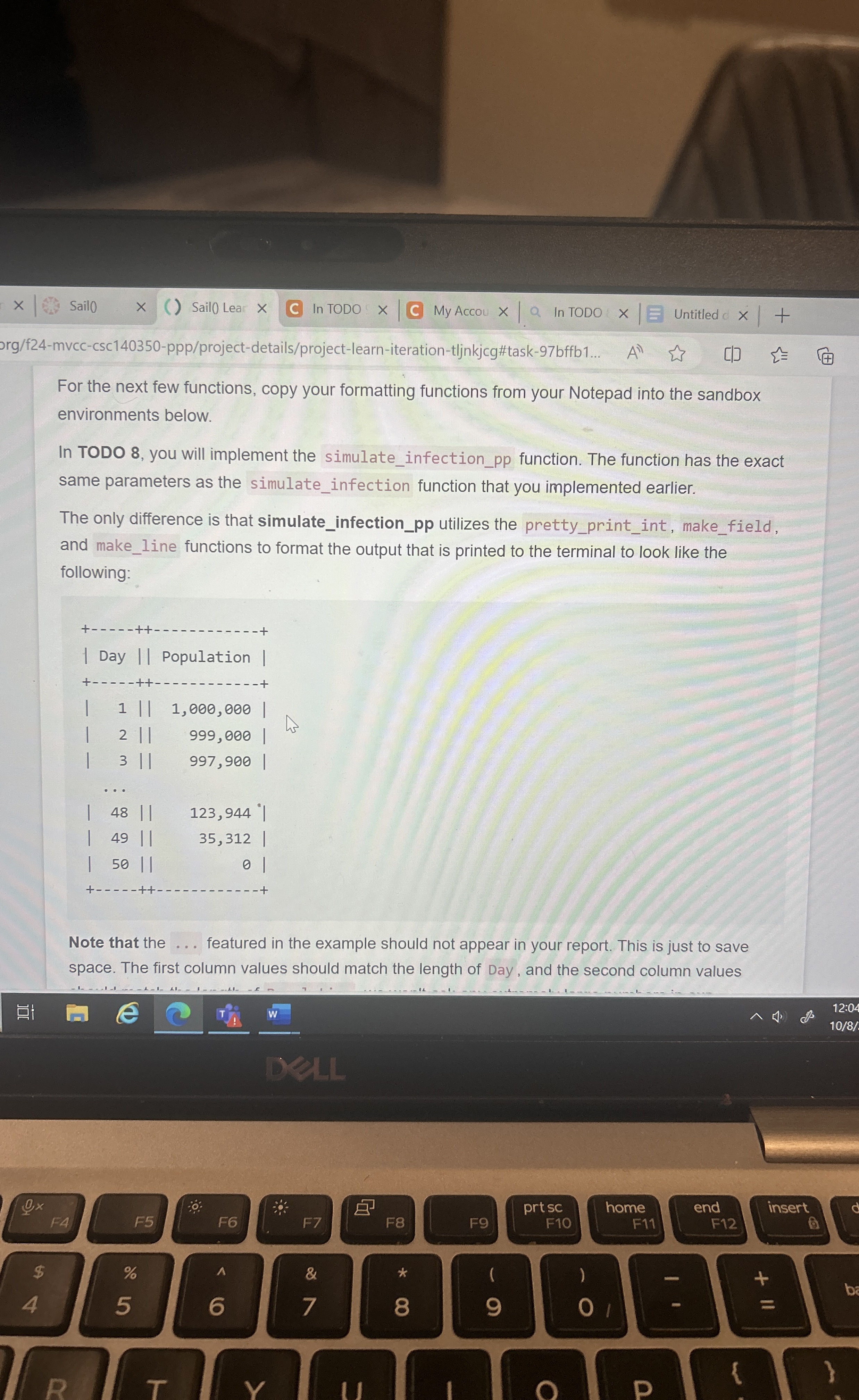
In TODO you will implement the simulateinfectionpp function. The function has the exact
same parameters as the simulateinfection function that you implemented earlier.
The only difference is that simulateinfectionpp utilizes the prettyprintint, makefield,
and makeline functions to format the output that is printed to the terminaho look like the
following:
Note that the
featured in the example should not appear in your report. This is just to save
space. The first column values should match the length of Day, and the second column values
should match the length of Population; we won't ask any extremely large numbers in our
autograder to break this formatting.
For the next few functions, copy your formatting functions from your Notepad into the sandbox
environments below.
In TODO you will implement the simulateinfectionpp function. The function has the exact
same parameters as the simulateinfection function that you implemented earlier.
The only difference is that simulateinfectionpp utilizes the prettyprintint, makefield,
and makeline functions to format the output that is printed to the terminal to look like the
following:
Note that the featured in the example should not appear in your report. This is just to save
space. The first column values should match the length of Day, and the second column values
Step by Step Solution
There are 3 Steps involved in it
1 Expert Approved Answer
Step: 1 Unlock

Question Has Been Solved by an Expert!
Get step-by-step solutions from verified subject matter experts
Step: 2 Unlock
Step: 3 Unlock