







Question: #Simple HTTP Web Server #creates Window Tile Description $host.UI.RawUI.WindowTitle = MyPowerShellSite #create http listener $listener = New-Object System.Net.HttpListener #server to listen on URL address
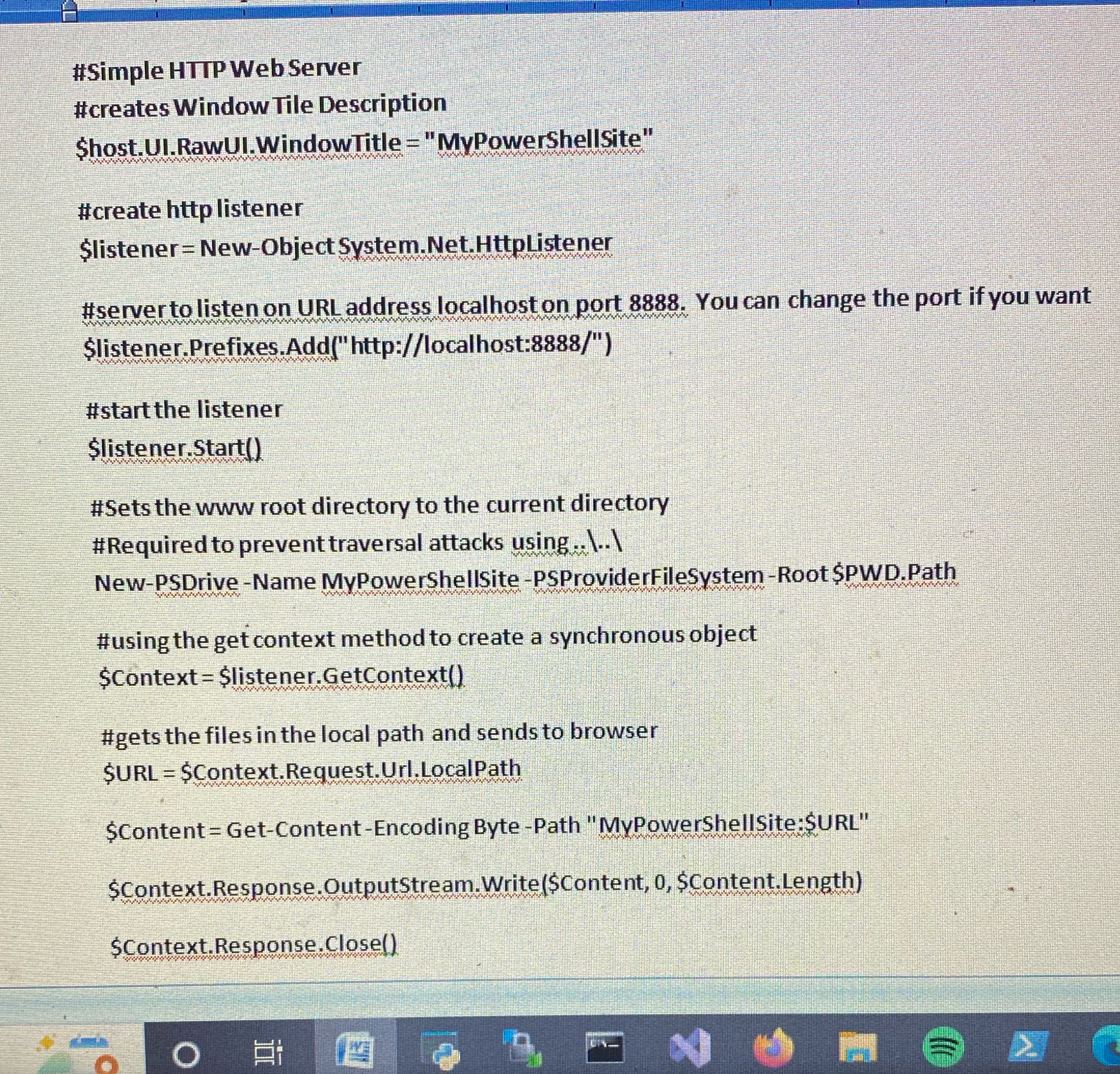
#Simple HTTP Web Server #creates Window Tile Description $host.UI.RawUI.WindowTitle = "MyPowerShellSite" #create http listener $listener = New-Object System.Net.HttpListener #server to listen on URL address localhost on port 8888. You can change the port if you want $listener.Prefixes.Add("http://localhost:8888/") #start the listener $listener.Start() #Sets the www root directory to the current directory #Required to prevent traversal attacks using ..\..\ New-PSDrive -Name MyPowerShellSite -PSProviderFileSystem-Root $PWD.Path #using the get context method to create a synchronous object $Context = $listener.GetContext() #gets the files in the local path and sends to browser $URL = $Context.Request.Url.LocalPath $Content = Get-Content-Encoding Byte -Path "MyPowerShellSite:$URL" $Context.Response.OutputStream.Write($Content, 0, $Content.Length) $Context.Response.Close() N >
Step by Step Solution
There are 3 Steps involved in it

Get step-by-step solutions from verified subject matter experts
 Study Help