







Question: Simple Linux commands questions. Can you please look over my work and then finish the last couple of questions thanks in advance! Give the commands
Simple Linux commands questions. Can you please look over my work and then finish the last couple of questions 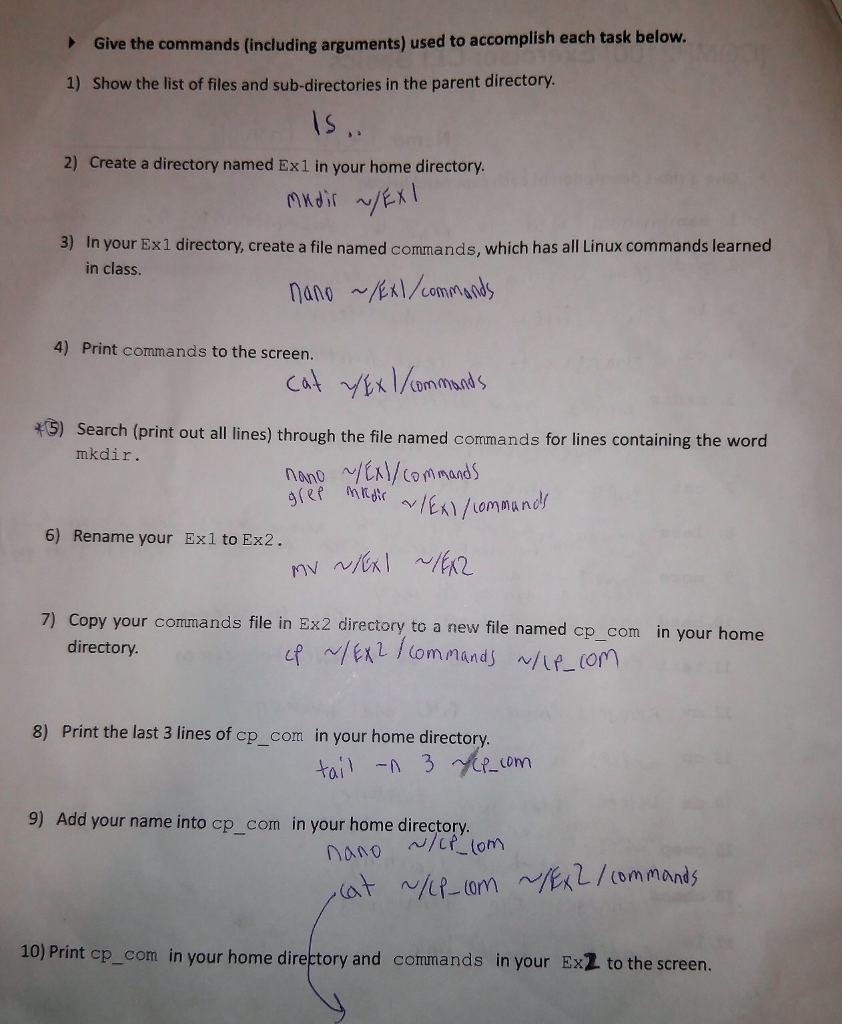
thanks in advance!
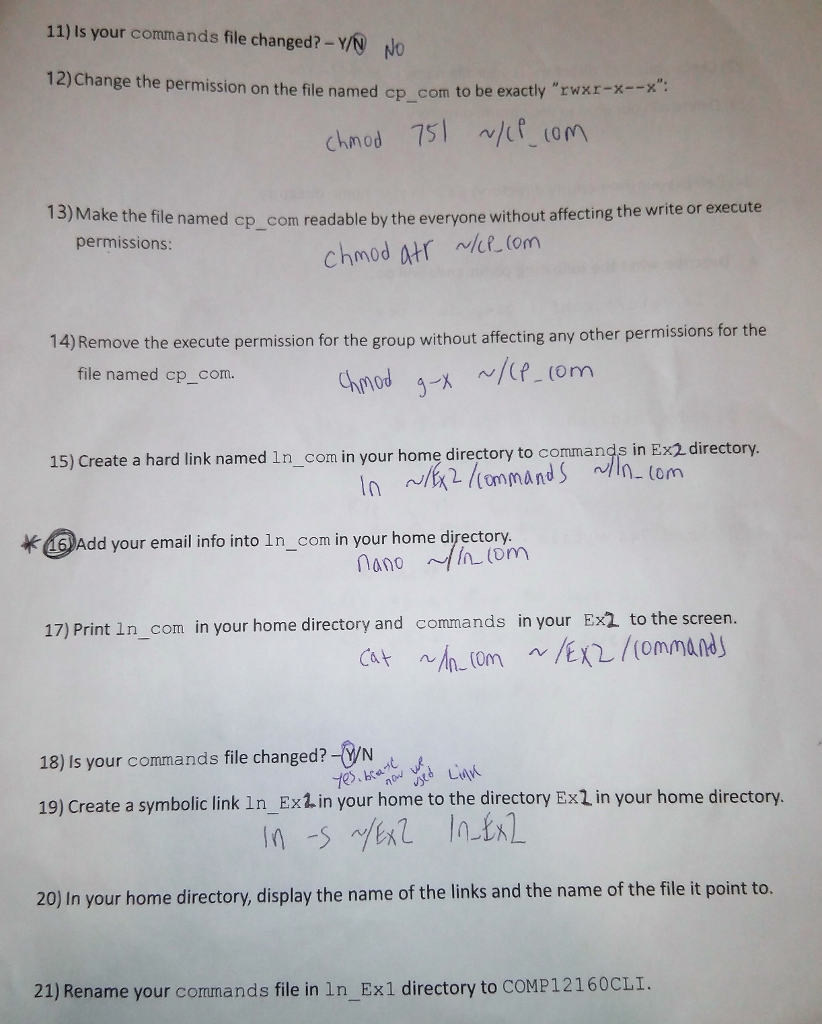
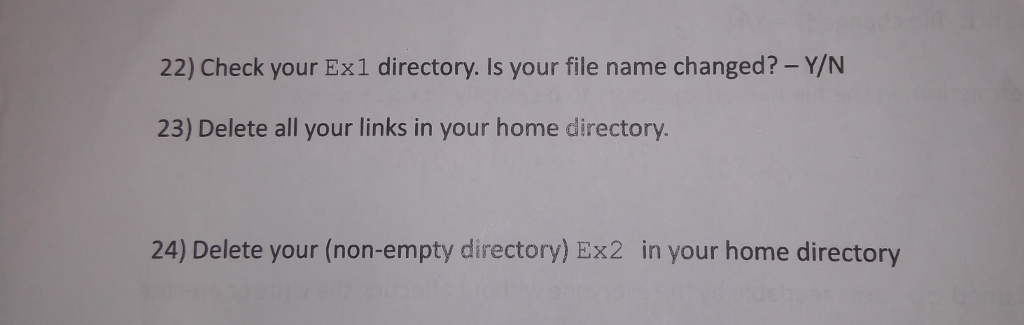
Give the commands (including arguments) used to accomplish each task below. Show the list of files and sub-directories in the parent directory. ? 1) l S 2) Create a directory named Ex1 in your home directory 3) In your Ex1 directory, create a file named commands, which has all Linux commands learned in class. 4) Print commands to the screen. cat ommads 5) Search (print out all lines) through the file named commands for lines containing the word mkdir 6) Rename your Exl to Ex2 ) Copy your commands file in Ex2 directory to a new file named cp_com in your home directory 8) Print the last 3 lines of cp_com in your home directory 9) Add your name into cp_com in your home directory nono 10) Print ep_com in your home directory and commands in your Ex2 to the screen
Step by Step Solution
There are 3 Steps involved in it

Get step-by-step solutions from verified subject matter experts
 Study Help