







Question: Skip the steps that require the use of command line tools or real devices. This app first shows LOGIN screen and upon authentication go to
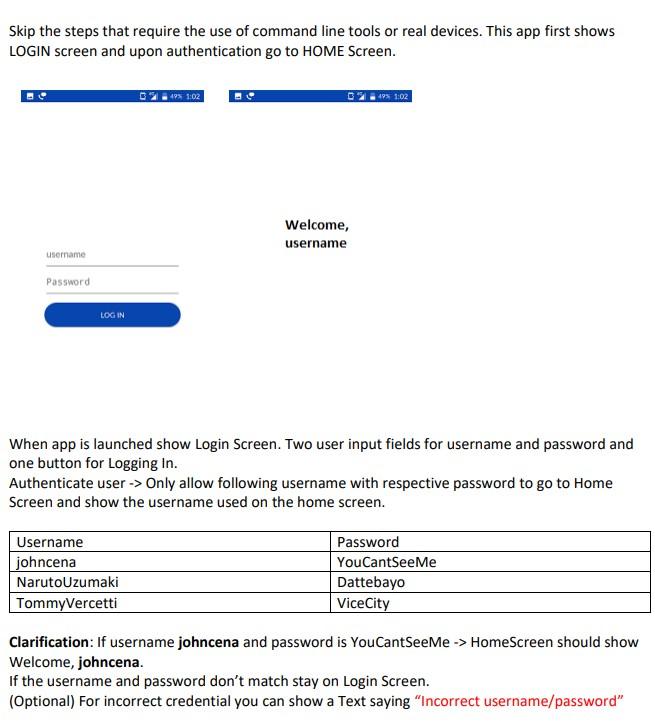
Skip the steps that require the use of command line tools or real devices. This app first shows LOGIN screen and upon authentication go to HOME Screen. B213102 495 1:02 Welcome, username username Password LOG IN When app is launched show Login Screen. Two user input fields for username and password and one button for Logging In. Authenticate user -> Only allow following username with respective password to go to Home Screen and show the username used on the home screen. Username johncena Naruto Uzumaki TommyVercetti Password YouCantSeeMe Dattebayo Vice City Clarification: If username johncena and password is YouCantSeeMe -> Home Screen should show - Welcome, johncena. If the username and password don't match stay on Login Screen. (Optional) For incorrect credential you can show a Text saying "Incorrect username/password
Step by Step Solution
There are 3 Steps involved in it

Get step-by-step solutions from verified subject matter experts
 Study Help