







Question: So far, you have created frame, container (panel) and components. There was no code for handling Events with action listeners. Now Modify the above code
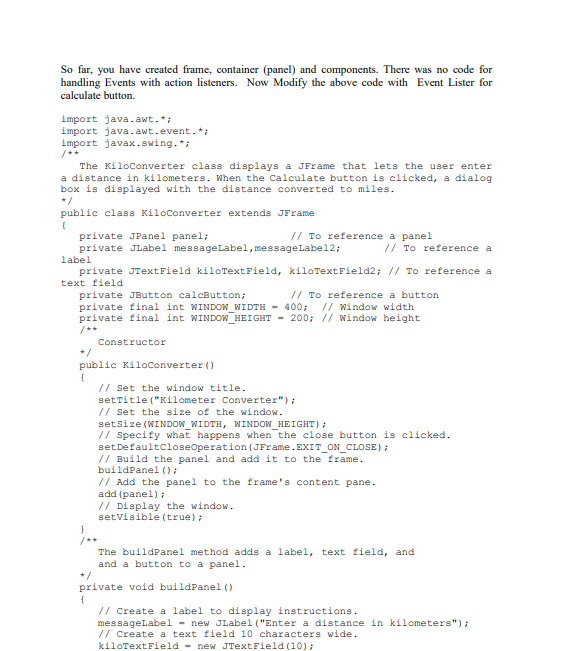
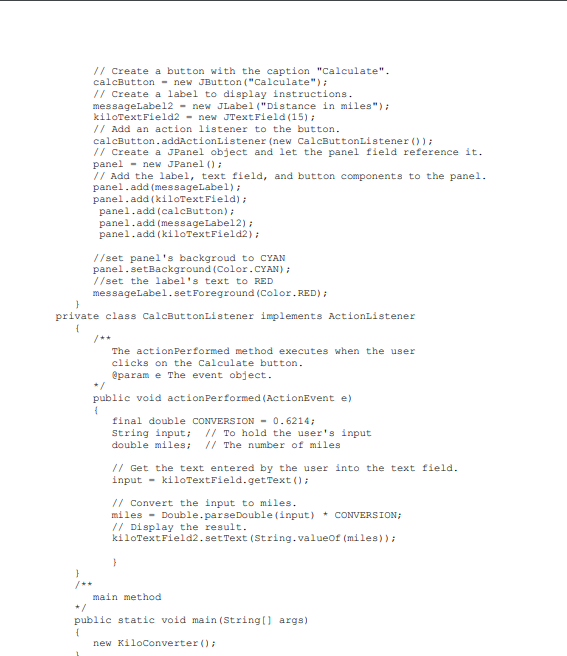
So far, you have created frame, container (panel) and components. There was no code for handling Events with action listeners. Now Modify the above code with Event Lister for calculate button. import java.awt. import java.awt.event. import javax.swing. The KiloConverter class displays a JFrame that lets the user enter a distance in kilometers. When the Calculate button is clicked, a dialog box is displayed with the distance converted to miles public class Kiloconverter extends JFrame I To reference a panel private JPanel panel; private JLabel messageLabel,messageLabe12; / To reference a label private JTextField kiloTextField, kiloTextField2: II To reference a text field To reference a button private JButton calcButton private final int WINDOW WIDTH-400 ndow width private final int WINDOW HEIGHT - 200 window height Constructor public Kiloconverter ) /I Set the window title setTitle ("Kilometer Converter") /I Set the size of the window setsize (WINDOW WIDTH, WINDOW HEIGHT) // Specify what happens when the close button is clicked setDefaultcloseoperation (JFrame.EXIT_ON_CLOSE) Build the panel and add it to the frame buildPanel) // Add the panel to the frame's content pane add (panel) / Display the window setvisible (true) The buildPanel method adds a label, text field, and and a button to a panel private void buildPanel () /I Create a label to display instructions messageLabel-new JLabel ("Enter a distance in kilometers") /I Create a text field 10 characters wide kiloTextField new JTextField
Step by Step Solution
There are 3 Steps involved in it

Get step-by-step solutions from verified subject matter experts
 Study Help