







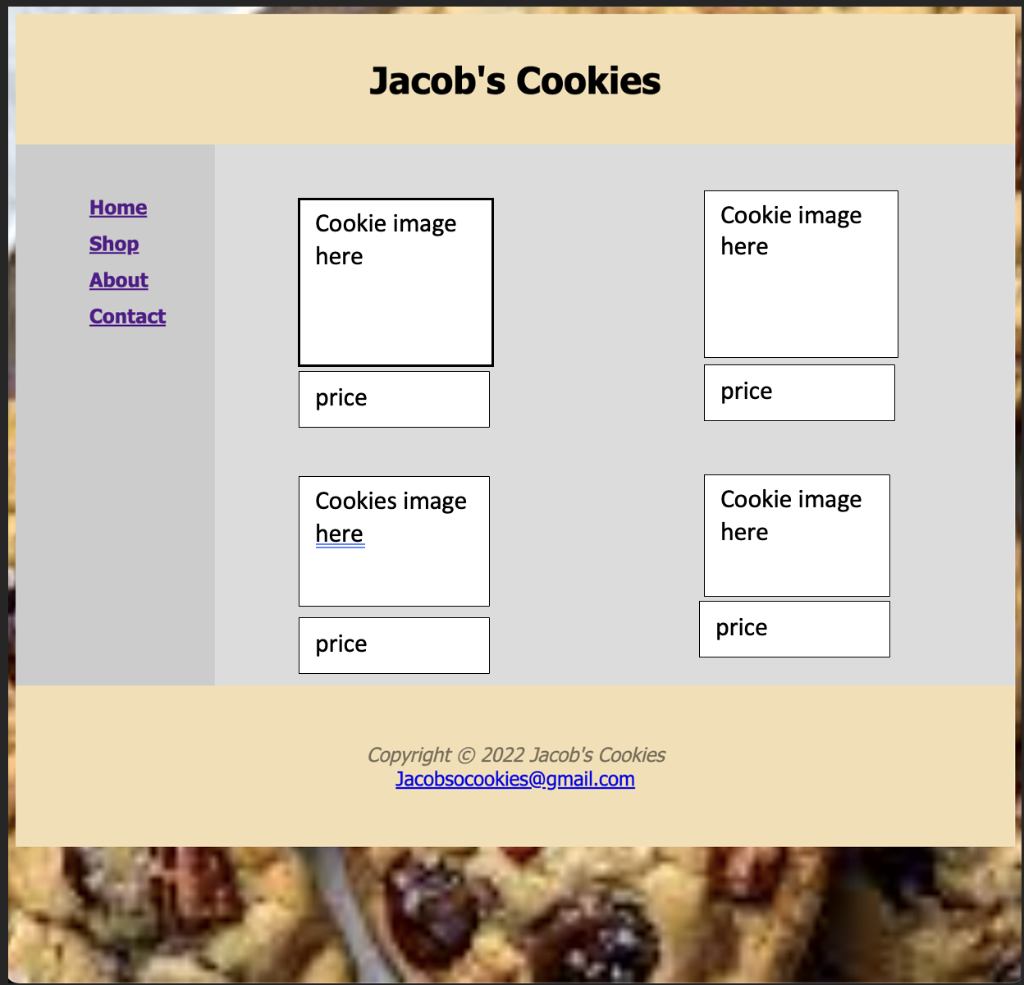
Question: So Im doing a final project for school and I need help putting this together so I drew what I wanted to be done in
So Im doing a final project for school and I need help putting this together so I drew what I wanted to be done in the main. I just dont know how it would look like in HTML and CSS I am going to put all of my stuff down below. Hopefully you can help. Thank you. This is for my shop html
shop.html
Jacob's Cookies
css
{ box-sizing: border-box; }
body { background-color: #D2B48C; background-image: url(images/cookies3.jpg); background-repeat: no-repeat; background-position: center; background-size: 1500px; color: #221811; font-family: Tahoma, Arial, sans-serif; margin: 1; } #wrapper { background-color: gainsboro; padding: 2; } /* Style the header */ header { background-color: #f5deb3; padding: 10px; text-align: center; font-size: 20px; color: #000000; }
nav { float: left; width: 15%; height: 400px; background: #ccc; padding: 20px; }
nav ul { list-style: none; }
nav ul li{ text-decoration: none; padding: 5px 0; font-weight: bold; color: #000; } article { padding: 20px; width: 85%; background-color: #dcdcdc; } article img{ height: 150px; width: 150px; } article h1{ font-size: 30px; } } header a {text-decoration: none; } header a:link {color: #231814; } header a:visited {color: #231814; } header a:hover {color: #FEF6C2; } h1 { font-size: 2em; font-family: Brush Script MT, cursive; }
section::after { content: ""; display: table; clear: both; }
footer { background-color: #f5deb3; padding: 30px; text-align: center; color: #000000; }
@media (max-width: 600px) { nav, article { width: 100%; height: auto; } }
Jacob's Cookies Copyright (c) 2022 Jacob's Cookies Jacobsocookies@gmail.com
Step by Step Solution
There are 3 Steps involved in it

Get step-by-step solutions from verified subject matter experts
 Study Help