







Question: Solve in Matlab Problem 3: Heart Rate Calculation (Submit two script files, include comm The file restingHeartRate.mat contains age, e comments) column of 19 values.
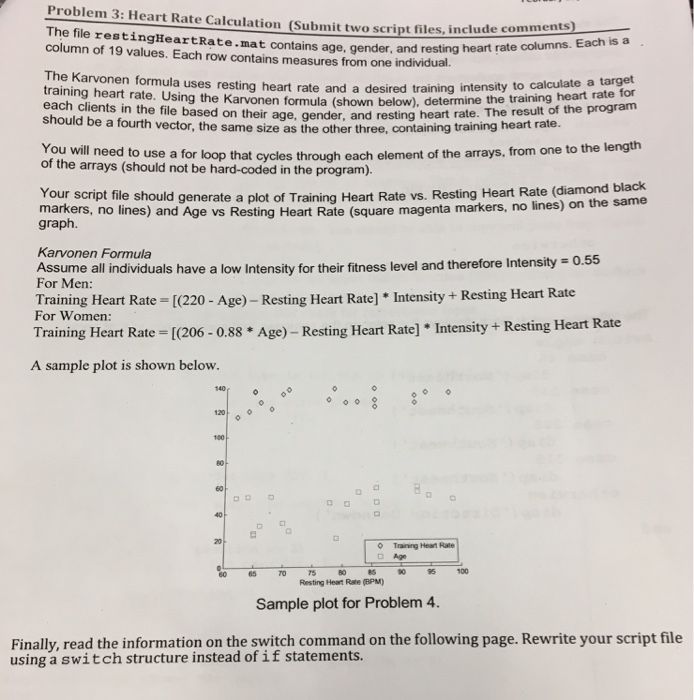
Problem 3: Heart Rate Calculation (Submit two script files, include comm The file restingHeartRate.mat contains age, e comments) column of 19 values. Each row contains measures from one individual. gender, and resting heart rate columns. Each is a The Karvonen formula uses resting heart training heart rate. Using the Karvonen formula (shown below), determine The result of the program rate and a desired training intensity to calculate a target age, gender, and resting heart rate. The result of the program from one to the length each clients in the file based on their should be a fourth vector, the same size as the other three, containing training heart rate. You will need to use a for loop that cycles through each element of the arrays, of the arrays (should not be hard-coded in the program). mark erg pt file should generate a plot of Training Heart Rate vs. Resting Hear Rate (diam markers, no lines) and Age vs Resting Heart Rate (square mage enta markers, no lines) on the same graph. Karvonen Formula Assume all individuals have a low Intensity for their fitness level and therefore Intensity = 0.55 For Men: Training Heart Rate [(220- Age) - Resting Heart Rate] Intensity+ Resting Heart Rate For Women: Training Heart Rate [(206- A sample plot is shown below 0.88 * Age)- Resting Heart Rate] Intensity + Resting Heart Rate 60 o Training Heart Rate Age TO%0 100 Sample plot for Problem 4. Finally, read the information on the switch command on the following page. Rewrite your script file 85 Resting Heat Rate (BPM) using a switch structure instead of if statements
Step by Step Solution
There are 3 Steps involved in it

Get step-by-step solutions from verified subject matter experts
 Study Help