







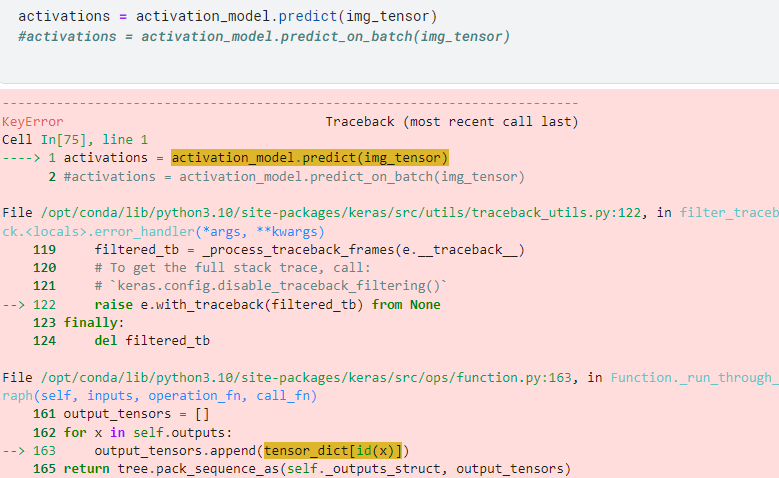
Question: solve this code issue.. KeyError Traceback ( most recent call last ) Cell In [ 7 5 ] , line 1 - - - -
solve this code issue..
KeyError
Traceback most recent call last
Cell In line
activations activationmodel.predictimgtensor
#activations activationmodel.predictonbatchimgtensor
File optcondalibpythonsitepackageskerassrcutilstracebackutils.py: in filtertraceb
ckerrorhandlerargskwargs
filteredtb processtracebackframesetraceback
# To get the full stack trace, call:
# kerasconfig.disabletracebackfiltering
raise ewithtracebackfilteredtb from None
finally:
del filteredtb
File optcondalibpythonsitepackageskerassrcopsfunctionpy: in Function.runthrough
raphself inputs, operationfn callfn
outputtensors
for x in self.outputs:
outputtensors.appendtensordictidx
return tree.packsequenceasselfoutputsstruct, outputtensors
Step by Step Solution
There are 3 Steps involved in it
1 Expert Approved Answer
Step: 1 Unlock

Question Has Been Solved by an Expert!
Get step-by-step solutions from verified subject matter experts
Step: 2 Unlock
Step: 3 Unlock
 Study Help