







Question: Some key points: I. form.php php file extension,
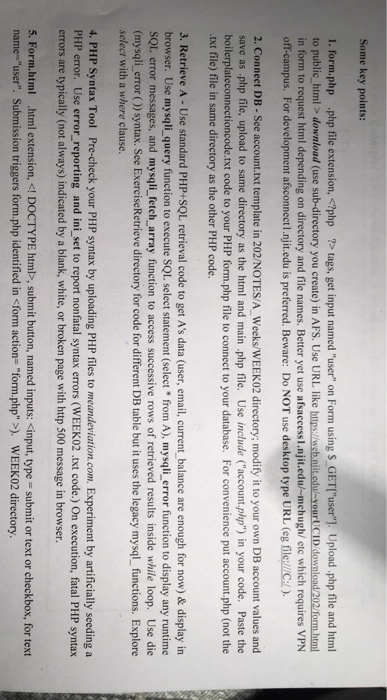
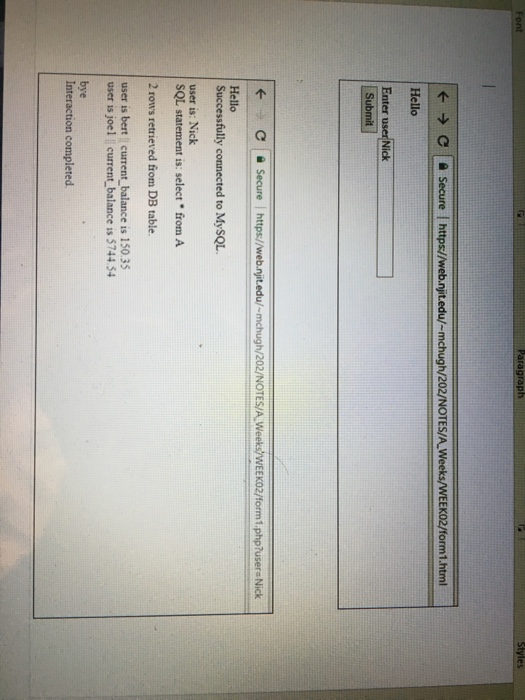
Some key points: I. form.php php file extension, download (use sub-directory you create) in AFS. Use URL like https://web.niit.edul-your CID download /202/formhtml in form to request html depending on directory and file names. Better yet use afsaccess l.njit.edu/-mchugh/ etc which requires VPN off-campus. For development afsconnectl.njit.edu is preferred. Beware: Do NOT use desktop type URL (eg file://C:L) 2. Connect DB - See account.txt template in 202/NOTES/A Weeks/WEEK02 directory; modify it to your own DB account values and save as php file, upload to same directory as the html and main php file. Use include ("account.php") in your code. Paste the boilerplateconnectioncode.txt code to your PHP form.php file to connect to your database. For convenience put account.php (not the txt file) file in same directory as the other PHP code. 3. Retrieve A - Use standard PHP+SQL retrieval code to get A's data (user, email, current balance are enough for now) & display in browser. Use mysqli_query function to execute SQL select statement (select from A), mysqli _error function to display any runtime SQL error messages, and mysqli fetch array function to access successive rows of retrieved results inside while loop. Use die (mysqli error() syntax. See ExerciseRetrieve directory for code for different DB table but it uses the legacy mysql functions. Explore select with a where clause 4. PHP Syntax Tool Pre-check your PHP syntax by uploading PHP files to meandeviation.com. Experiment by artificially seeding a PHP error. Use error_reporting and ini_ set to report nonfatal syntax errors (WEEK02 .txt code.) On execution, fatal PHP syntax errors are typically (not always) indicated by a blank, white, or broken page with http 500 message in browser. 5. Form.html html extension, , submit button, named inputs: ). WEEK02 directory
Step by Step Solution
There are 3 Steps involved in it

Get step-by-step solutions from verified subject matter experts
 Study Help