







Question: Spring 2021 Chapter 1 Hande-On Projects Project 1-1 Practice the 'le' command by listing the files on the bin directory... What are most these filos?
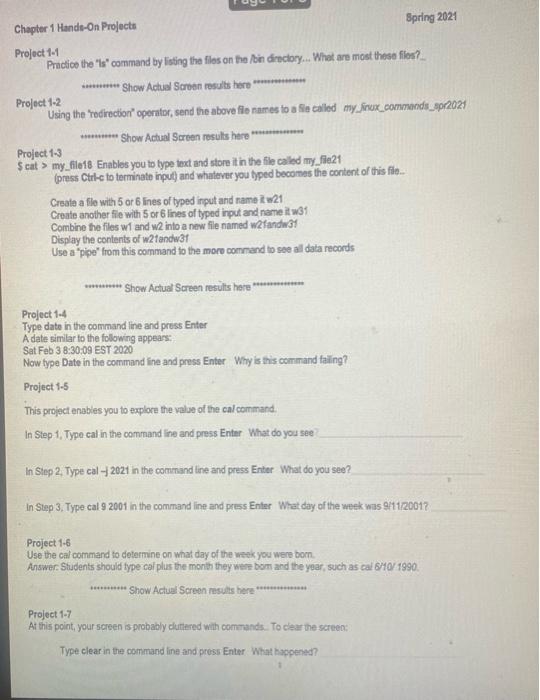
Spring 2021 Chapter 1 Hande-On Projects Project 1-1 Practice the 'le' command by listing the files on the bin directory... What are most these filos? ********** Show Actual Screen results here ************** Project 1-2 Using the "redirection operator, send the above file namesto Se called my finux_commands_Apr2021 * Show Actual Screen results here. Project 1-3 $ cat > my_file18 Enables you to type text and store it in the file called my_fie21 press Ctrl-c to terminato input and whatever you hyped becomes the content of this film... Create a file with 5 or 6 lines of typed input and name w21 Croato another file with 5 or 6 lines of typed input and name it w31 Combine the files w1 and 2 into a new file named w2fandw31 Display the contents of w21andw31 Use a "pipe" from this command to the more command to see all data records ***** Show Actual Screen results here Project 1-4 Type date in the command line and press Enter A date similar to the following appears. Sat Feb 3 8:30:09 EST 2020 Now type Date in the command line and press Enter Why is this command failing? Project 1-5 This project enables you to explore the value of the calcommand, In Step 1. Type cal in the command line and press Enter What do you see In Step 2. Type cal - 2021 in the command line and press Enter What do you see? In Step 3. Type cal 9 2001 in the command line and press Enter What day of the week was 9111/20017 Project 1-6 Use the cal command to determine on what day of the wook you were born Answer: Students should type cal plus the month they were bom and the year, such as cal 6/10/1990 ********* Show Actual Screen results here .......... Project 1-7 At this point, your screen is probably cluttered with commands. To clear the screen Type clear in the command line and press Enter What happened
Step by Step Solution
There are 3 Steps involved in it

Get step-by-step solutions from verified subject matter experts
 Study Help