







Question: CIS 440 Hands-On Projects for Chapter 2 Spring 2021 Project 21 Use the command to view the content of the root file system directory ()
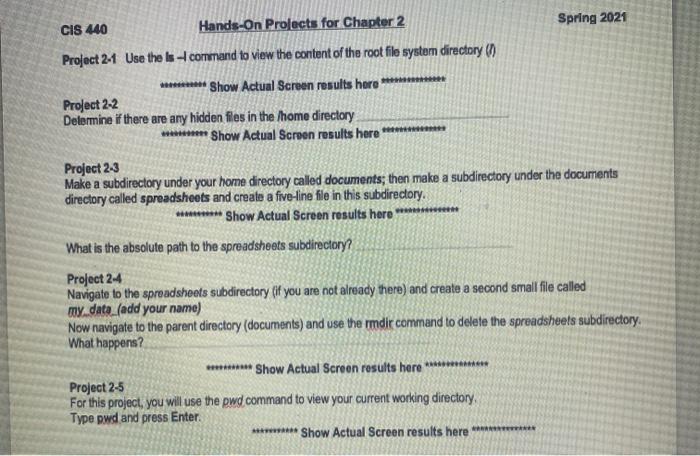
CIS 440 Hands-On Projects for Chapter 2 Spring 2021 Project 21 Use the command to view the content of the root file system directory () ******** Show Actual Screen results here *** Project 2-2 Delermine if there are any hidden files in the home directory * Show Actual Screen results here Project 2-3 Make a subdirectory under your home directory called documents; then make a subdirectory under the documents directory called spreadsheets and create a five-line file in this subdirectory. ********* Show Actual Screen results here What is the absolute path to the spreadsheets subdirectory? Project 24 Navigate to the spreadsheets subdirectory if you are not already there) and create a second small file called my data (add your name) Now navigate to the parent directory (documents) and use the rmdir command to delete the spreadsheets subdirectory What happens ? ****** Show Actual Screen results here ********** Project 2-5 For this project, you will use the pwd command to view your current working directory Type pwd and press Enter ********** Show Actual Screen results here ************
Step by Step Solution
There are 3 Steps involved in it

Get step-by-step solutions from verified subject matter experts
 Study Help