







Question: Start a new file named hw3.html and create your HTML file from the beginning. 1. Appropriate DOCTYPE for html 5 - 2. Opening and Closing
Start a new file named hw3.html and create your HTML file from the beginning.
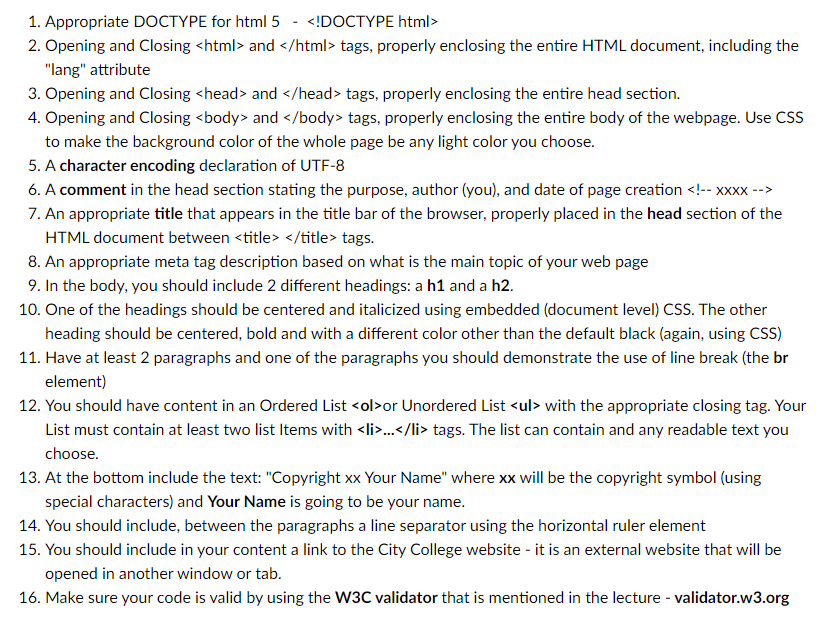
1. Appropriate DOCTYPE for html 5 - 2. Opening and Closing and tags, properly enclosing the entire HTML document, including the "lang" attribute 3. Opening and Closing > and head > tags, properly enclosing the entire head section. 4. Opening and Closing and tags, properly enclosing the entire body of the webpage. Use CSS to make the background color of the whole page be any light color you choose. 5. A character encoding declaration of UTF-8 6. A comment in the head section stating the purpose, author (you), and date of page creation !xxxx> 7. An appropriate title that appears in the title bar of the browser, properly placed in the head section of the HTML document between title > title > tags. 8. An appropriate meta tag description based on what is the main topic of your web page 9. In the body, you should include 2 different headings: a h1 and a h2. 10. One of the headings should be centered and italicized using embedded (document level) CSS. The other heading should be centered, bold and with a different color other than the default black (again, using CSS) 11. Have at least 2 paragraphs and one of the paragraphs you should demonstrate the use of line break (the br element) 12. You should have content in an Ordered List or Unordered List with the appropriate closing tag. Your List must contain at least two list Items with
Step by Step Solution
There are 3 Steps involved in it

Get step-by-step solutions from verified subject matter experts
 Study Help