







Question: Start with my zip file: BirdLibrary Homework.zip Add a class library called BirdLibrary In that library add a class definition for a class Robin Give
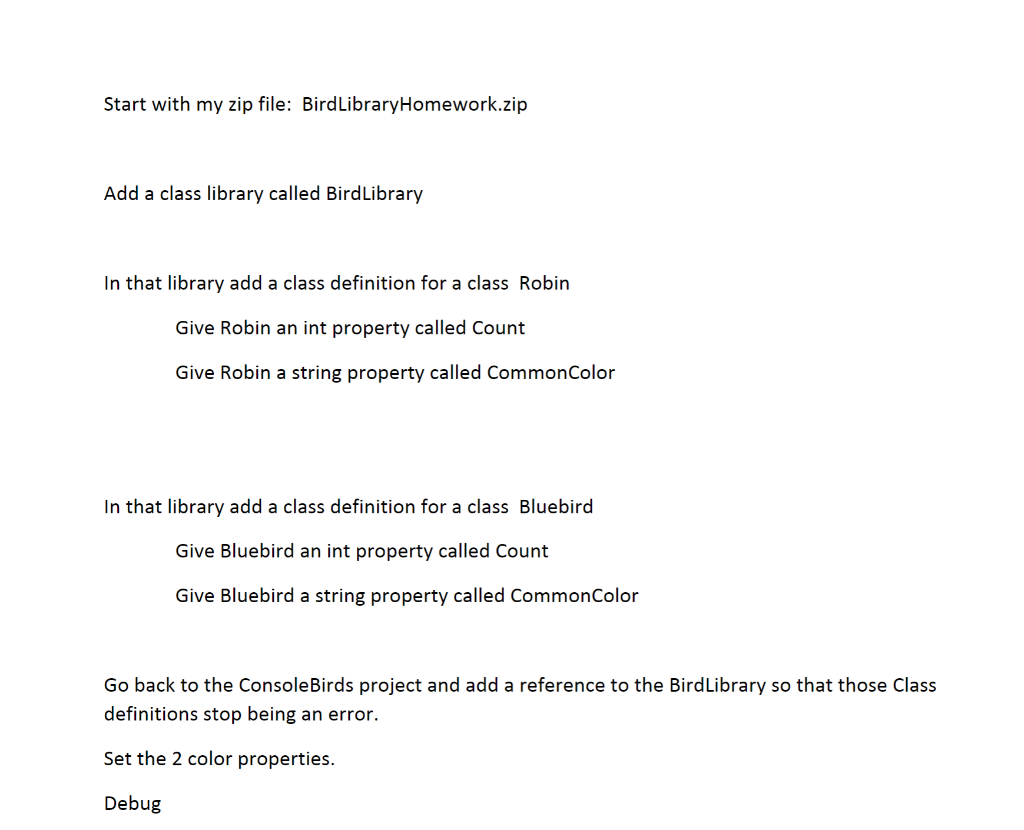
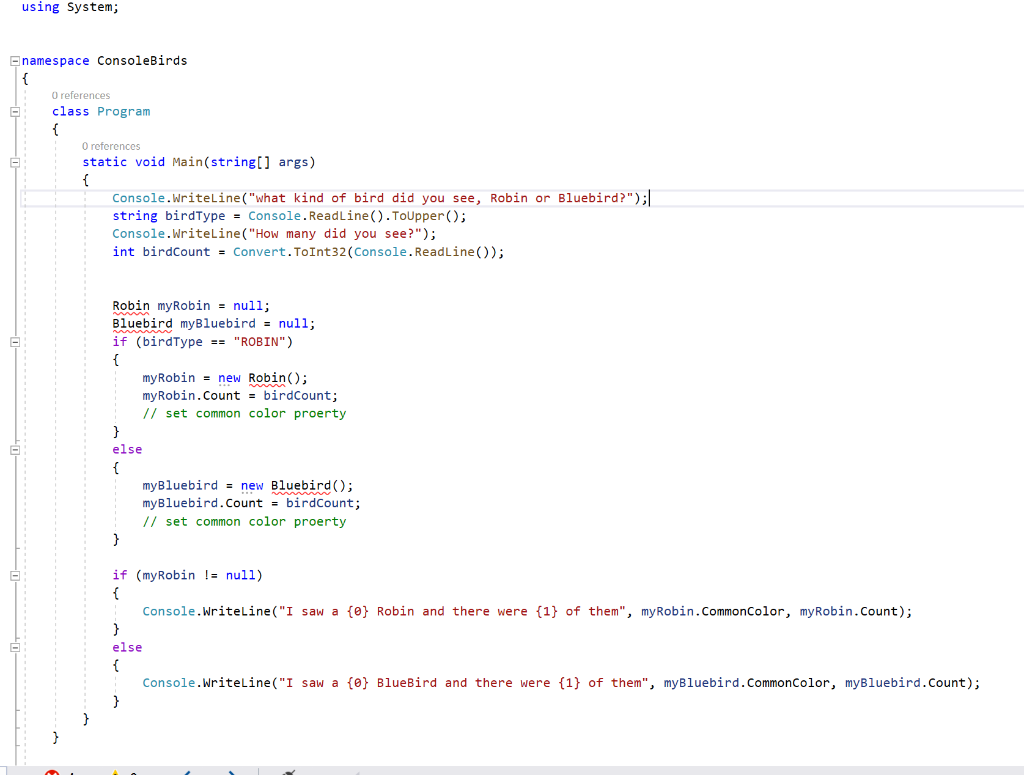
Start with my zip file: BirdLibrary Homework.zip Add a class library called BirdLibrary In that library add a class definition for a class Robin Give Robin an int property called Count Give Robin a string property called CommonColor In that library add a class definition for a class Bluebird Give Bluebird an int property called Count Give Bluebird a string property called CommonColor Go back to the Console Birds project and add a reference to the BirdLibrary so that those Class definitions stop being an error. Set the 2 color properties. Debug using System; namespace ConsoleBirds O references class Program { O references static void Main(string[] args) { Console.WriteLine("what kind of bird did you see, Robin or Bluebird?");|| string birdType = Console.ReadLine(). Toupper(); Console.WriteLine("How many did you see?"); int birdCount = Convert.ToInt32(Console.ReadLine()); Robin my Robin = null; Bluebird myBluebird = null; if (birdType == "ROBIN") { my Robin = new Robin(); my Robin.Count = birdCount; // set common color proerty } else { myBluebird = new Bluebird(); myBluebird.Count = birdCount; // set common color proerty } if (myRobin != null) { Console.WriteLine("I saw a {0} Robin and there were {1} of them", my Robin.CommonColor, myRobin.Count); } else { Console.WriteLine("I saw a {@} BlueBird and there were {1} of them", myBluebird.CommonColor, myBluebird.Count)
Step by Step Solution
There are 3 Steps involved in it

Get step-by-step solutions from verified subject matter experts
 Study Help