







Question: Starter Code #define LED 11 #define BTN 12 void loop() { if(digitalRead(BTN) ==HIGH) { if(btn_read==LOW){btn_read=HIGH; on_off = 1-on_off; } #define POTENTIOMETER AO #define LDR A1
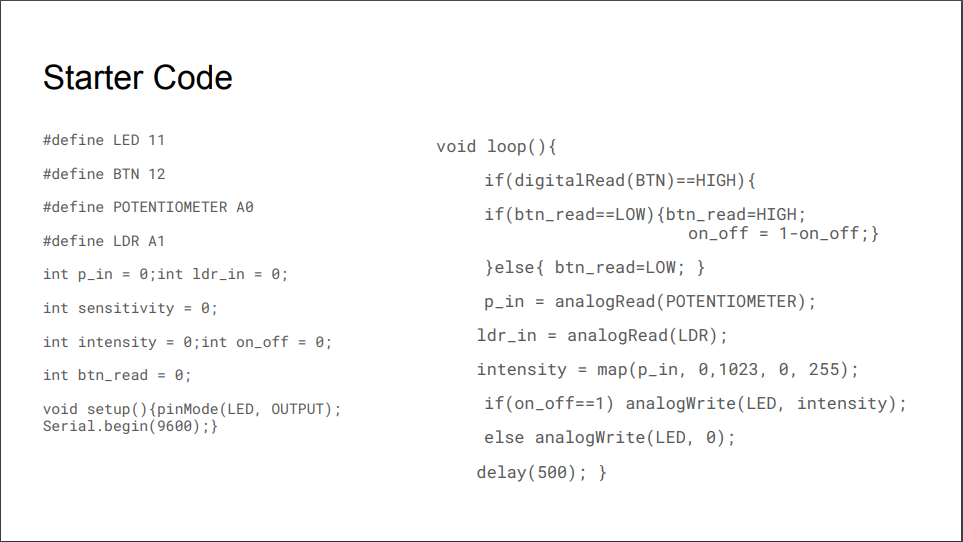
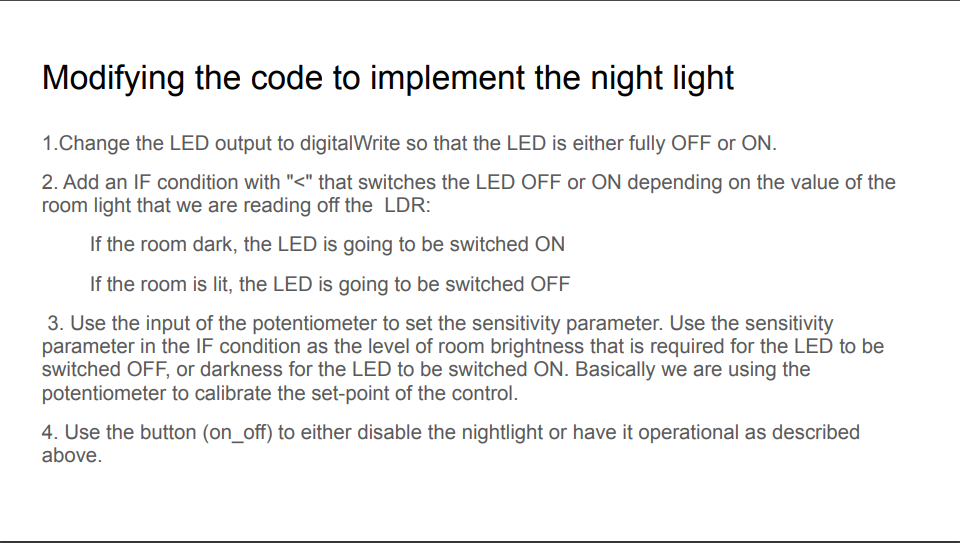
Starter Code #define LED 11 #define BTN 12 void loop() { if(digitalRead(BTN) ==HIGH) { if(btn_read==LOW){btn_read=HIGH; on_off = 1-on_off; } #define POTENTIOMETER AO #define LDR A1 int p_in = 0; int ldr in = 0; int sensitivity = 0; int intensity = 0; int on_off = 0; int btn_read = 0; }else{ btn_read=LOW; } p_in = analogRead(POTENTIOMETER); ldr_in = analogRead(LDR); intensity = map(p_in, 0, 1023, 0, 255); if(on_off==1) analogWrite(LED, intensity); else analogWrite(LED, 0); delay(500); } void setup( {pinMode(LED, OUTPUT); Serial.begin(9600);} Modifying the code to implement the night light 1. Change the LED output to digitalWrite so that the LED is either fully OFF or ON. 2. Add an IF condition with "
Step by Step Solution
There are 3 Steps involved in it

Get step-by-step solutions from verified subject matter experts
 Study Help