







Question: Step by step..... Task 1: Encryption using different ciphers and modes of operation In this task, you will play with various encryption algorithms and modes
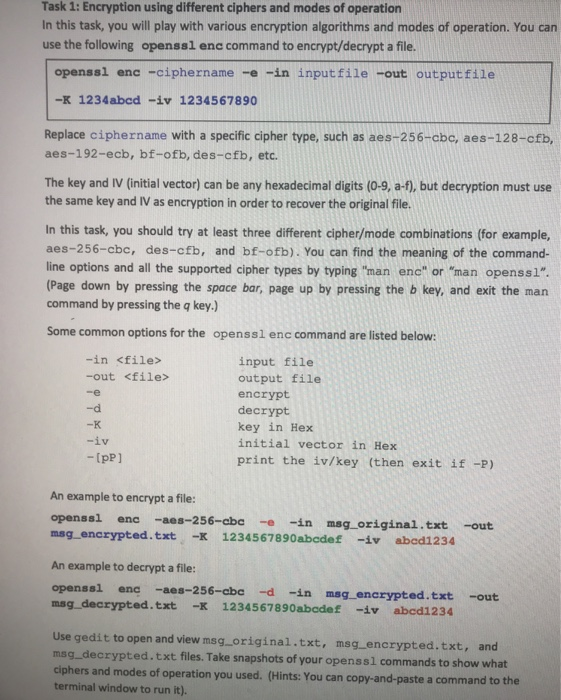
Task 1: Encryption using different ciphers and modes of operation In this task, you will play with various encryption algorithms and modes of operation. You can use the following openssl enc command to encrypt/decrypt a file. openssi ene -ciphername -e -in inputfile -out outputfile -K 1234abed -iv 1234567890 Replace ciphername with a specific cipher type, such as aes-256-cbc, aes-128-cfb, aes-192-ecb, bf-ofb, des-cfb, etc. The key and IV (initial vector) can be any hexadecimal digits (0-9, a-f), but decryption must use the same key and IV as encryption in order to recover the original file. In this task, you should try at least three different cipher/mode combinations (for example, aes-256-cbc, des-cfb, and bf-ofb). You can find the meaning of the command- line options and all the supported cipher types by typing 'man enc" or "man openssl". (Page down by pressing the space bar, page up by pressing the b key, and exit the man command by pressing the q key.) Some common options for the openssl enc command are listed below: -in
Step by Step Solution
There are 3 Steps involved in it

Get step-by-step solutions from verified subject matter experts
 Study Help