







Question: Steps: 1. Create a Java project in Eclipse, called Lab 2. Next create a java class called Dashboard. It should extend javafx.application.Application. This will be
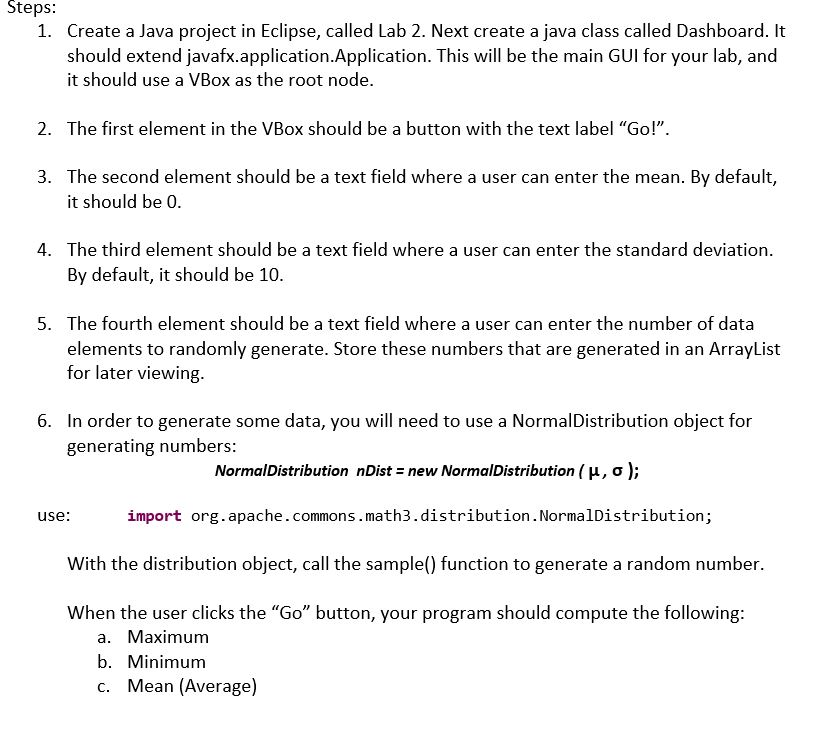
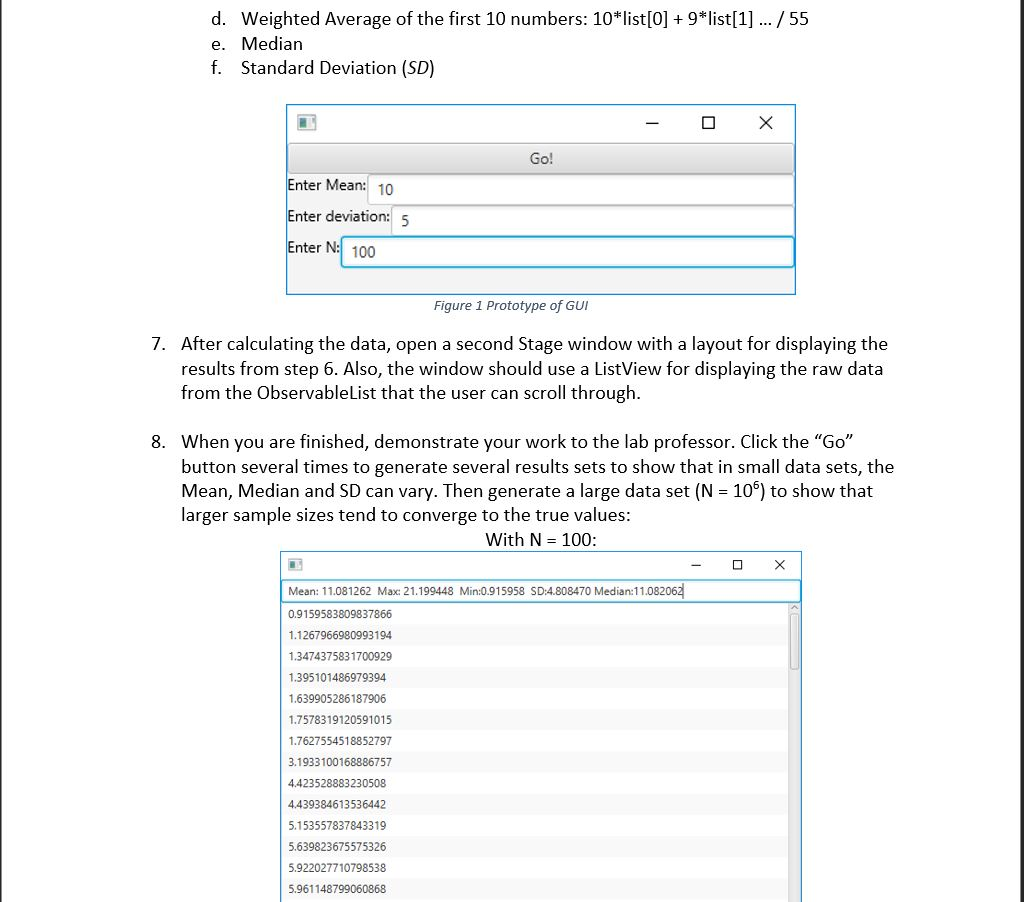
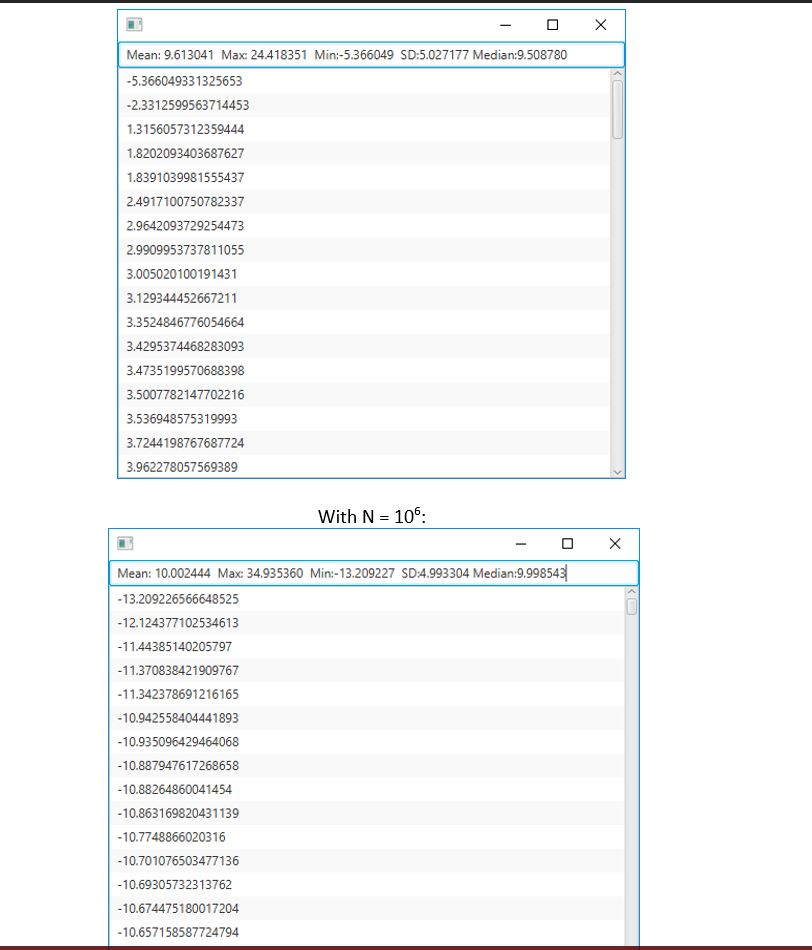
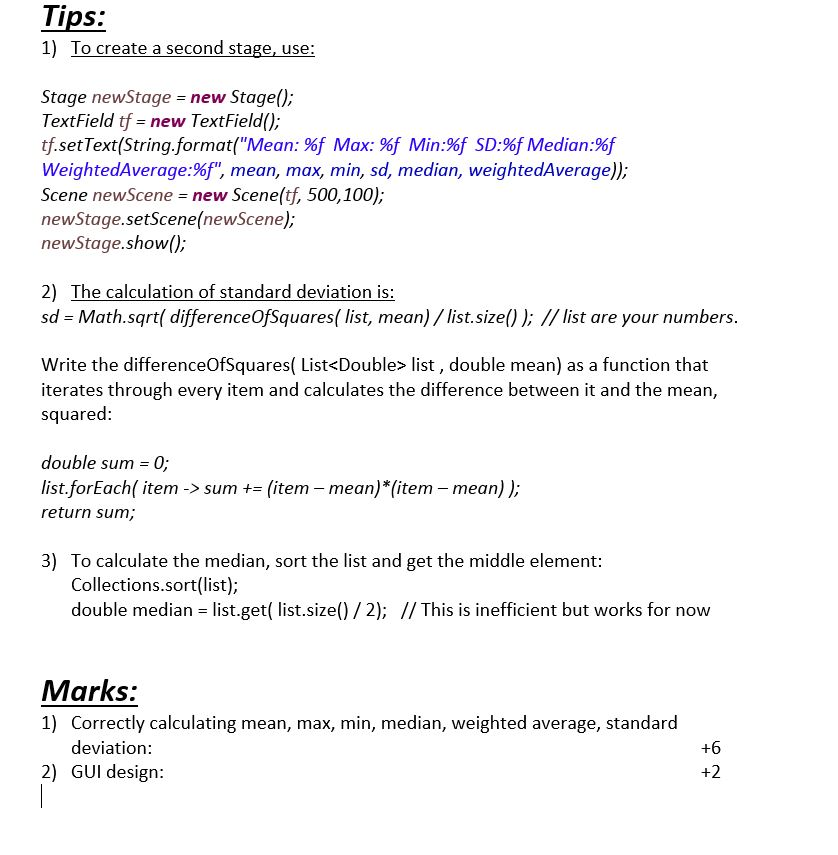
Steps: 1. Create a Java project in Eclipse, called Lab 2. Next create a java class called Dashboard. It should extend javafx.application.Application. This will be the main GUI for your lab, and it should use a VBox as the root node. 2. The first element in the VBox should be a button with the text label "Go l" 3. The second element should be a text field where a user can enter the mean. By default, it should be 0 4. The third element should be a text field where a user can enter the standard deviation. By default, it should be 10. 5. The fourth element should be a text field where a user can enter the number of data elements to randomly generate. Store these numbers that are generated in an ArrayList for later viewing 6. n order to generate some data, you will need to use a NormalDistribution object for generating numbers: Normal Distribution nDist new NormalDistribution (H, o); use: import org.apache.commons .math 3.distribution.NormalDistribution; With the distribution object, call the sample() function to generate a random number When the user clicks the "Go" button, your program should compute the following: a. Maximum b. Minimum c. Mean (Average) Steps: 1. Create a Java project in Eclipse, called Lab 2. Next create a java class called Dashboard. It should extend javafx.application.Application. This will be the main GUI for your lab, and it should use a VBox as the root node. 2. The first element in the VBox should be a button with the text label "Go l" 3. The second element should be a text field where a user can enter the mean. By default, it should be 0 4. The third element should be a text field where a user can enter the standard deviation. By default, it should be 10. 5. The fourth element should be a text field where a user can enter the number of data elements to randomly generate. Store these numbers that are generated in an ArrayList for later viewing 6. n order to generate some data, you will need to use a NormalDistribution object for generating numbers: Normal Distribution nDist new NormalDistribution (H, o); use: import org.apache.commons .math 3.distribution.NormalDistribution; With the distribution object, call the sample() function to generate a random number When the user clicks the "Go" button, your program should compute the following: a. Maximum b. Minimum c. Mean (Average)
Step by Step Solution
There are 3 Steps involved in it

Get step-by-step solutions from verified subject matter experts
 Study Help