







Question: Student Learning Outcomes Students will apply ER model Students will build a connection from an ER model to a practical database system Access Student will
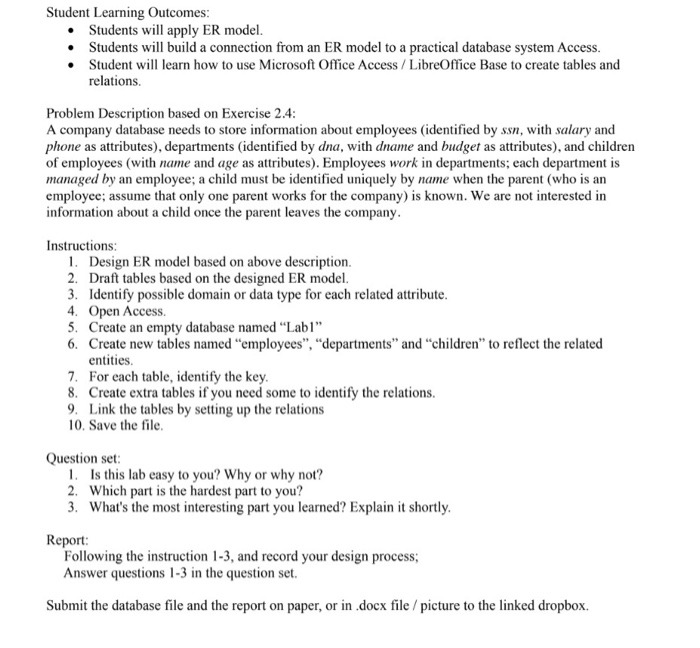
Student Learning Outcomes Students will apply ER model Students will build a connection from an ER model to a practical database system Access Student will learn how to use Microsoft Office Access/LibreOffice Base to create tables and relations. Problem Description based on Exercise 24 A company database needs to store information about employees (identified by ss, with salary and phone as attributes), departments (identified by dna, with dname and budget as attributes), and children of employees (with name and age as attributes). Employees work in departments; each department is managed by an employee; a child must be identified uniquely by name when the parent (who is an employce; assume that only one parent works for the company) is known. We are not interested in information about a child once the parent leaves the company Instructions: 1. Design ER model based on above description 2. Draft tables based on the designed ER model 3. Identify possible domain or data type for each related attribute 4. Open Access 5. Create an empty database named Labi" 6. Create new tables named employees", "departments" and "children" to reflect the related entities 7. For each table, identify the key 8. Create extra tables if you need some to identify the relations 9. Link the tables by setting up the relations 10. Save the file Question set 1. Is this lab easy to you? Why or why not? 2. Which part is the hardest part to you? 3. What's the most interesting part you learned? Explain it shortly Report Following the instruction 1-3, and record your design process; Answer questions 1-3 in the question set. Submit the database file and the report on paper, or in .docx file/picture to the linked dropbox
Step by Step Solution
There are 3 Steps involved in it

Get step-by-step solutions from verified subject matter experts
 Study Help