







Question: Submit the assignment correctly Use a branch called assignment 3 Submit to your CINS 4 6 7 GitLab repo You may submit your app as
Submit the assignment correctly
Use a branch called assignment
Submit to your CINS GitLab repo
You may submit your app as either an Android app or a web app. Your CINS GitLab repo on the assignment branch should
contain at minimum:
Android submission: the code for your app the project directory and the APK file that you created for your app
Web submission: the code for your app the project directory the gitlabciyml file that defines the ClCD pipeline for
your GitLab repo, and a file called
web.md that contains the URL to your project hosted online through GitLab Pages
As long as your app does the tasks described above and is submitted correctly, you will get credit for this assignment.
Note: some aspects of style and layout can be deceptively tricky. Make sure to give yourself time to try out and test various features! Look
for code examples and short videos in the official Flutter docs to help with understanding Flutter classes, properties, and methods.
The goal of Assignment is to give you experience creating a simple UI user interface with Flutter. Have fun! This is a great time to start
thinking about how you want your final project to look, or to just play around, learn about different Flutter features, and figure out how you can
customize an app and make it look unique.
Getting Graded
After completing Option or Option remember to submit your code to the assignment branch!
Option Android APK
Create a new APK for this assignment by running the flutter clean command, and then running the flutter build apk command. For more
detailed instructions on creating and locating an APK, refer back to the instructions in Assignment
When you have your APK, move it to the root directory of your GIT repo that you were given to turn in assignments for this class. You must only
have one APK in your root directory remember each assignment should be submitted to a unique branch, so you can overwrite any previous
APKsIn this assignment your app needs to:
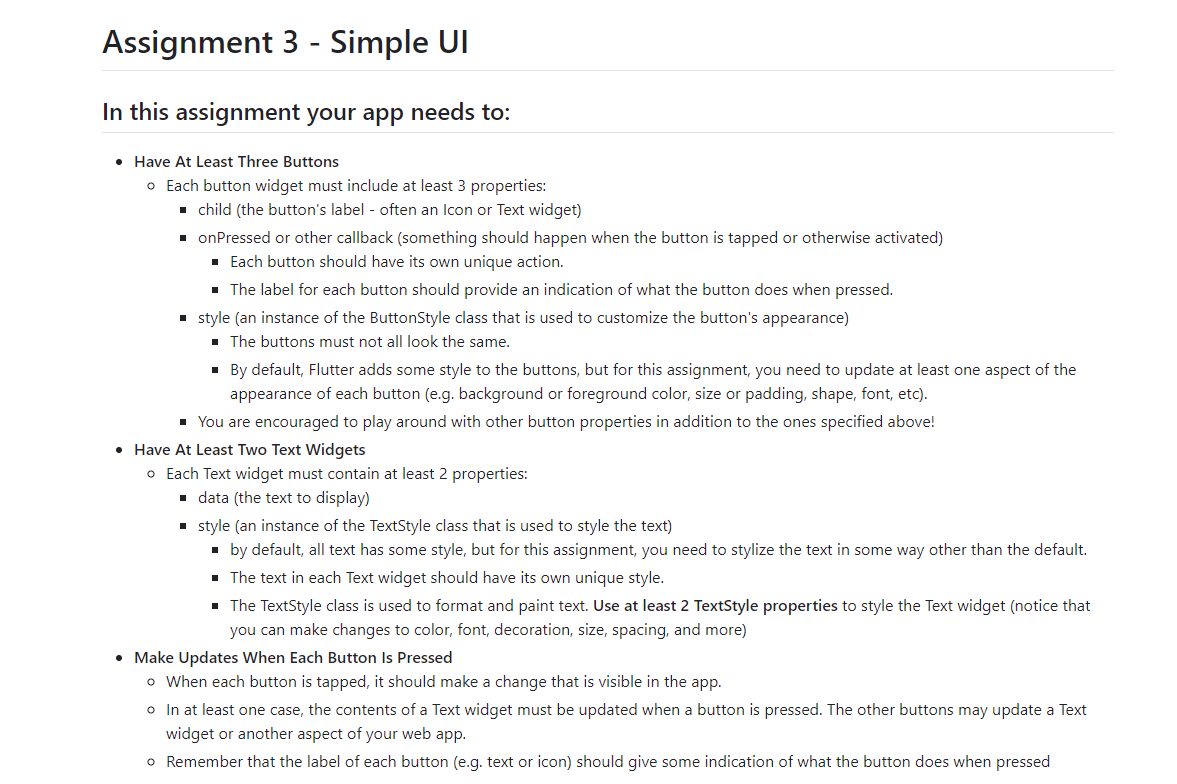
Have At Least Three Buttons
Each button widget must include at least properties:
child the button's label often an Icon or Text widget
onPressed or other callback something should happen when the button is tapped or otherwise activated
Each button should have its own unique action.
The label for each button should provide an indication of what the button does when pressed.
style an instance of the ButtonStyle class that is used to customize the button's appearance
The buttons must not all look the same.
By default, Flutter adds some style to the buttons, but for this assignment, you need to update at least one aspect of the
appearance of each button eg background or foreground color, size or padding, shape, font, etc
You are encouraged to play around with other button properties in addition to the ones specified above!
Have At Least Two Text Widgets
Each Text widget must contain at least properties:
data the text to display
style an instance of the TextStyle class that is used to style the text
by default, all text has some style, but for this assignment, you need to stylize the text in some way other than the default.
The text in each Text widget should have its own unique style.
The TextStyle class is used to format and paint text. Use at least TextStyle properties to style the Text widget notice that
you can make changes to color, font, decoration, size, spacing, and more
Make Updates When Each Button Is Pressed
When each button is tapped, it should make a change that is visible in the app.
In at least one case, the contents of a Text widget must be updated when a button is pressed. The other buttons may update a Text
widget or another aspect of your web app.
Remember that the label of each button eg text or icon should give some indication of what the button does when pressed
Step by Step Solution
There are 3 Steps involved in it
1 Expert Approved Answer
Step: 1 Unlock

Question Has Been Solved by an Expert!
Get step-by-step solutions from verified subject matter experts
Step: 2 Unlock
Step: 3 Unlock
 Study Help