







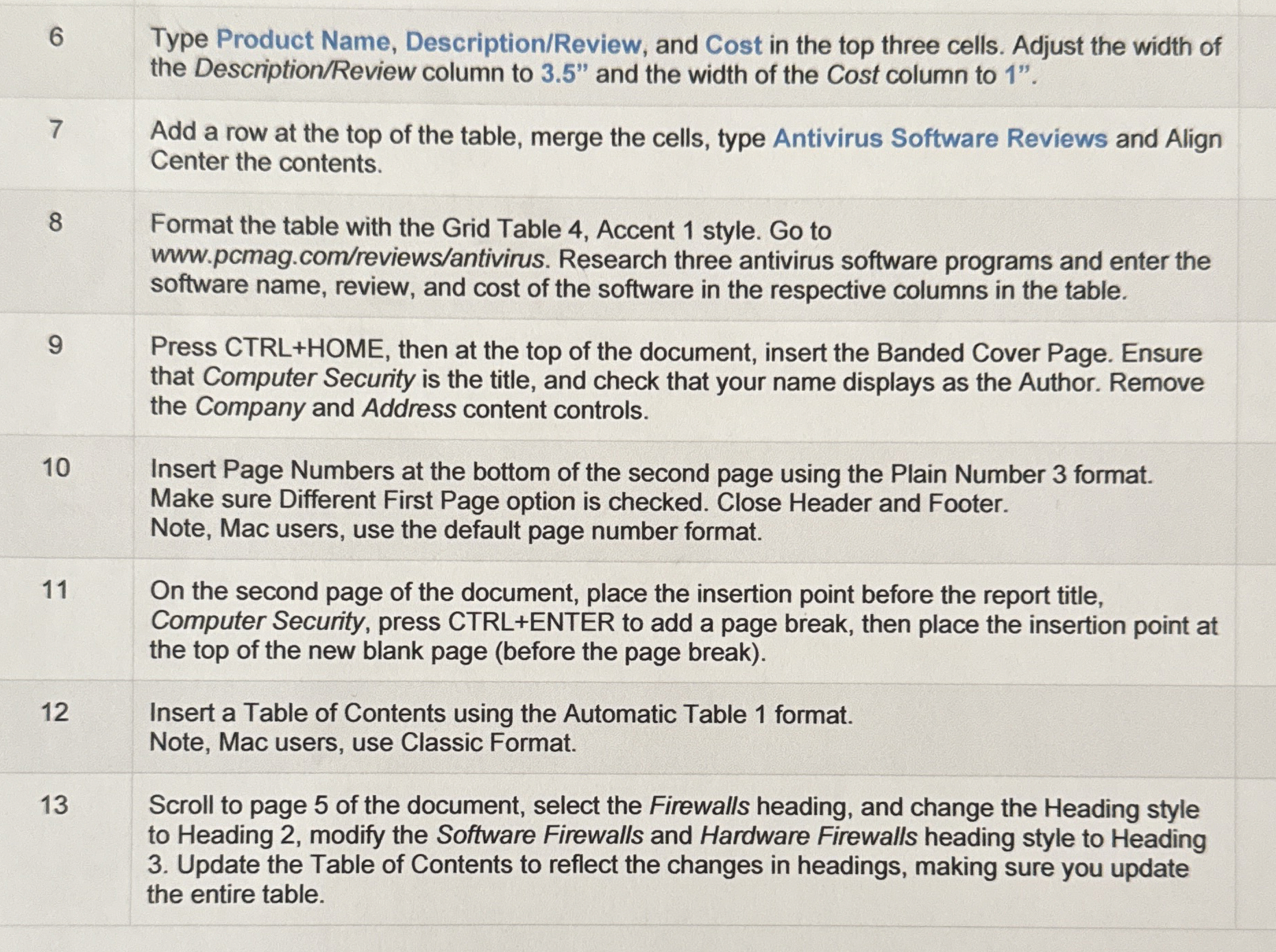
Question: table [ [ 6 , table [ [ Type Product Name, Description / Review , and Cost in the top three cells. Adjust
tabletableType Product Name, DescriptionReview and Cost in the top three cells. Adjust the width ofthe DescriptionReview column to and the width of the Cost column to tableAdd a row at the top of the table, merge the cells, type Antivirus Software Reviews and AlignCenter the contents.tableFormat the table with the Grid Table Accent style. Go towwwpcmag.comreviewsantivirus Research three antivirus software programs and enter thesoftware name, review, and cost of the software in the respective columns in the table.tablePress CTRLHOME, then at the top of the document, insert the Banded Cover Page. Ensurethat Computer Security is the title, and check that your name displays as the Author. Removethe Company and Address content controls.tableInsert Page Numbers at the bottom of the second page using the Plain Number format.Make sure Different First Page option is checked. Close Header and Footer.Note Mac users, use the default page number format.tableOn the second page of the document, place the insertion point before the report title,Computer Security, press CTRLENTER to add a page break, then place the insertion point atthe top of the new blank page before the page breaktableInsert a Table of Contents using the Automatic Table format.Note Mac users, use Classic Format.tableScroll to page of the document, select the Firewalls heading, and change the Heading styleto Heading modify the Software Firewalls and Hardware Firewalls heading style to Heading Update the Table of Contents to reflect the changes in headings, making sure you updatethe entire table.
Step by Step Solution
There are 3 Steps involved in it
1 Expert Approved Answer
Step: 1 Unlock

Question Has Been Solved by an Expert!
Get step-by-step solutions from verified subject matter experts
Step: 2 Unlock
Step: 3 Unlock
 Study Help