







Question: Task In this task, we are going to write a program test8.py that implements a graphical quiz game. [ Question: All flamingos have 12
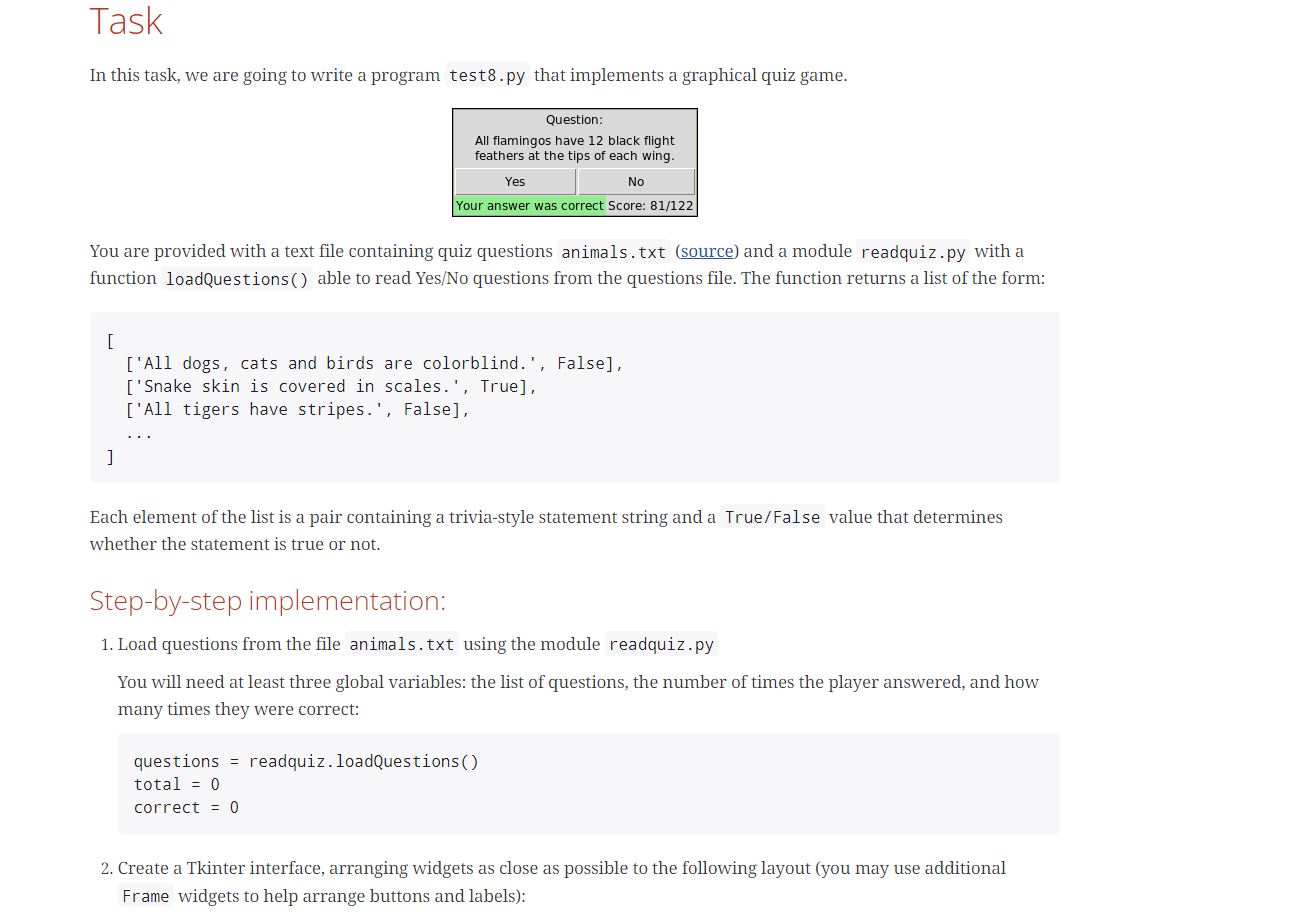
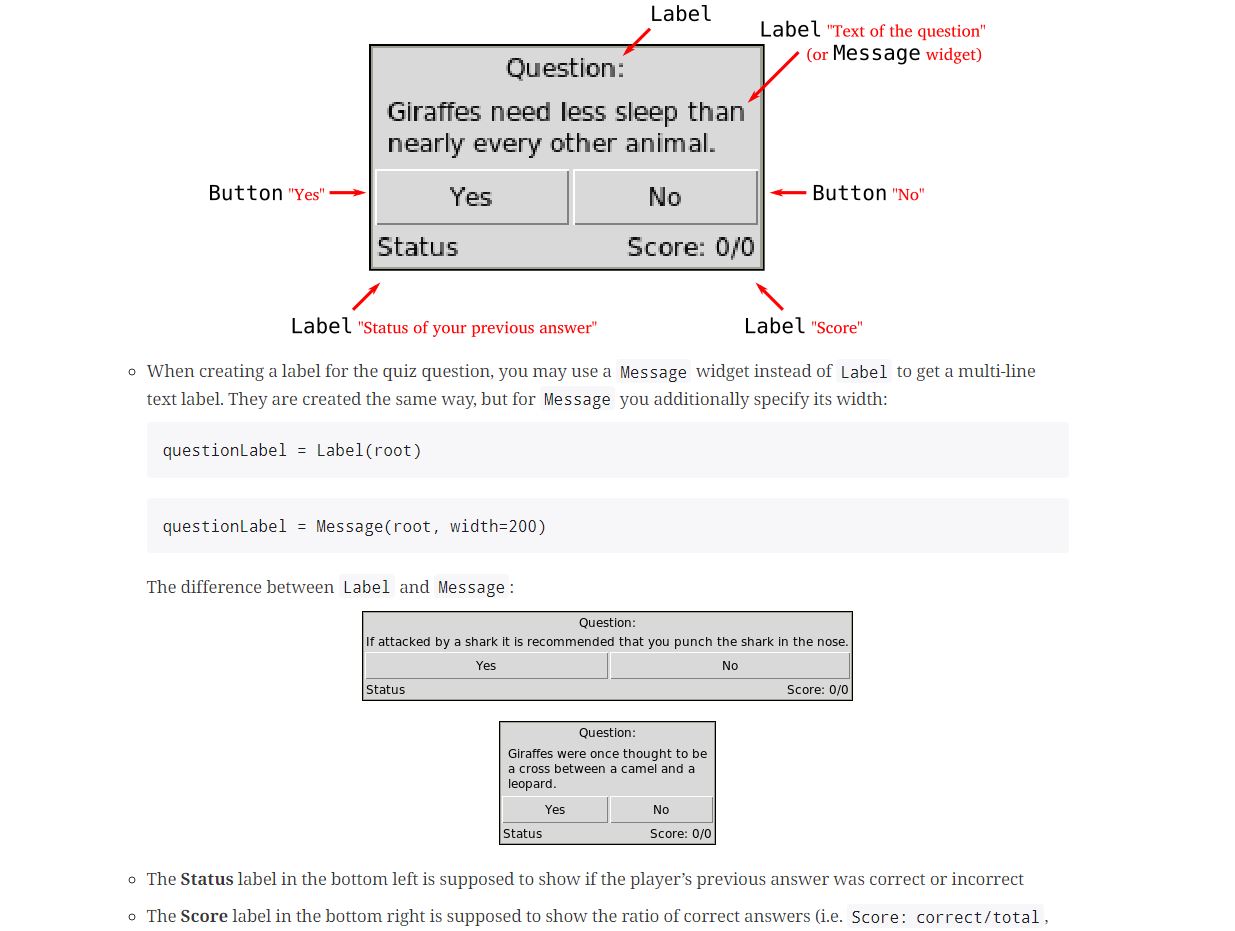
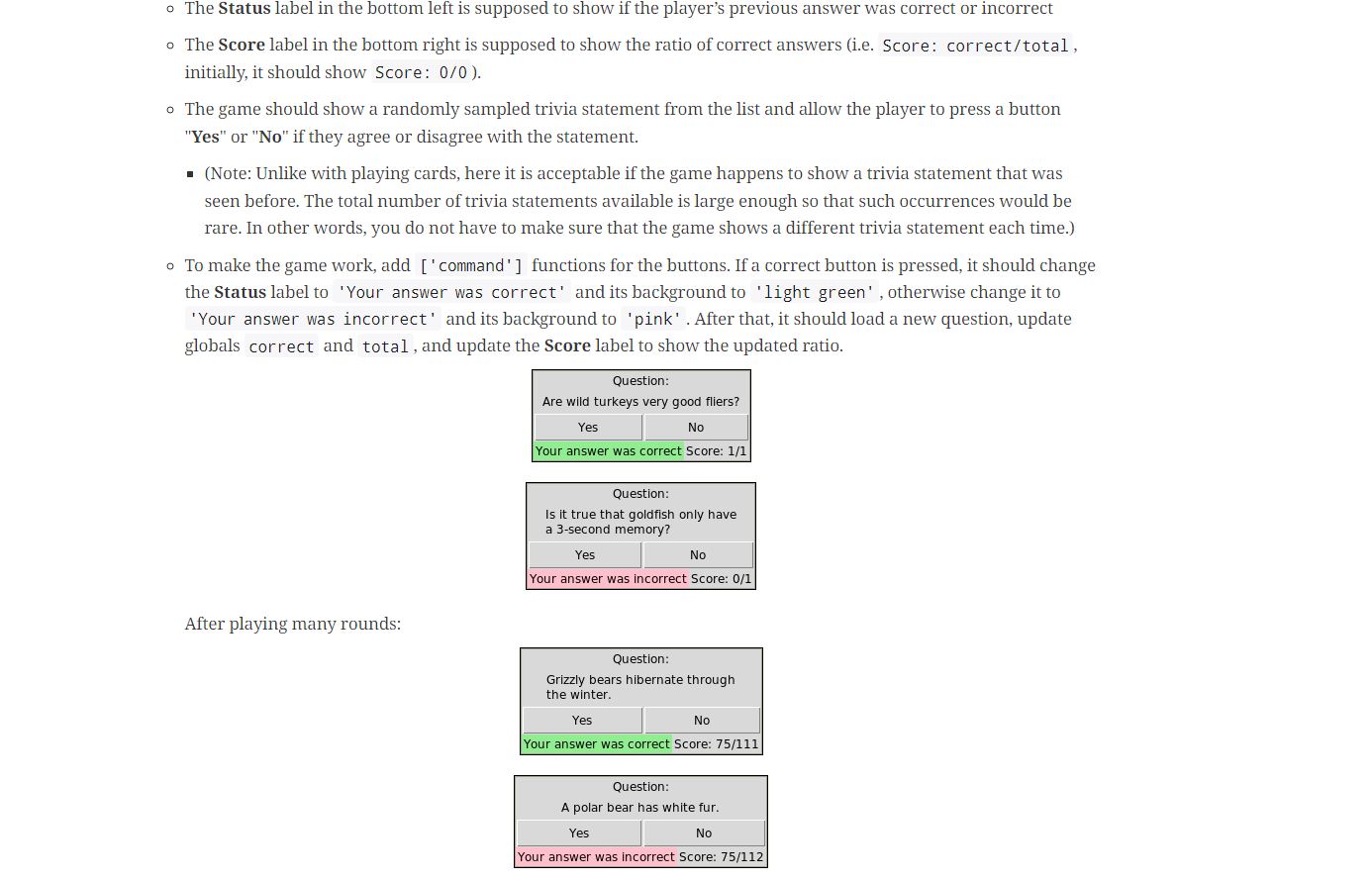
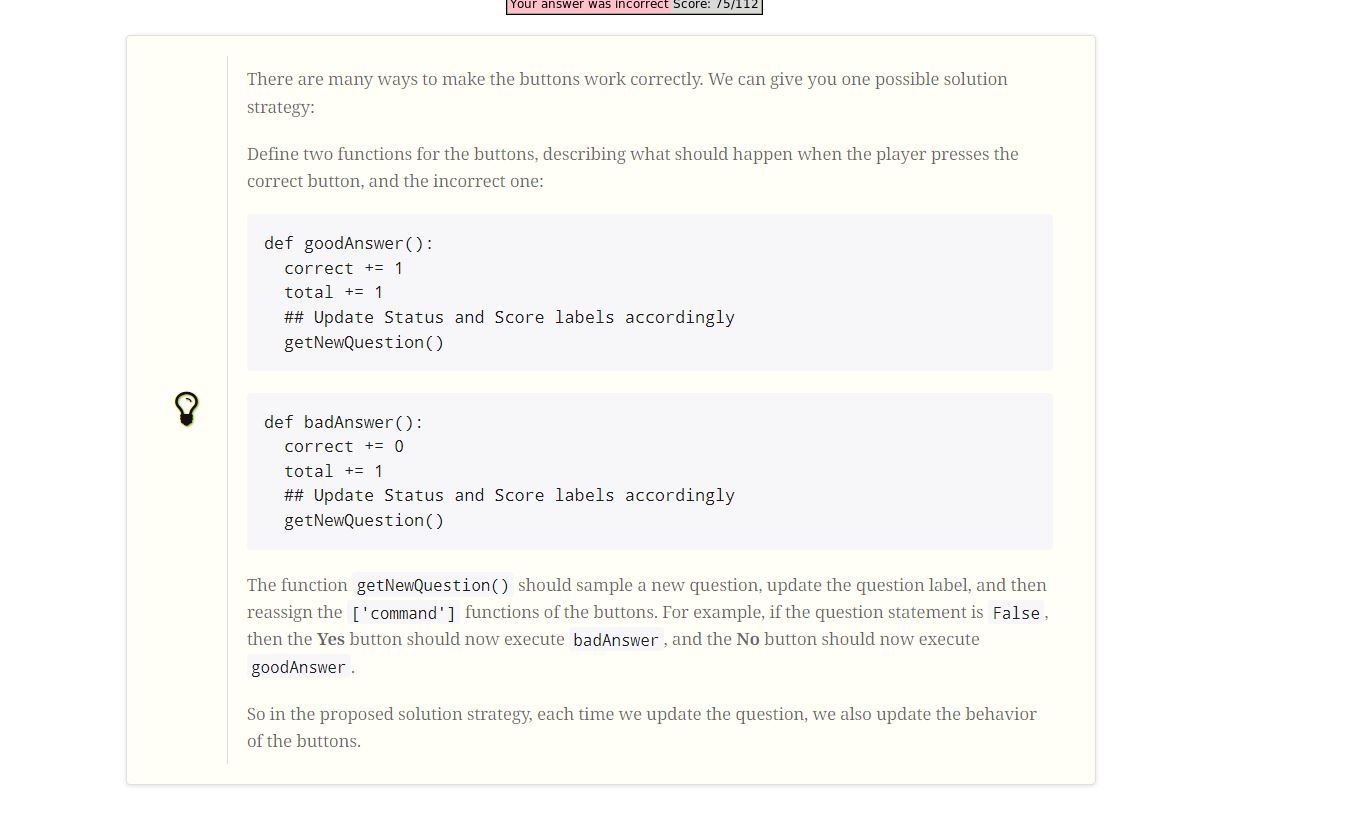
Task In this task, we are going to write a program test8.py that implements a graphical quiz game. [ Question: All flamingos have 12 black flight feathers at the tips of each wing. You are provided with a text file containing quiz questions animals.txt (source) and a module readquiz.py with a function loadQuestions() able to read Yes/No questions from the questions file. The function returns a list of the form: ] Yes No Your answer was correct Score: 81/122 ['All dogs, cats and birds are colorblind.', False], ['Snake skin is covered in scales.', True], ['All tigers have stripes.', False], Each element of the list is a pair containing a trivia-style statement string and a True/False value that determines whether the statement is true or not. Step-by-step implementation: 1. Load questions from the file animals.txt using the module readquiz.py You will need at least three global variables: the list of questions, the number of times the player answered, and how many times they were correct: questions = readquiz. loadQuestions() total = 0 correct = 0 2. Create a Tkinter interface, arranging widgets as close as possible to the following layout (you may use additional Frame widgets to help arrange buttons and labels): Button "Yes" Question: Giraffes need less sleep than nearly every other animal. No Score: 0/0 Status Yes questionLabel = Label (root) questionLabel = Message(root, width=200) Label "Status of your previous answer" Label "Score" o When creating a label for the quiz question, you may use a Message widget instead of Label to get a multi-line text label. They are created the same way, but for Message you additionally specify its width: The difference between Label and Message: Status Label Question: If attacked by a shark it is recommended that you punch the shark in the nose. Yes No Question: Giraffes were once thought to be a cross between a camel and a leopard. Status Yes Label "Text of the question" (or Message widget) Button "No" No Score: 0/0 Score: 0/0 o The Status label in the bottom left is supposed to show if the player's previous answer was correct or incorrect o The Score label in the bottom right is supposed to show the ratio of correct answers (i.e. Score: correct/total, o The Status label in the bottom left is supposed to show if the player's previous answer was correct or incorrect o The Score label in the bottom right is supposed to show the ratio of correct answers (i.e. Score: correct/total, initially, it should show Score: 0/0). o The game should show a randomly sampled trivia statement from the list and allow the player to press a button "Yes" or "No" if they agree or disagree with the statement. (Note: Unlike with playing cards, here it is acceptable if the game happens to show a trivia statement that was seen before. The total number of trivia statements available is large enough so that such occurrences would be rare. In other words, you do not have to make sure that the game shows a different trivia statement each time.) o To make the game work, add ['command'] functions for the buttons. If a correct button is pressed, it should change the Status label to 'Your answer was correct' and its background to 'light green', otherwise change it to 'Your answer was incorrect' and its background to 'pink'. After that, it should load a new question, update globals correct and total, and update the Score label to show the updated ratio. After playing many rounds: Question: Are wild turkeys very good fliers? Yes No Your answer was correct Score: 1/1 Question: Is it true that goldfish only have a 3-second memory? Yes No Your answer was incorrect Score: 0/1 Question: Grizzly bears hibernate through the winter. Yes No Your answer was correct Score: 75/111 Question: A polar bear has white fur. Yes No Your answer was incorrect Score: 75/112 Your answer was incorrect Score: 75/112 There are many ways to make the buttons work correctly. We can give you one possible solution strategy: Define two functions for the buttons, describing what should happen when the player presses the correct button, and the incorrect one: def goodAnswer(): correct += 1 total + 1 ## Update Status and Score labels accordingly getNewQuestion () def badAnswer(): correct += 0 total += 1 ## Update Status and Score labels accordingly getNewQuestion() The function getNewQuestion() should sample a new question, update the question label, and then reassign the ['command' ] functions of the buttons. For example, if the question statement is False, then the Yes button should now execute badAnswer, and the No button should now execute goodAnswer. So in the proposed solution strategy, each time we update the question, we also update the behavior of the buttons.
Step by Step Solution
There are 3 Steps involved in it
import tkinter as tk import readquiz questions readqu... View full answer

Get step-by-step solutions from verified subject matter experts
 Study Help