







Question: ------------------------ testcode -------- import static org.junit.Assert.*; import java.io.*; import java.util.Scanner; import org.junit.Test; public class FileExercisesTest { private void createFile(String filename, String text){ try { PrintWriter
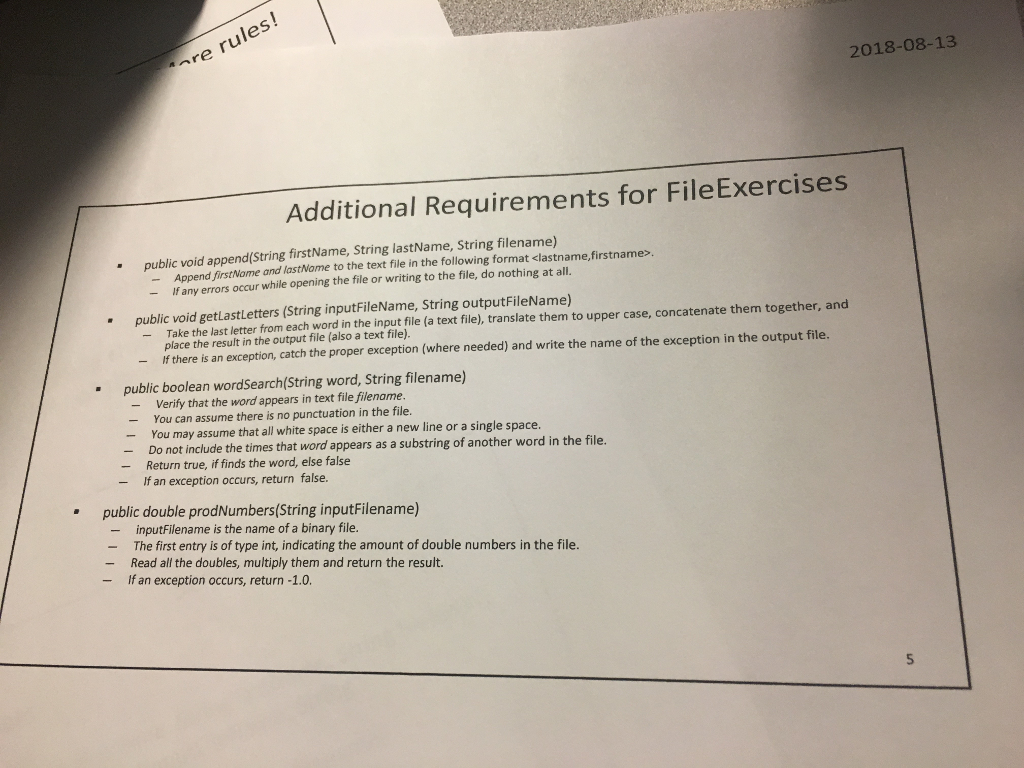
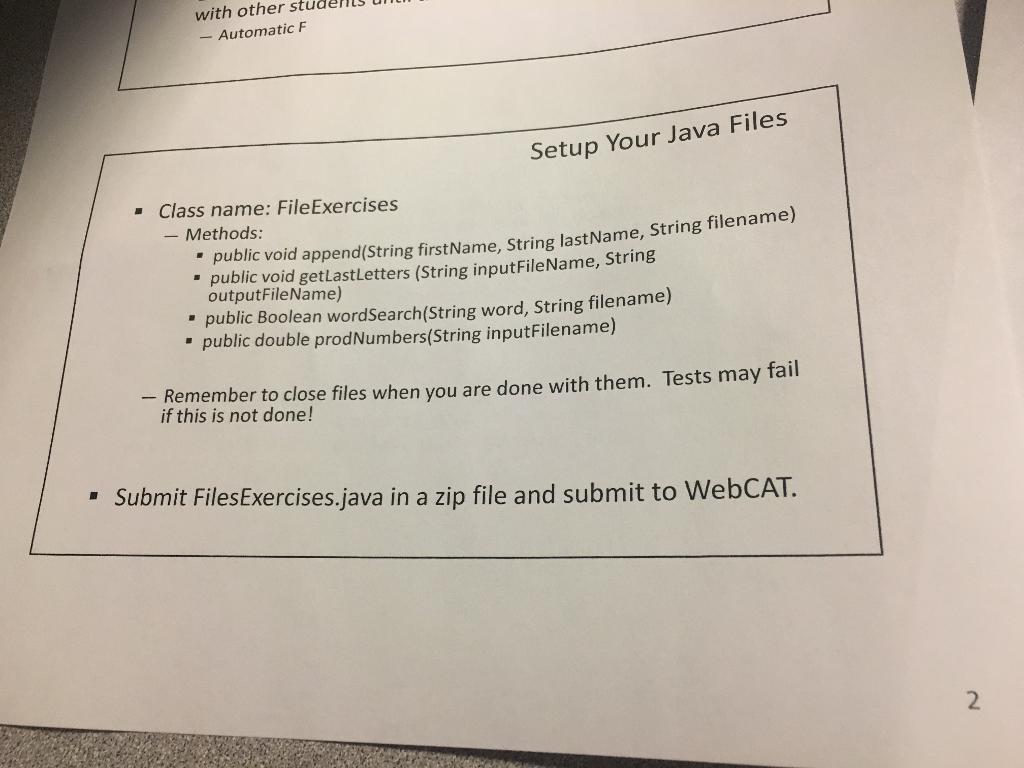
------------------------
testcode
--------
import static org.junit.Assert.*;
import java.io.*;
import java.util.Scanner;
import org.junit.Test;
public class FileExercisesTest {
private void createFile(String filename, String text){
try {
PrintWriter output = new PrintWriter(new BufferedWriter(new FileWriter(filename)));
output.print(text);
output.close();
} catch (IOException ioe) {
fail("Unable to set up test environment, tried to (re)create file " + filename);
}
}
private void createFile(String filename, double[] nums){
try {
DataOutputStream out = new DataOutputStream(new FileOutputStream(filename));
out.writeInt(nums.length);
for (int counter = 0; counter
out.writeDouble(nums[counter]);
}
out.close();
} catch (IOException ioe) {
fail("Unable to set up test environment, tried to create file " + filename);
}
}
//Test with valid files
@Test
public void test1_getLastLetters() {
FileExercises fl = new FileExercises();
fl.getLastLetters("test1.txt", "t1.txt");
//Expected output
String expected = "ODEOEYFY";
//Read from the output file
try {
//Initialize scanner
Scanner scan = new Scanner(new FileInputStream("t1.txt"));
if (scan.hasNext()){
//Read the first line in the file
String line = scan.nextLine();
assertEquals("Strings don't match.", expected, line);
} else {
//If there is nothing in the file, then the test fails
fail("The output file is empty.");
}
} catch (FileNotFoundException fnfe){
//If cannot open output file, then test fails
fail("Cannot open the output file.");
}
}
@Test
public void test2_getLastLetters() {
//Initialize FileExercises
FileExercises fl = new FileExercises();
fl.getLastLetters("test2.txt", "t2.txt");
//Expected output
String expected = "SOHDRNLHVKRR";
//Read from the output file
try {
//Initialize scanner
Scanner scan = new Scanner(new FileInputStream("t2.txt"));
if (scan.hasNext()){
//Read the first line in the file
String line = scan.nextLine();
assertEquals("Strings don't match.", expected, line);
} else {
//If there is nothing in the file, then the test fails
fail("The output file is empty.");
}
} catch (FileNotFoundException fnfe){
//If cannot open output file, then test fails
fail("Cannot open the output file.");
}
}
@Test
public void test3_getLastLetters() {
//Initialize FileExercises
FileExercises fl = new FileExercises();
fl.getLastLetters("test3.txt", "t3.txt");
//Expected output
String expected = "OD";
//Read from the output file
try {
//Initialize scanner
Scanner scan = new Scanner(new FileInputStream("t3.txt"));
if (scan.hasNext()){
//Read the first line in the file
String line = scan.nextLine();
assertEquals("Strings don't match.", expected, line);
} else {
//If there is nothing in the file, then the test fails
fail("The output file is empty.");
}
} catch (FileNotFoundException fnfe){
//If cannot open output file, then test fails
fail("Cannot open the output file.");
}
}
//Test with input file name as null
@Test
public void test4_getLastLetters_nullInputFile() {
//Initialize FileExercises
FileExercises fl = new FileExercises();
fl.getLastLetters(null, "t4.txt");
//Expected output
String expected = "NullPointerException";
//Read from the output file
try {
//Initialize scanner
Scanner scan = new Scanner(new FileInputStream("t4.txt"));
if (scan.hasNext()){
//Read the first line in the file
String line = scan.nextLine();
assertEquals("Strings don't match.", expected, line);
} else {
//If there is nothing in the file, then the test fails
fail("The output file is empty.");
}
} catch (FileNotFoundException fnfe){
//If cannot open output file, then test fails
fail("Cannot open the output file.");
}
}
//Test with the input file doesn't exist
@Test
public void test5_getLastLetters_InvalidInputFileName() {
//Initialize FileExercises
FileExercises fl = new FileExercises();
fl.getLastLetters("", "t5.txt");
//Expected output
String expected = "FileNotFoundException";
//Read from the output file
try {
//Initialize scanner
Scanner scan = new Scanner(new FileInputStream("t5.txt"));
if (scan.hasNext()){
//Read the first line in the file
String line = scan.nextLine();
assertEquals("Strings don't match.", expected, line);
} else {
//If there is nothing in the file, then the test fails
fail("The output file is empty.");
}
} catch (FileNotFoundException fnfe){
//If cannot open output file, then test fails
fail("Cannot open the output file.");
}
}
@Test
public void test_wordSearch_wordNotInFile4() {
//Initialize FileExercises
FileExercises fl = new FileExercises();
// run the test
boolean actual = fl.wordSearch("empty", "test4.txt");
// verify result
assertEquals("The word 'empty' does not appear in the file", false, actual);
}
@Test
public void test_count_wordOnceInFile4() {
//Initialize FileExercises
FileExercises fl = new FileExercises();
// run the test
boolean actual = fl.wordSearch("word", "test4.txt");
// verify result
assertEquals("The word 'word' appears once in the file", true, actual);
}
@Test
public void test_count_wordTwiceInFile4() {
//Initialize FileExercises
FileExercises fl = new FileExercises();
// run the test
boolean actual = fl.wordSearch("is", "test4.txt");
// verify result
assertEquals("The word 'is' appears in the file", true, actual);
}
@Test
public void test_count_invalidFileName() {
//Initialize FileExercises
FileExercises fl = new FileExercises();
// run the test
boolean actual = fl.wordSearch("and", "invalid.txt");
// verify result
assertEquals("The file invalid.txt does not exist", false, actual);
}
@Test
public void test_append_validFile() {
//Initialize FileExercises
FileExercises fl = new FileExercises();
// run the test
fl.append("abc", "def", "test5.txt");
//Read from the output file
try {
//Initialize scanner
Scanner scan = new Scanner(new FileInputStream("test5.txt"));
if (scan.hasNext()){
//Read the first line in the file
String line = scan.nextLine();
assertEquals("Expected 'one' to remain on first line in file", "one", line);
} else {
//If there is nothing in the file, then the test fails
fail("The output file is empty.");
}
if (scan.hasNext()){
//Read the second line in the file
String line = scan.nextLine();
assertEquals("Expected 'def,abc' to be added to the file", "def,abc", line);
} else {
//If there is nothing in the file, then the test fails
fail("The output file does not have additional line.");
}
if (scan.hasNext()){
fail("The file to append to had more lines than expected");
}
} catch (FileNotFoundException fnfe){
//If cannot open output file, then test fails
fail("Cannot open the output file.");
}
createFile("test5.txt", "one ");
}
@Test
public void test_append_newFile() {
//Initialize FileExercises
FileExercises fl = new FileExercises();
// run the test
fl.append("john","doe", "t6.txt");
//Read from the output file
try {
//Initialize scanner
Scanner scan = new Scanner(new FileInputStream("t6.txt"));
if (scan.hasNext()){
//Read the first line in the file
String line = scan.nextLine();
assertEquals("Expected 'new' to be first line in new file", "doe,john", line);
} else {
//If there is nothing in the file, then the test fails
fail("The output file is empty.");
}
if (scan.hasNext()){
fail("The file to append to had more lines than expected");
}
scan.close();
} catch (FileNotFoundException fnfe){
//If cannot open output file, then test fails
fail("Cannot open the output file.");
}
File f = new File("t6.txt");
if (!f.delete()){
fail("Unable to delete file created for test. Make sure to manually delete t6.txt to prevent further failed tests.");
}
}
@Test
public void test_prodNumbers_invalidFileName() {
//Initialize FileExercises
FileExercises fl = new FileExercises();
// run the test
double actual = fl.prodNumbers("invalid.bin");
// verify result
assertEquals("The file invalid.bin does not exist", -1.0, actual, 0.0000001);
}
@Test
public void test_prodNumbers_oneNumInFile() {
double[] nums = {5.56};
createFile("one.bin", nums);
//Initialize FileExercises
FileExercises fl = new FileExercises();
// run the test
double actual = fl.prodNumbers("one.bin");
// verify result
assertEquals("The file contains one number: 5.56", 5.56, actual, 0.0000001);
}
@Test
public void test_prodNumbers_fiveNumsInFile() {
double[] nums = {5.5, -1.55, 1.0, 45.5, -10.5};
createFile("one.bin", nums);
//Initialize FileExercises
FileExercises fl = new FileExercises();
// run the test
double actual = fl.prodNumbers("one.bin");
// verify result
assertEquals("The file contains five numbers: 5.56, -1.56, 1.0, 45.5, -10.5", 4072.81875, actual, 0.0000001);
}
@Test
public void test_prodNumbers_manyNumsInFile() {
double[] nums = {-5.5, -1.55, 1.0, 45.5, -10.5, 2.4};
createFile("one.bin", nums);
//Initialize FileExercises
FileExercises fl = new FileExercises();
// run the test
double actual = fl.prodNumbers("one.bin");
// verify result
assertEquals("The file contains many numbers", -9774.765, actual, 0.0000001);
}
}
-----------------------------------------
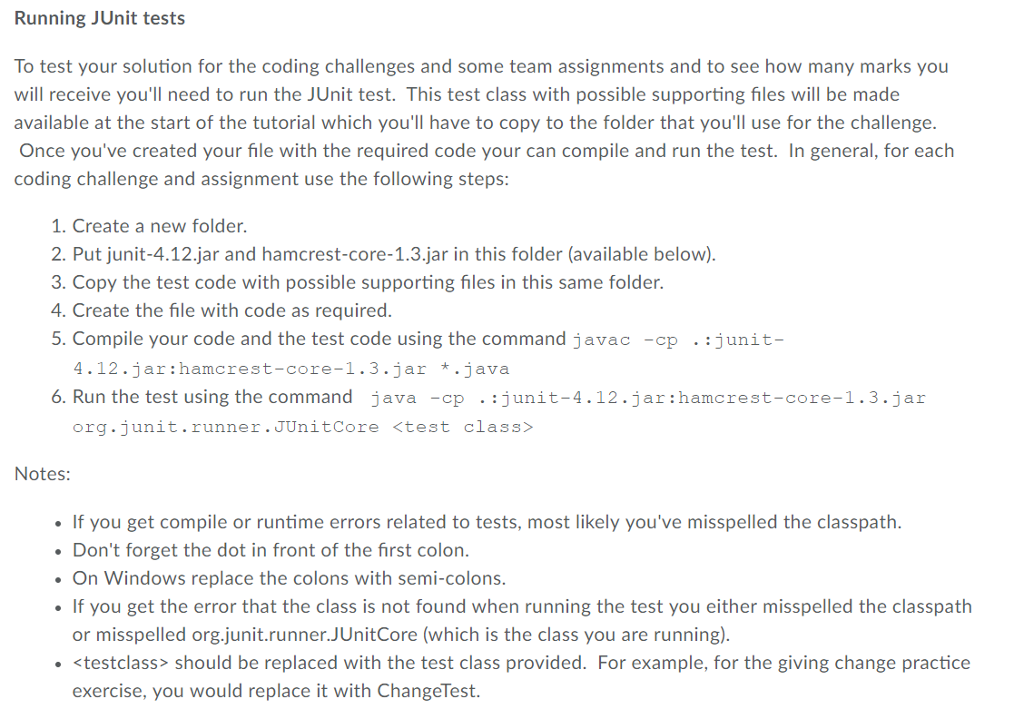
re rules! 2018-08-13 Additional Requirements for FileExercises public void append(String firstName, String lastName, String filename) - Append firstName and lastNome to the text file in the following format
Step by Step Solution
There are 3 Steps involved in it

Get step-by-step solutions from verified subject matter experts
 Study Help