







Question: The Chapter 13 Data 2: 1. Click Aralyre .-> Compare Mears - One-Way ANOVA 2. You alll see the One-Way ANOVA dialog box 3. Click
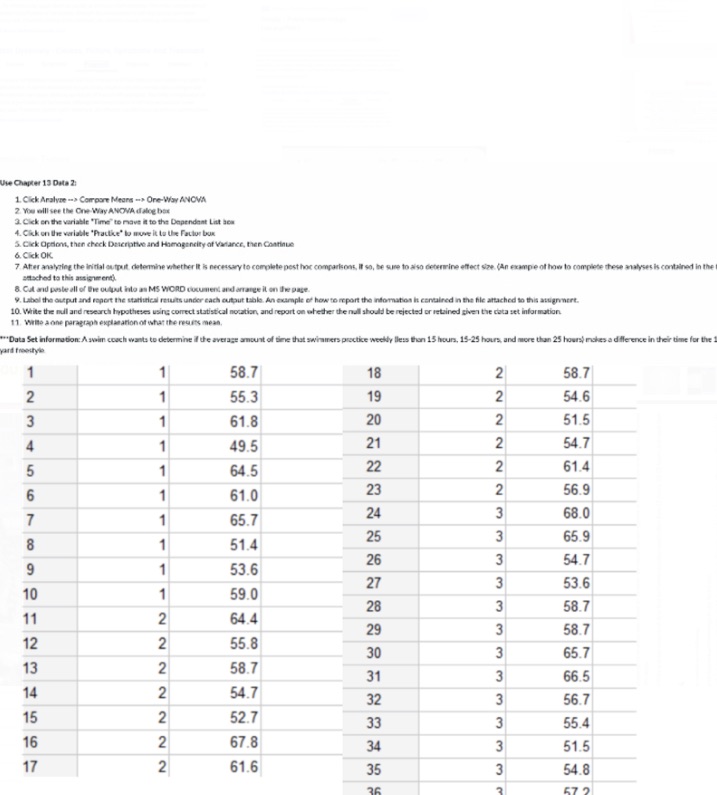
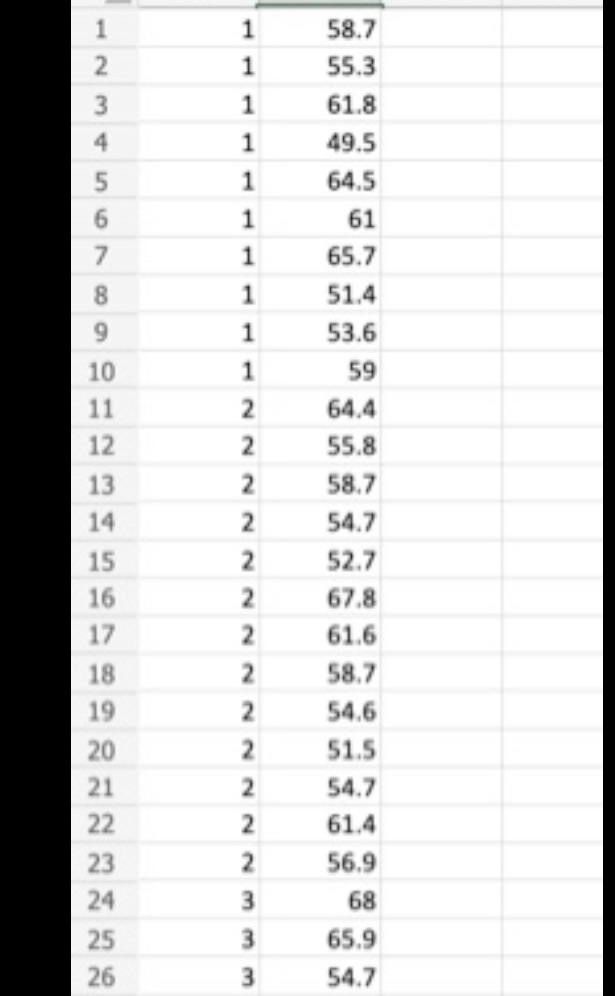
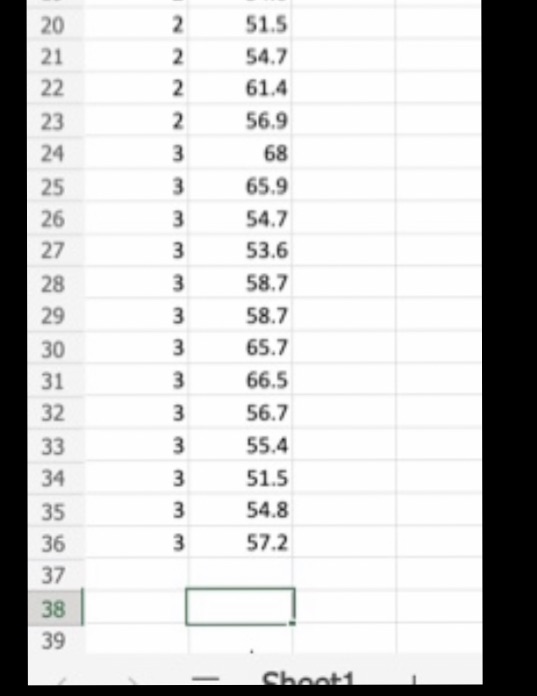
The Chapter 13 Data 2: 1. Click Aralyre .-> Compare Mears - One-Way ANOVA 2. You alll see the One-Way ANOVA dialog box 3. Click on the variable "Time" to move it to the Dependent List bea 4. Okk on the variable "Pracike" to move it is Use Factor bus &. Click Option, then chock Daicripti and Himagencity of Valance, Phan Continues &. Click OK 7 After analyzing the initial output determine whether It is necessary to complete post hot comparisons, If so, be sure to also determine effect size. (An example of how to complete these analyses is contained in the susched to this assignment 8. CA and paste all of The output hide as MS WORD chocurent and arrange it on le page 9. Label the output and report the statistical mewits under cach output table. An example of how to repart the information it contained in the file attached to this aouigeert. 10. White the mull and research hypotheses using correct statistical notation, and report on whether the null should be rejected or retained given the data set information 11. Wife a nine paragraph explanation of what the results mean, "Data Set Inform practice weekly Bless than 15 hours, 15-25 hours, and more than 25 hours) makes a differ In their time for the and fromityin 58.7 18 IN 58.7 55.3 19 54.6 IN 61.8 20 IN 51.5 49.5 21 54.7 64.5 22 61.4 61.0 23 56.9 65.7 24 68.0 51.4 25 65.9 53.6 26 54.7 27 53.6 59.0 28 58.7 2 64.4 29 58.7 2 55.8 30 65.7 2 58.7 31 66.5 N 54.7 32 56.7 52.7 33 55.4 NN NN 67.8 34 51.5 61.6 35 w 54.8\f51.5 2 54.7 2 61.4 NNNNNN 2 56.9 3 68 65.9 26 54.7 W W W 27 53.6 28 3 58.7 29 3 58.7 30 3 65.7 31 3 66.5 32 3 56.7 33 3 55.4 34 3 51.5 35 3 54.8 36 3 57.2 37 38 39 ch
Step by Step Solution
There are 3 Steps involved in it

Get step-by-step solutions from verified subject matter experts
 Study Help