







Question: The commands learned in this module were - output redirection, input redirection, variables, pipes, tee command, grep command, cat command, cut command, paste command, head
The commands learned in this module were - output redirection, input redirection, variables, pipes, tee command, grep command, cat command, cut command, paste command, head command, tail command, uniq command, sort command, tr command (translate), nl command, named pipes, quoting rules - ' ', " ", ` `
Please try to mainly use these commands
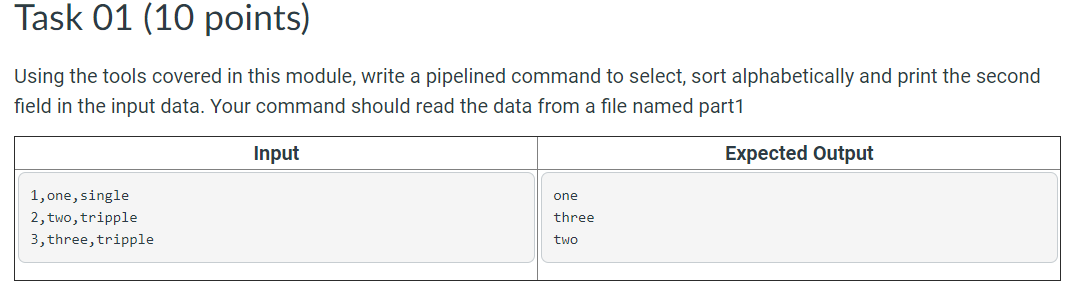
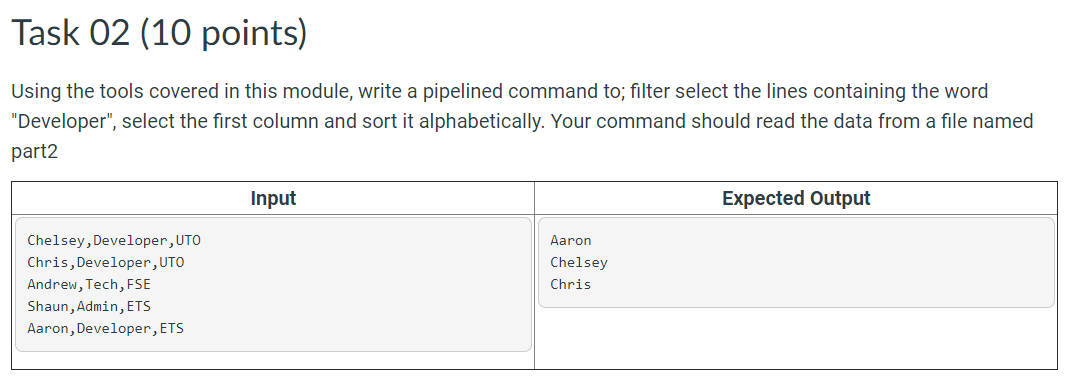
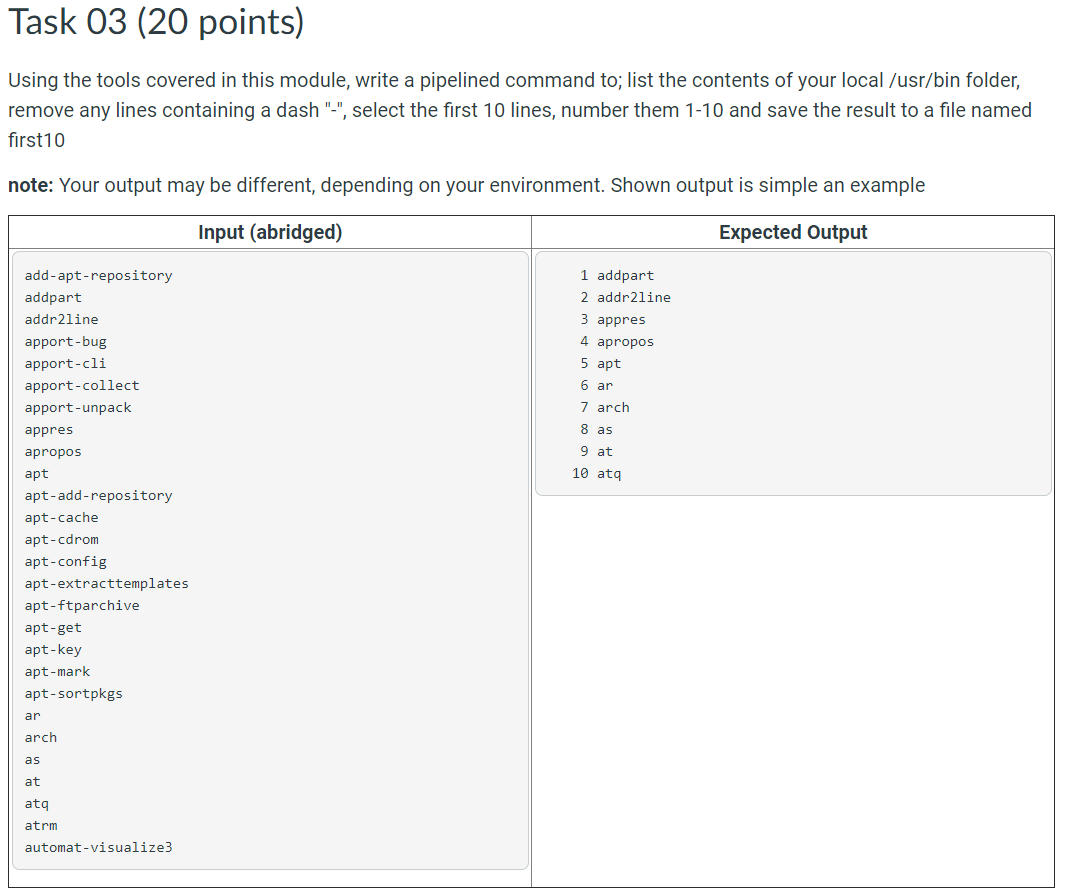
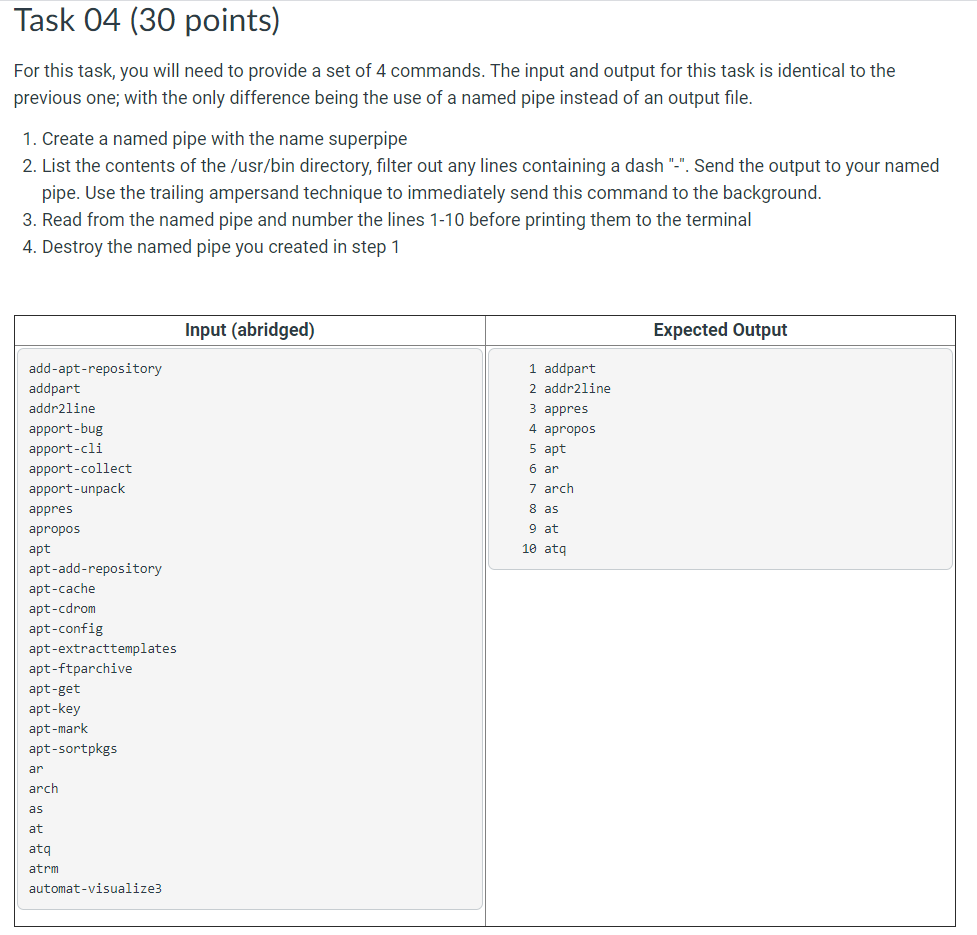
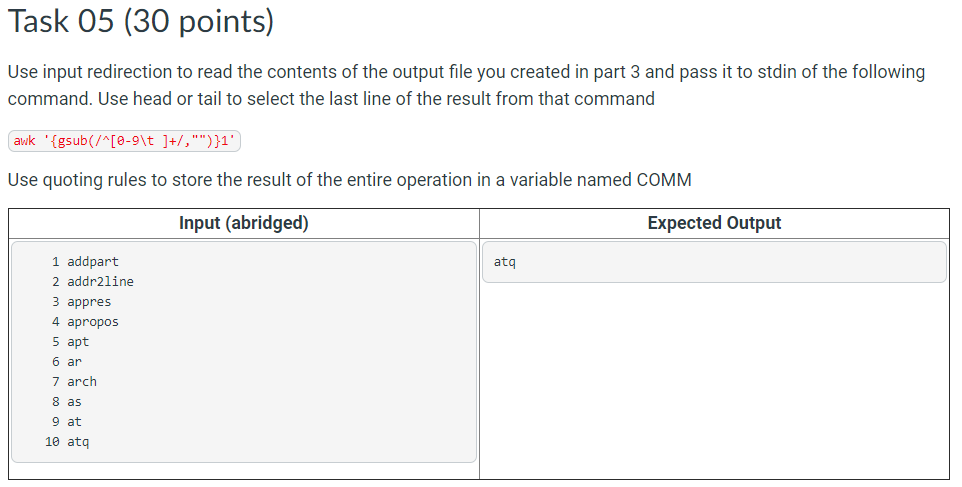
Task 01 (10 points) Using the tools covered in this module, write a pipelined command to select, sort alphabetically and print the second field in the input data. Your command should read the data from a file named part1 Input Expected Output one 1, one, single 2, two, tripple 3, three, tripple three two Task 02 (10 points) Using the tools covered in this module, write a pipelined command to; filter select the lines containing the word "Developer", select the first column and sort it alphabetically. Your command should read the data from a file named part2 Input Expected Output Chelsey, Developer, UTO Chris, Developer, UTO Andrew,Tech, FSE Shaun, Admin, ETS Aaron, Developer, ETS Aaron Chelsey Chris Task 03 (20 points) Using the tools covered in this module, write a pipelined command to; list the contents of your local /usr/bin folder, remove any lines containing a dash "-", select the first 10 lines, number them 1-10 and save the result to a file named first 10 note: Your output may be different, depending on your environment. Shown output is simple an example Input (abridged) Expected Output 1 addpart 2 addr2line 3 appres 4 apropos 5 apt 6 ar 7 arch 8 as 9 at 10 ata add-apt-repository addpart addr2line apport-bug apport-cli apport-collect apport-unpack appres apropos apt apt-add-repository apt-cache apt-cdrom apt-config apt-extracttemplates apt-ftparchive apt-get apt-key apt-mark apt-sortpkgs ar arch as at ata atrm automat-visualize Task 04 (30 points) For this task, you will need to provide a set of 4 commands. The input and output for this task is identical to the previous one; with the only difference being the use of a named pipe instead of an output file. 1. Create a named pipe with the name superpipe 2. List the contents of the /usr/bin directory, filter out any lines containing a dash "-". Send the output to your named pipe. Use the trailing ampersand technique to immediately send this command to the background. 3. Read from the named pipe and number the lines 1-10 before printing them to the terminal 4. Destroy the named pipe you created in step 1 Input (abridged) Expected Output 1 addpart 2 addr2line 3 appres 4 apropos 5 apt 6 ar 7 arch 8 as 9 at 10 ata add-apt-repository addpart addr2line apport-bug apport-cli apport-collect apport-unpack appres apropos apt apt-add-repository apt-cache apt-cdrom apt-config apt-extracttemplates apt-ftparchive apt-get apt-key apt-mark apt-sortpkgs ar arch as at ata atrm automat-visualize Task 05 (30 points) Use input redirection to read the contents of the output file you created in part 3 and pass it to stdin of the following command. Use head or tail to select the last line of the result from that command awk '{gsub(/^[0-9\t ]+/,"")}1' Use quoting rules to store the result of the entire operation in a variable named COMM Input (abridged) Expected Output ata 1 addpart 2 addr2line 3 appres 4 apropos 5 apt 6 ar 7 arch 8 as 9 at 10 ata
Step by Step Solution
There are 3 Steps involved in it

Get step-by-step solutions from verified subject matter experts
 Study Help