







Question: The developers want to know if this new application should run on a mobile platform. If so, they want to know if it should be
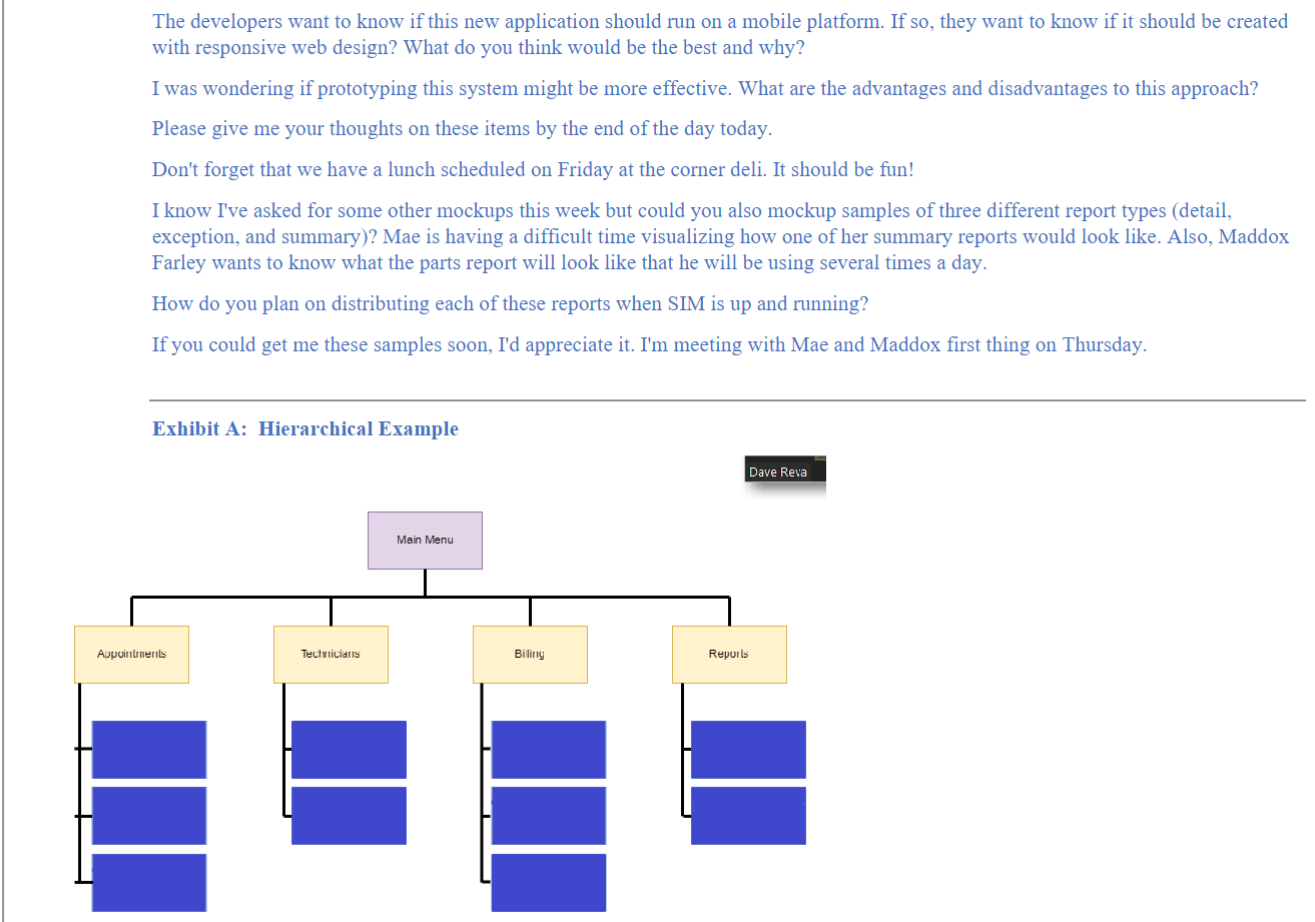
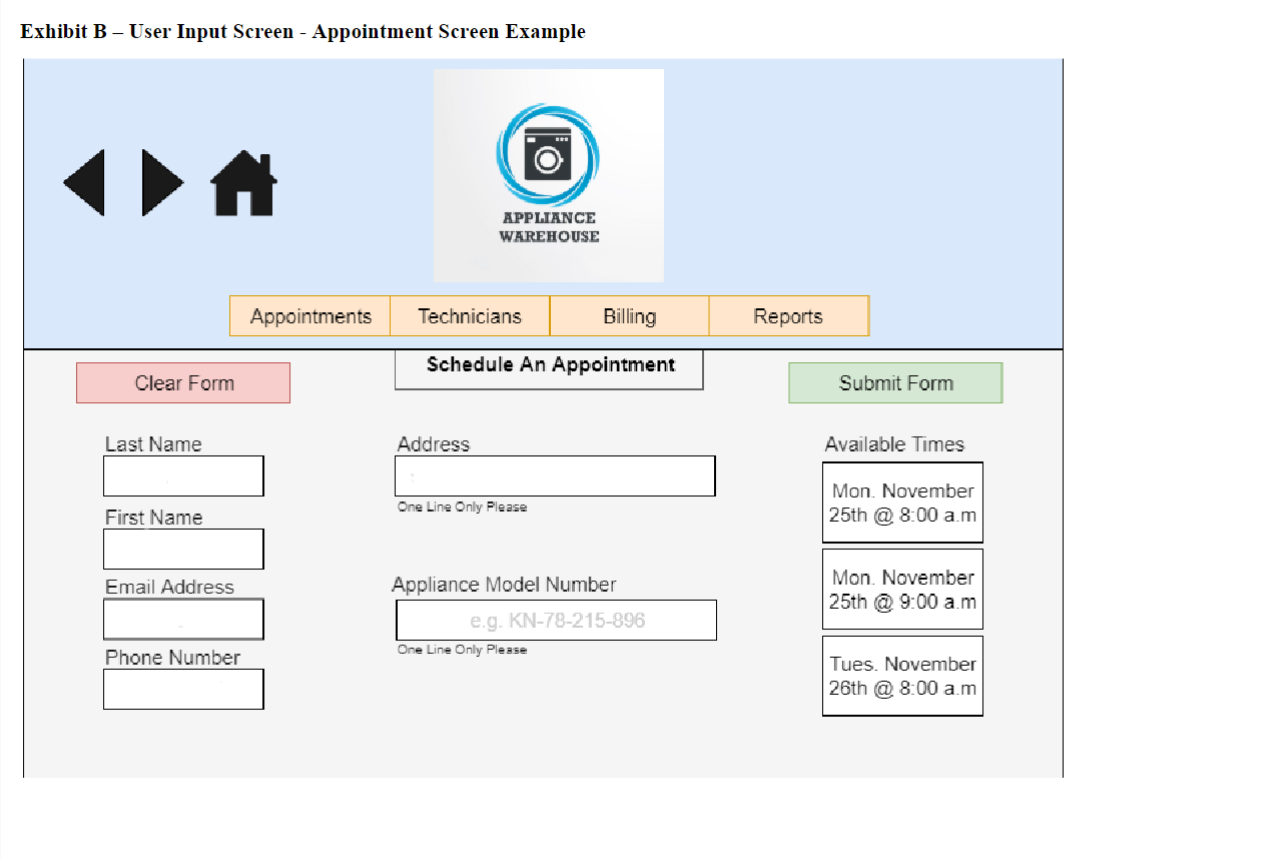
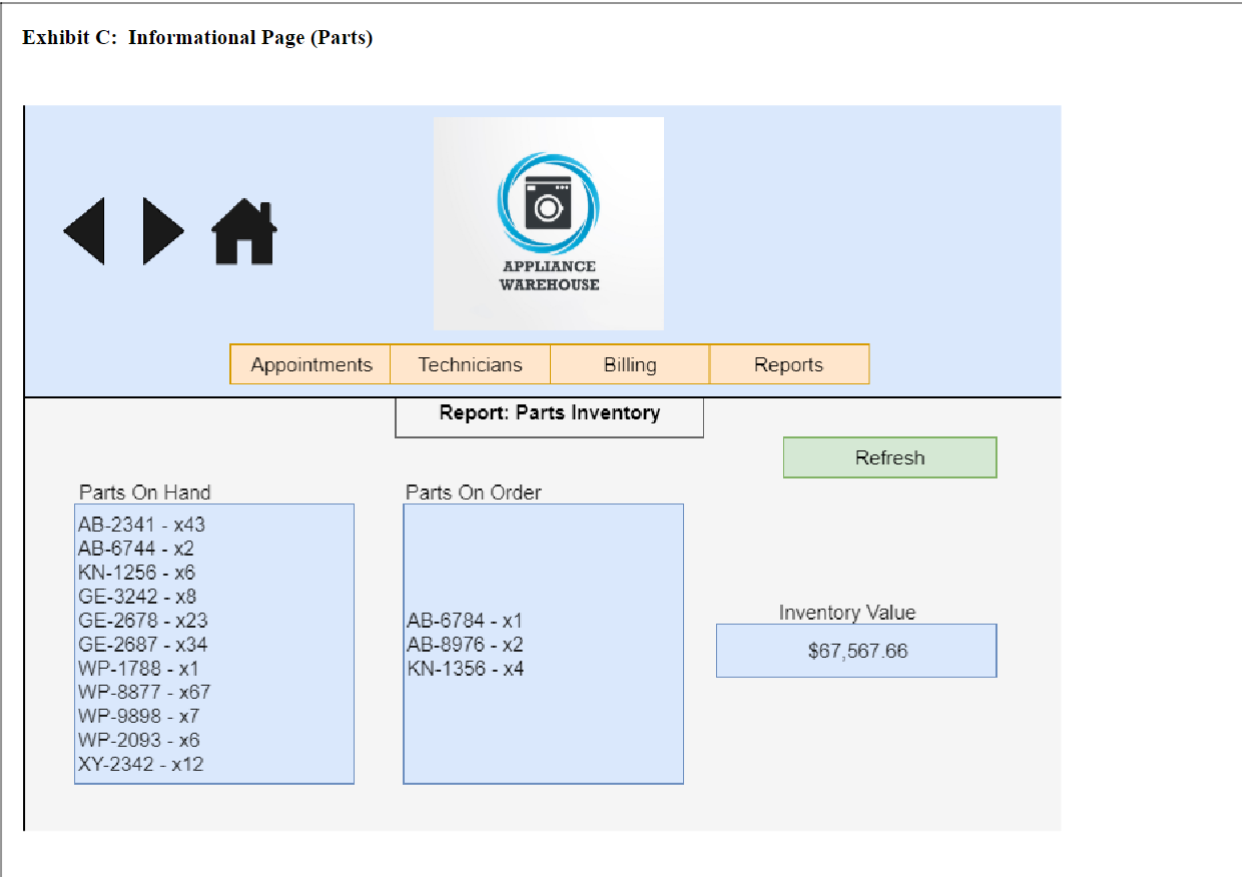
The developers want to know if this new application should run on a mobile platform. If so, they want to know if it should be created with responsive web design? What do you think would be the best and why? I was wondering if prototyping this system might be more effective. What are the advantages and disadvantages to this approach? Please give me your thoughts on these items by the end of the day today. Don't forget that we have a lunch scheduled on Friday at the corner deli. It should be fun! I know I've asked for some other mockups this week but could you also mockup samples of three different report types (detail, exception, and summary)? Mae is having a difficult time visualizing how one of her summary reports would look like. Also, Maddox Farley wants to know what the parts report will look like that he will be using several times a day. How do you plan on distributing each of these reports when SIM is up and running? If you could get me these samples soon, I'd appreciate it. I'm meeting with Mae and Maddox first thing on Thursday. Exhibit C: Informational Page (Parts) All -this week's Appliance Warehouse assignment will be more direct in terms of requirements (I hope!) than last weeks Chapter 7AW assignment - please read below and note the screen samples on page 2 . 1. Create a hierarchical drawing of all the pages needed for this system. Think of the menu on the top of the screen and what you'd click on to move to the next screen. Include a menu structure, appointment setting screens, screens to input technicians' availability, screens for invoicing purposes (including labor and parts costs) and reporting available. See Exhibit A at bottom of page 2 - fill in and/or add additional memu items as needed - do not copy the layout but be creative in creating your hierarchical memu drawing! 2. Create 2 Sample screens of how they would look in the system 1) include a user input page (ex: for an appointment) and include any validation rules you would have on certain fields. 2) An Informational page which can be a static page, or a result form a search (i.e., Parts availability or schedule availability) or a static screen. Both sample screens should include navigation buttons. See Exhibit B \& C below! 3. Also, in a separate document, answer the following questions! a. Should this new application run on a mobile platform? If so, should it be created with responsive web design? What do you think would be the best and why? b. Would prototyping this system be more effective. What are the advantages and disadvantages to this approach? c. How do you plan on distributing reports (detail, exception, and summary reports) when SIM is up and running? Students should utilize the Resource Library (JAD session, Questionnaire Results, Service Records sample), Requirements List from Ch 7, Database structure from Ch, and emails to complete these activities. Emails: After your presentation last week, the manager thinks an in-house solution is the way to go. Although our programmers have much experience with system integration and development, they have little experience with user design. You'll have to lay out all the pages of the system. For now, just create a hierarchical drawing of all the pages needed for this system. Think of the menu on the top of the screen and what you'd click on to move to the next screen. Once you finish the hierarchy, I'll need you to draw out examples of a few of the screens. For example, show a screen with a menu, another which requests user input, one that has methods to contact us, and the last one as an informational page. The menu screen can be an opening page or even a page to decide on types of reports to run. The user input page can be one for any of the users, such as the appointment setters or technicians. Make sure that you outline all of the required validation rules for this input page. The informational page can either be a static page or results from a search. Make sure that you include navigation buttons on each of these example pages. I think it would be a nice touch to include our logo on all of these screens. Exhibit B - User Input Screen - Appointment Screen Example
Step by Step Solution
There are 3 Steps involved in it

Get step-by-step solutions from verified subject matter experts
 Study Help