







Question: the figure 10.8 is below. 2. Using a text editor (such as Notepad) and three image files of your own, create the HTML page shown
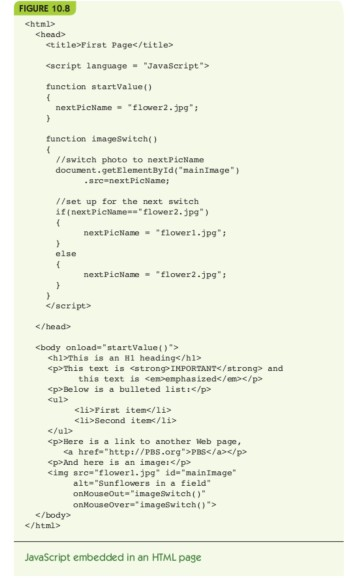
the figure 10.8 is below.
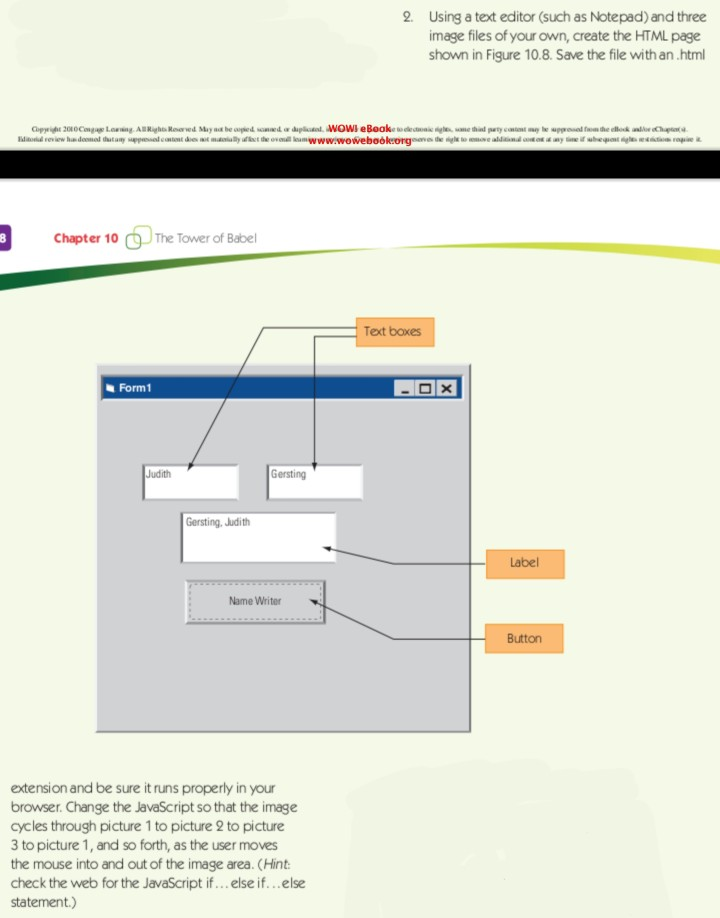
2. Using a text editor (such as Notepad) and three image files of your own, create the HTML page shown in Figure 10.8. Save the file with an html Chapter 10 d The Tovverof Batel Text boxes Form1 Judith Gersting Gersting, Judith Label Name Writer Button extension and be sure it runs properly in your browser. Change the JavaScript so that the image cycles through picture 1 to picture 2 to picture 3 to picture 1, and so forth, as the user moves the mouse into and out of the image area. (Hint check the web for the JavaScript if... else if...else statement.)
Step by Step Solution
There are 3 Steps involved in it
1 Expert Approved Answer
Step: 1 Unlock

Question Has Been Solved by an Expert!
Get step-by-step solutions from verified subject matter experts
Step: 2 Unlock
Step: 3 Unlock
 Study Help