







Question: The red box is the box around the if statement. Please provide a step by step solution. Thank you for your kind assistance! :)) For
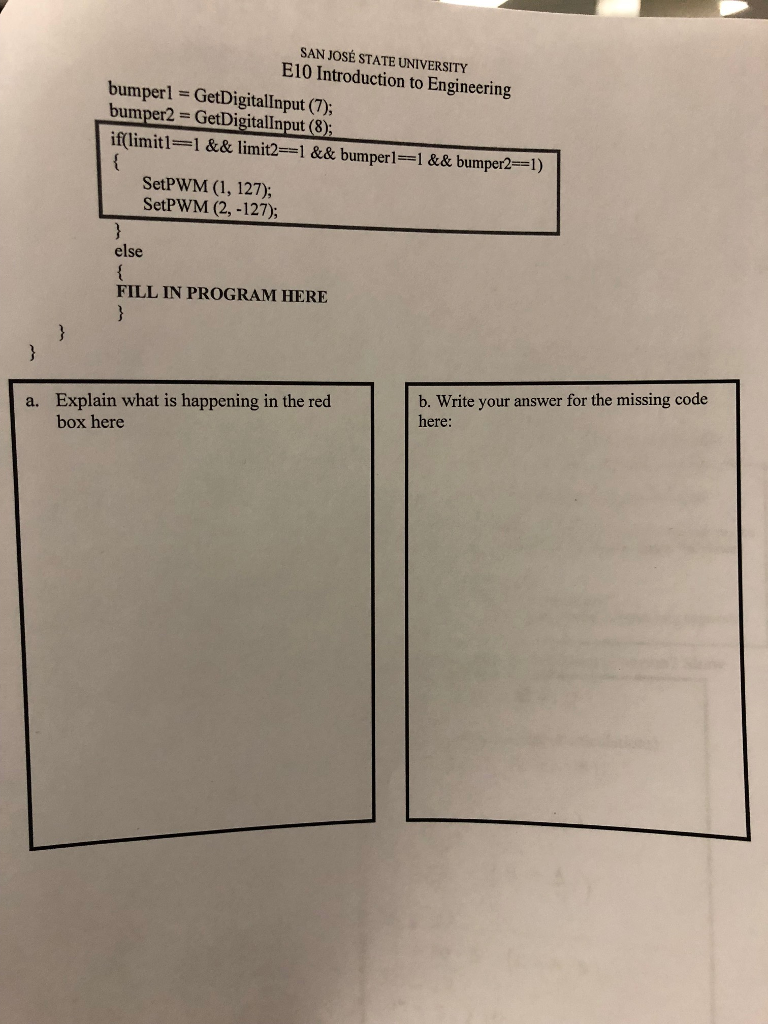
The "red box" is the box around the "if" statement. Please provide a step by step solution. Thank you for your kind assistance! :))
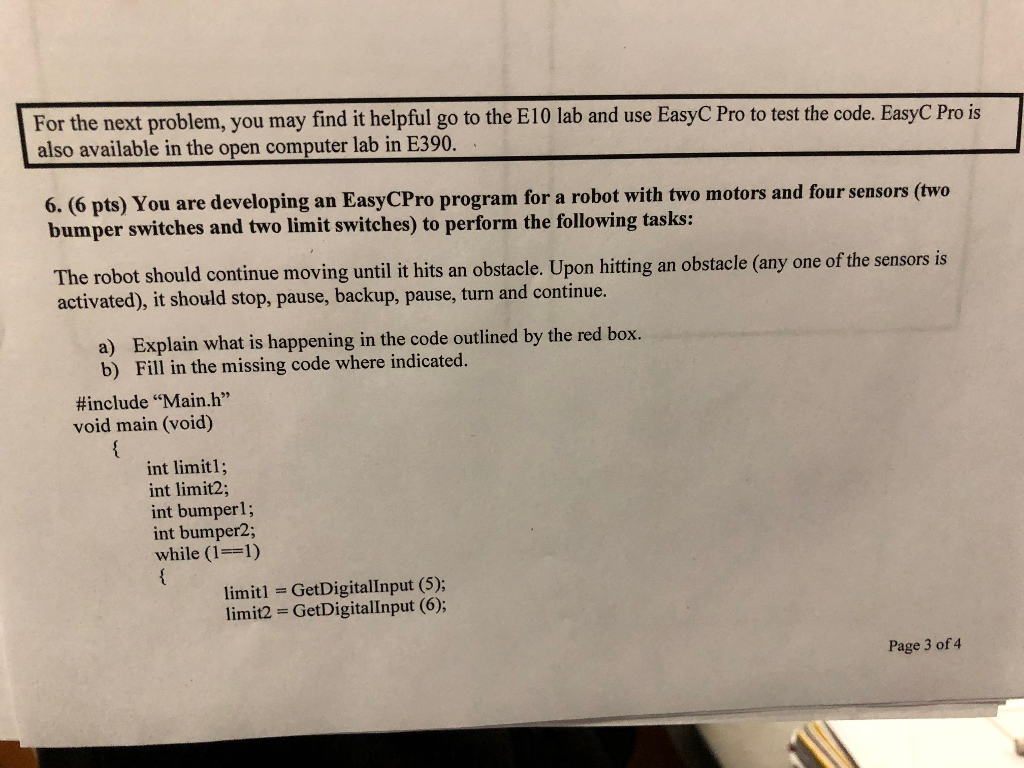
For the next problem, you may find it helpful go to the E10 lab and use EasyC Pro to test the code. EasyC Pro is also available in the open computer lab in E390 6. (6 pts) You are developing an EasyCPro program for a robot with two motors and four sensors (two bumper switches and two limit switches) to perform the following tasks: The robot should continue moving until it hits an obstacle. Upon hitting an obstacle (any o activated), it should stop, pause, backup, pause, turn and continue. one of the sensorsis a) Explain what is happening in the code outlined by the red box. b) Fill in the missing code where indicated. #include "Main.h" void main (void) int limitl; int limit2; int bumperl; int bumper2; while (1-1) limiti limit2 GetDigitalinput (5); GetDigitallnput (6); Page 3 of 4
Step by Step Solution
There are 3 Steps involved in it

Get step-by-step solutions from verified subject matter experts
 Study Help