







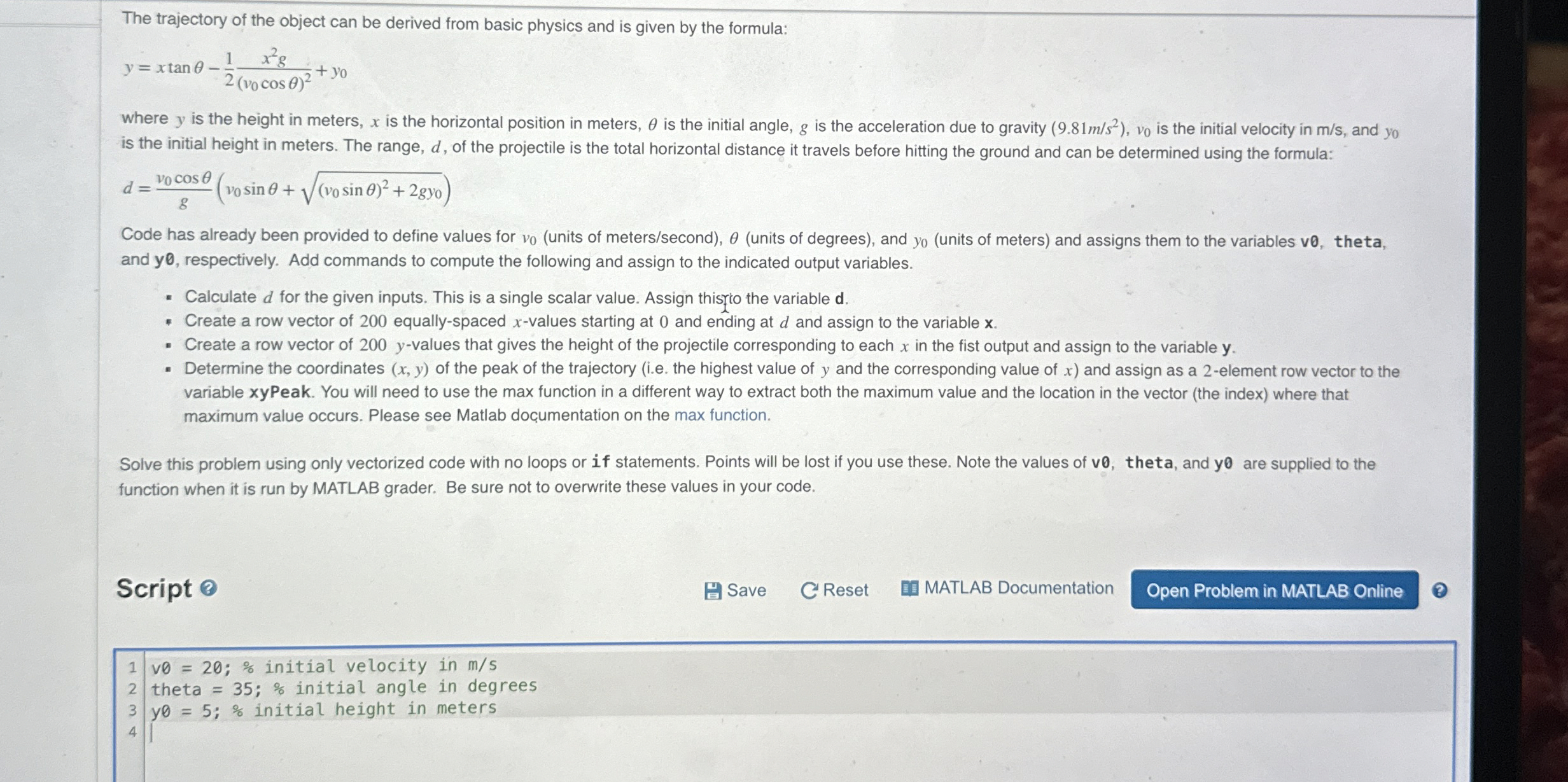
Question: The trajectory of the object can be derived from basic physics and is given by the formula: y = x t a n - 1
The trajectory of the object can be derived from basic physics and is given by the formula:
where is the height in meters, is the horizontal position in meters, is the initial angle, is the acceleration due to gravity is the initial velocity in and is the initial height in meters. The range, of the projectile is the total horizontal distance it travels before hitting the ground and can be determined using the formula:
Code has already been provided to define values for units of meterssecondunits of degrees and units of meters and assigns them to the variables ve theta, and respectively. Add commands to compute the following and assign to the indicated output variables.
Calculate for the given inputs. This is a single scalar value. Assign thisto the variable
Create a row vector of equallyspaced values starting at and ending at and assign to the variable
Create a row vector of values that gives the height of the projectile corresponding to each in the fist output and assign to the variable
Determine the coordinates of the peak of the trajectory ie the highest value of and the corresponding value of and assign as a element row vector to the variable xyPeak. You will need to use the max function in a different way to extract both the maximum value and the location in the vector the index where that maximum value occurs. Please see Matlab documentation on the max function.
Solve this problem using only vectorized code with no loops or if statements. Points will be lost if you use these. Note the values of ve theta, and y are supplied to the function when it is run by MATLAB grader. Be sure not to overwrite these values in your code.
Script
Save
C Reset
MATLAB Documentation
Step by Step Solution
There are 3 Steps involved in it
1 Expert Approved Answer
Step: 1 Unlock

Question Has Been Solved by an Expert!
Get step-by-step solutions from verified subject matter experts
Step: 2 Unlock
Step: 3 Unlock
 Study Help