







Question: Then, create an onclick event handler on the canvas so that every time the canvas is clicked the following things happen: Get the x and
Then, create an onclick event handler on the canvas so that every time the canvas is clicked the
following things happen:
Get the and coordinate of the click that just occurred hint: offsetX and offsetY
Create an array that contains the coordinate and push it into the global array
Then draw and fill a circle of radius centered at this coordinate
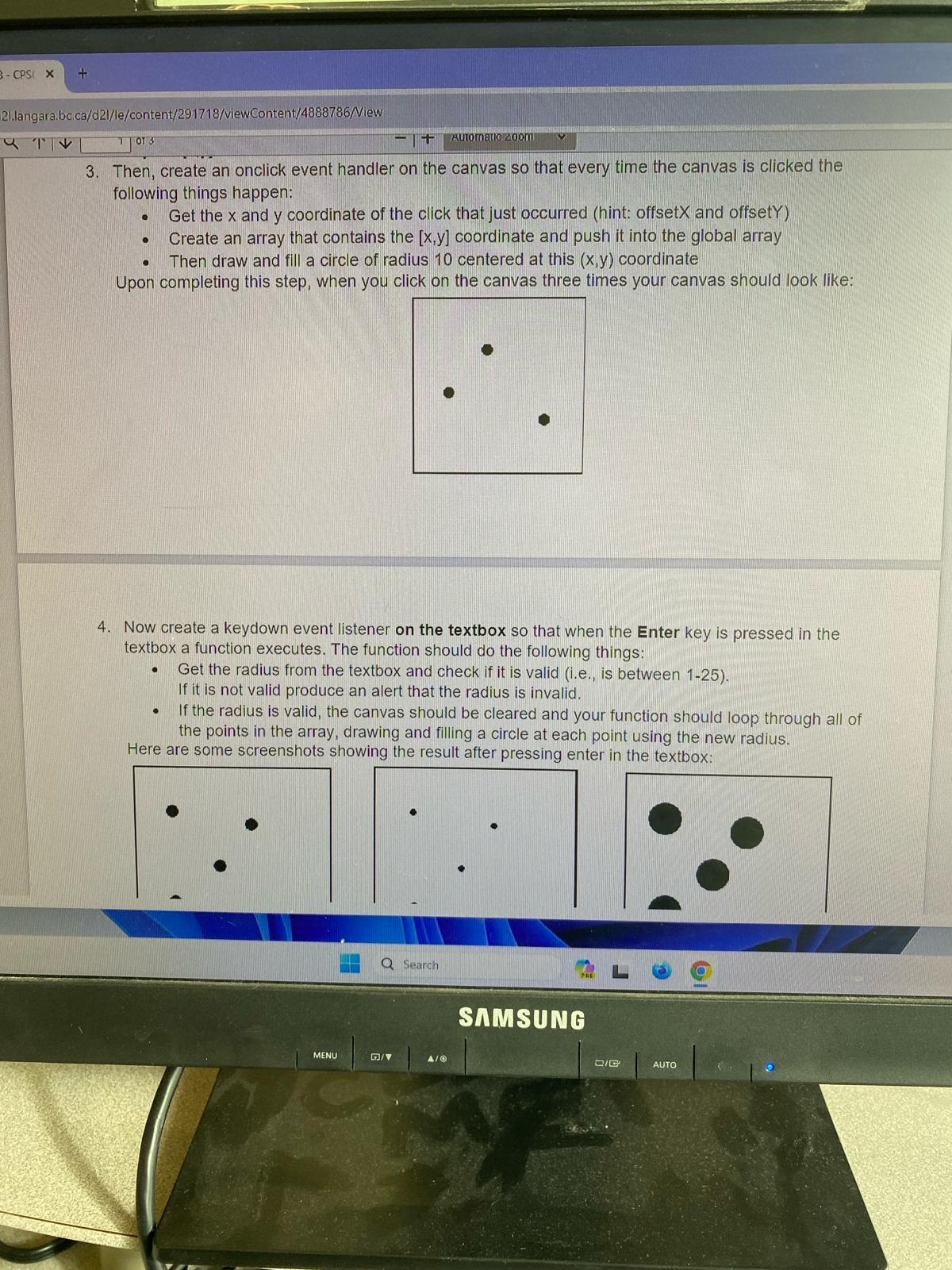
Upon completing this step, when you click on the canvas three times your canvas should look like:
Now create a keydown event listener on the textbox so that when the Enter key is pressed in the
textbox a function executes. The function should do the following things:
Get the radius from the textbox and check if it is valid ie is between
If it is not valid produce an alert that the radius is invalid.
If the radius is valid, the canvas should be cleared and your function should loop through all of
the points in the array, drawing and filling a circle at each point using the new radius.
Here are some screenshots showing the result after pressina enter in the textbox:
Step by Step Solution
There are 3 Steps involved in it
1 Expert Approved Answer
Step: 1 Unlock

Question Has Been Solved by an Expert!
Get step-by-step solutions from verified subject matter experts
Step: 2 Unlock
Step: 3 Unlock
 Study Help