



Question: This assessment is designed to extend knowledge of front end web design. This assessment has multiple benefits for students in all design fields such as:
This assessment is designed to extend knowledge of front end web design. This assessment
has multiple benefits for students in all design fields such as:
A Enables students to gain digital skills in an ever increasing digital communications
industry
B Enables students to gain experience in an entry requirement for junior designer roles
C Extends students abilities beyond static design work towards interaction design that
incorporates human behaviour
D Introducing programming languages like HTML and CSS opens designers up to a field
programming in which advanced solutions can be made beyond traditional
capabilities
Task:
This assessment requires you to design and code a second webpage for the same client as
assessment The content of the page will be provided, but you are required to create the
HTML and CSS to display the content in a sophisticated manner.
Mobile responsive design:
This assessment will include the requirement of the site being fluidly responsive for mobile
and tablet. This means that the site you design is required to change its layout to suit the
size of the hardware that it is displayed on A mobile version of the site will have a different
structural layout. For example: Two columns of text sidebyside for desktop or tablet are
responsively designed to stack on top of each other for mobile.
Some other examples of responsive design include:
Menu buttons should stack on top of each other and extend the width of the page
Font sizes may decrease or increase
Images should use up maximum space in terms of width
Padding and margins may decrease to use up more space
jQuery:
This assessment will also include the requirement to include a jQuery script coded by the
student. The required interaction is a hamburger menu for mobile that opens and closes
on click to reveal buttons in the menu mandatory Some examples of other optional
interactive components students could create or include from libraries include:
A scrolltotop button that changes the users scroll position on click optional
Animate on screen DOM elements when the page loads optional
Multiple drop down menu optional
Date time incorporated into HTML and CSS to display opening hours optional
Onscreen slider optional
User input:
Students must also include at least one user input area mandatory These must be styled
to correctly match the brand. Some examples of user input areas students could design
include:
A search bar for navigating the site
A signup form for the sites newsletter or updates
A contact form for enquiries or questions
Process:
Students should create a wireframe of their design. This will guide you while you code and
design the structure of the page. Students will then need to code the webpage using HTML
and CSS
As a guide, the content of the webpage will most likely include the following sections:
Header
Menu with buttons
Hero image or image gallery
Page body content
Footer
Social media icons
Content:
The contents for this webpage can be found on Blackboard inside of the Assessment area
titled: DIGInteractionDesignAssessmentAssets.zip
All of the text is required on this page, although minor edits to formattinglanguage
can be made.
All images of the artists must be included on the page
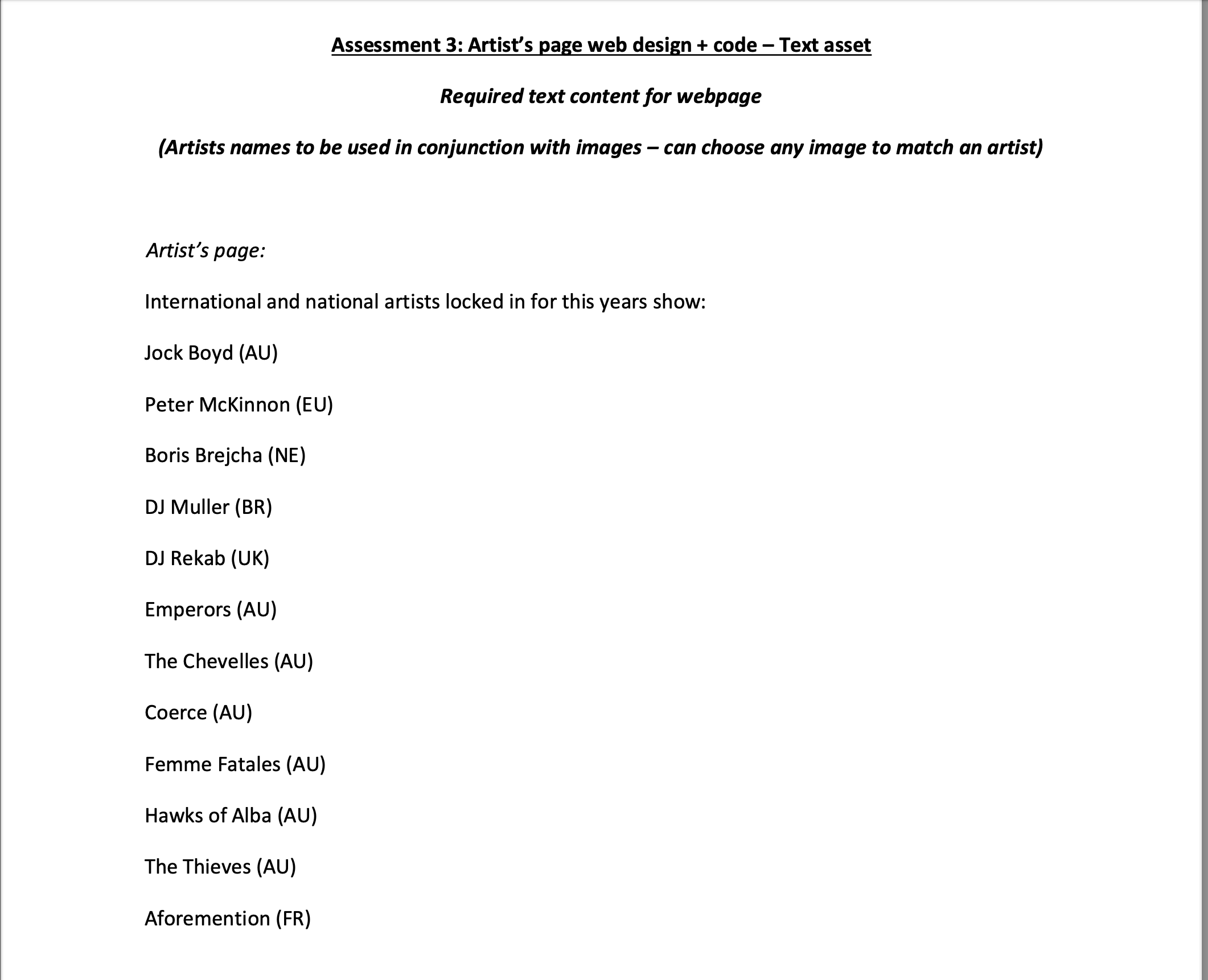
Assessment : Artist's page web design code Text asset
Required text content for webpage
Artists names to be used in conjunction with images can choose any image to match an artist
Artist's page:
International and national artists locked in for this years show:
Jock Boyd AU
Peter McKinnon EU
Boris Brejcha NE
DJ Muller BR
DJ Rekab UK
Emperors AU
The Chevelles AU
Coerce AU
Femme Fatales AU
Hawks of Alba AU
The Thieves AU
Aforemention FR
Submission requirements:
The webpage the second page should change for at least three different sizes
desktop, tablet andmobile
Mobile menu bar should display all buttons on top of each other no interaction is
required students do not need to include an on click event to expandcontract the
menu ie a typical hamburger menu
Images should be resized and compressed if they are too large
Fonts should make use of the wwwgoogle.comfonts repository or the font file
included in the submission folder using @fontface in CSS
Students will zip their entire folder of their website including all image assets, font files, the
HTML page and CSS sheet and submit to Blackboard.
Evaluation criteria:
Students will be assessed on their ability to:
Create and code HTML and CSS to design a webpage using correct web standard
techniques
Design visual aesthetics of the composition, imagery, type and colour that are
professional, sophisticated and elevate the brand
Design fluidly responsive webpages for desktop, tablet and mobile using correct
coding techniques
Create and code an engaging interactive component using jQuery
Step by Step Solution
There are 3 Steps involved in it
1 Expert Approved Answer
Step: 1 Unlock

Question Has Been Solved by an Expert!
Get step-by-step solutions from verified subject matter experts
Step: 2 Unlock
Step: 3 Unlock