


Question: This is 3/3 parts question complete. //add left Pane and canvas to Circle Pane //---- //Step 3: register the source nodes with its handler objects
 This is 3/3 parts question complete. //add left Pane and canvas

This is 3/3 parts question complete.

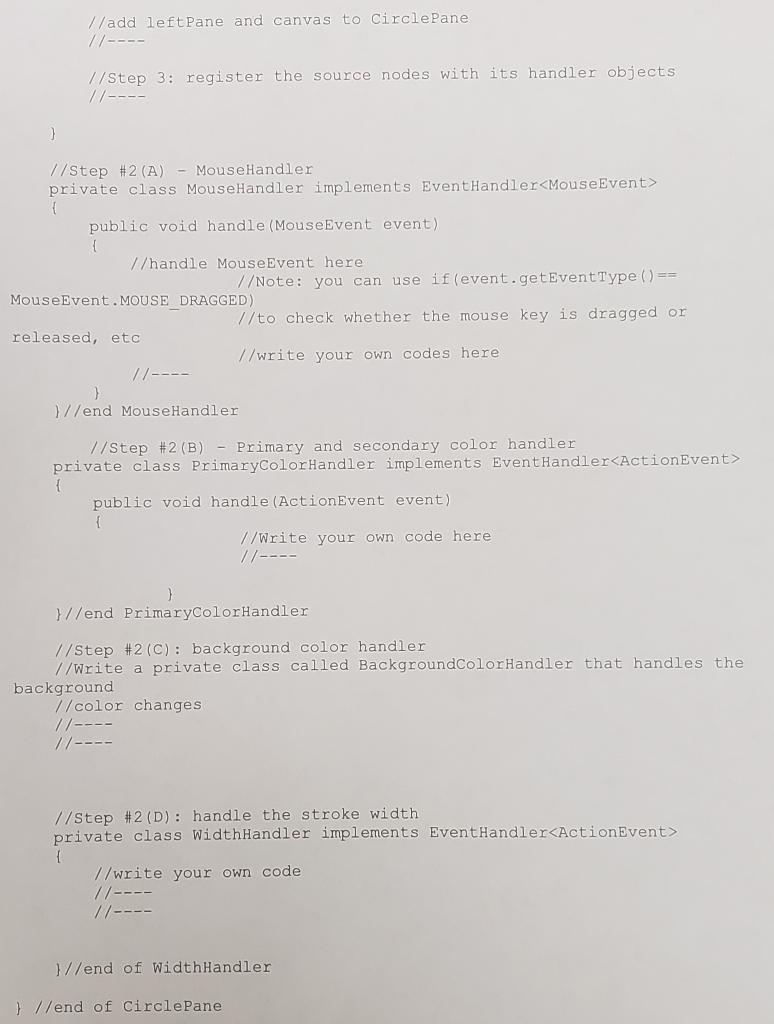
//add left Pane and canvas to Circle Pane //---- //Step 3: register the source nodes with its handler objects //---- } // Step #2 (A) - MouseHandler private class MouseHandler implements EventHandler { public void handle (MouseEvent event) v/handle MouseEvent here V/Note: you can use if (event.getEvent Type () == MouseEvent . MOUSE DRAGGED) //to check whether the mouse key is dragged or released, etc //write your own codes here // ---- Blend MouseHandler // Step #2 (B) - Primary and secondary color handler private class PrimaryColorHandler implement EventHandler_ActionEvent> 1 public void handle (ActionEvent event) { //Write your own code here 11---- }//end PrimaryColorHandler //Step #2 (C): background color handler //Write a private class called BackgroundColorHandler that handles the background //color changes //--- //---- //Step #2 (D): handle the stroke width private class WidthHandler implements EventHandler 1 //write your own code //---- 11--- //end of WidthHandler } //end of Circle Pane //add left Pane and canvas to Circle Pane //---- //Step 3: register the source nodes with its handler objects //---- } // Step #2 (A) - MouseHandler private class MouseHandler implements EventHandler { public void handle (MouseEvent event) v/handle MouseEvent here V/Note: you can use if (event.getEvent Type () == MouseEvent . MOUSE DRAGGED) //to check whether the mouse key is dragged or released, etc //write your own codes here // ---- Blend MouseHandler // Step #2 (B) - Primary and secondary color handler private class PrimaryColorHandler implement EventHandler_ActionEvent> 1 public void handle (ActionEvent event) { //Write your own code here 11---- }//end PrimaryColorHandler //Step #2 (C): background color handler //Write a private class called BackgroundColorHandler that handles the background //color changes //--- //---- //Step #2 (D): handle the stroke width private class WidthHandler implements EventHandler 1 //write your own code //---- 11--- //end of WidthHandler } //end of Circle Pane

Step by Step Solution

There are 3 Steps involved in it

1 Expert Approved Answer
Step: 1 Unlock blur-text-image
Question Has Been Solved by an Expert!

Get step-by-step solutions from verified subject matter experts

Step: 2 Unlock
Step: 3 Unlock

Students Have Also Explored These Related Databases Questions!