







Question: this is how it looks when i run the code but i want to add three fingers and a thumb to the robot so it
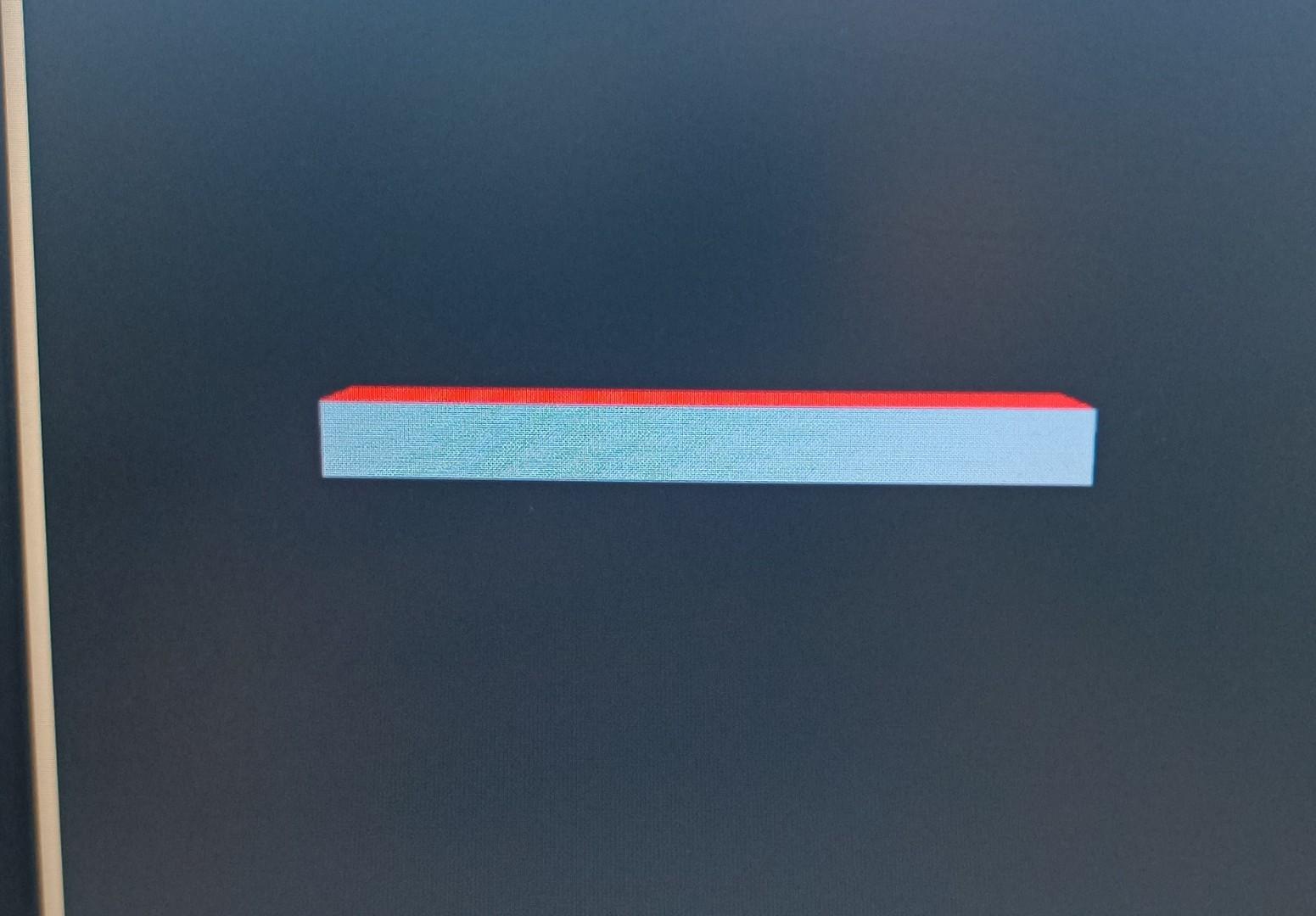
this is how it looks when i run the code but i want to add three fingers and a thumb to the
robot so it will look like this
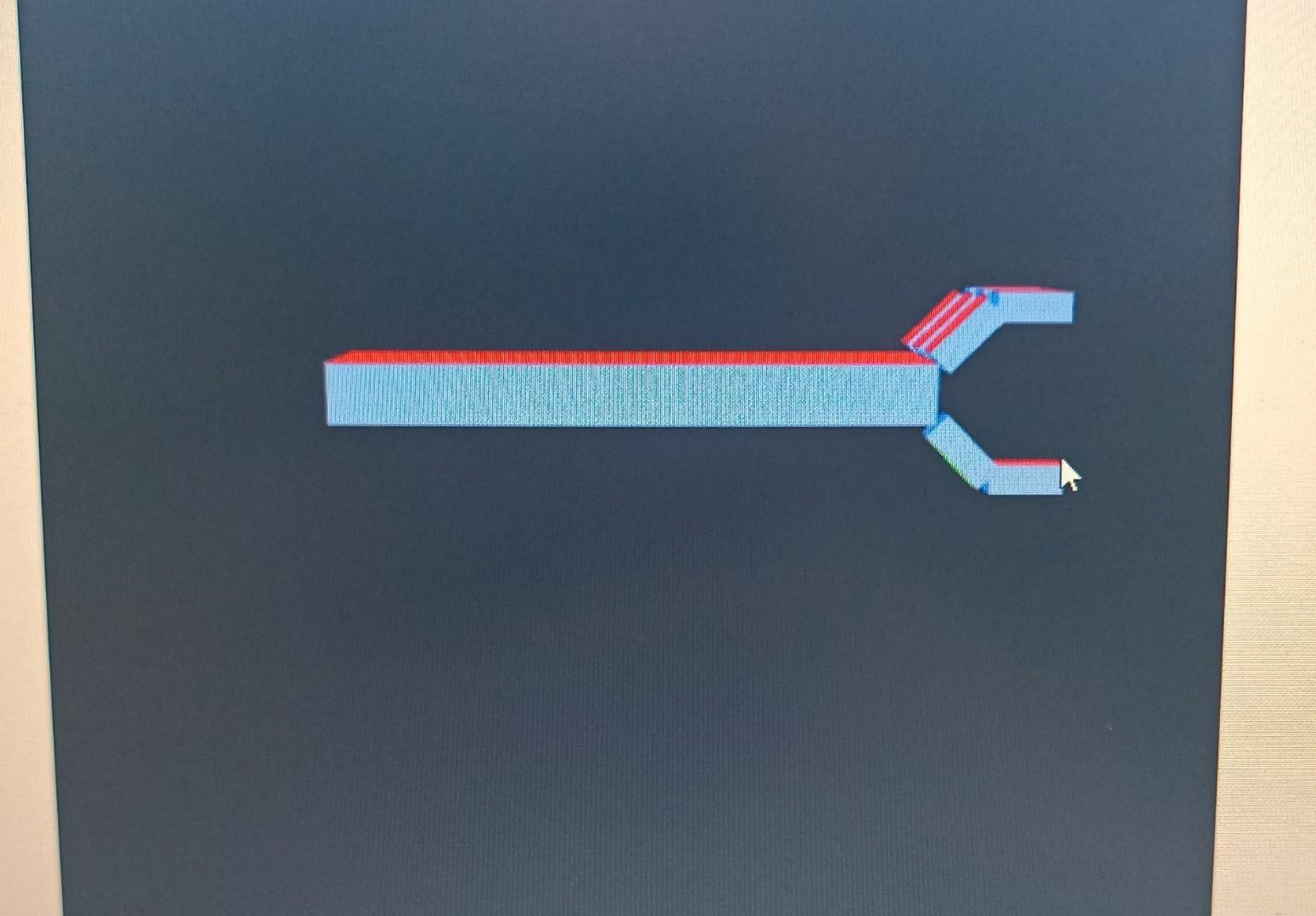
and here is the code that you need to modify so it will be just like i want i mean just like the final photo.
"use strict";
var gl;
var shapes = { wireCube: { points: [], colors: [], start: 0, size: 0, type: 0 }, solidCube: { points: [], colors: [], start: 0, size: 0, type: 0 }, axes: { points: [], colors: [], start: 0, size: 0, type: 0 }, };
var mv = new mat4(); var p = new mat4(); var mvLoc, projLoc;
var shoulder = 0, elbow = 0;
var wireframeMode = false; // Variable to toggle wireframe mode var perspectiveMode = true; // Variable to toggle perspective mode
var red = vec4(1.0, 0.0, 0.0, 1.0); var green = vec4(0.0, 1.0, 0.0, 1.0); var blue = vec4(0.0, 0.0, 1.0, 1.0); var lightred = vec4(1.0, 0.5, 0.5, 1.0); var lightgreen = vec4(0.5, 1.0, 0.5, 1.0); var lightblue = vec4(0.5, 0.5, 1.0, 1.0); var white = vec4(1.0, 1.0, 1.0, 1.0);
shapes.axes.points = [ vec4(2.0, 0.0, 0.0, 1.0), vec4(-2.0, 0.0, 0.0, 1.0), vec4(0.0, 2.0, 0.0, 1.0), vec4(0.0, -2.0, 0.0, 1.0), vec4(0.0, 0.0, 2.0, 1.0), vec4(0.0, 0.0, -2.0, 1.0), ];
shapes.axes.colors = [green, green, red, red, blue, blue];
var cubeVerts = [ vec4(0.5, 0.5, 0.5, 1), vec4(0.5, 0.5, -0.5, 1), vec4(0.5, -0.5, 0.5, 1), vec4(0.5, -0.5, -0.5, 1), vec4(-0.5, 0.5, 0.5, 1), vec4(-0.5, 0.5, -0.5, 1), vec4(-0.5, -0.5, 0.5, 1), vec4(-0.5, -0.5, -0.5, 1), ];
var wireCubeLookups = [0, 4, 6, 2, 0, 1, 0, 2, 3, 1, 5, 1, 3, 7, 5, 4, 5, 7, 6, 4, 4, 0, 1, 5, 4, 6, 2, 0]; var solidCubeLookups = [ 0, 4, 6, 0, 6, 2, 1, 0, 2, 1, 2, 3, 5, 1, 3, 5, 3, 7, 4, 5, 7, 4, 7, 6, 4, 0, 1, 4, 1, 5, 6, 7, 3, 6, 3, 2, ];
for (var i = 0; i
var colorNum = 0; var colorList = [lightblue, lightgreen, lightred, blue, red, green]; for (var i = 0; i
var points = []; var colors = [];
function loadShape(myShape, type) { myShape.start = points.length; points = points.concat(myShape.points); colors = colors.concat(myShape.colors); myShape.size = points.length - myShape.start; myShape.type = type; }
window.onload = function init() { var canvas = document.getElementById("gl-canvas"); gl = canvas.getContext("webgl2"); if (!gl) { canvas.parentNode.innerHTML("Cannot get WebGL2 Rendering Context"); }
gl.viewport(0, 0, gl.drawingBufferWidth, gl.drawingBufferHeight); gl.enable(gl.DEPTH_TEST); gl.clearColor(0.0, 0.0, 0.0, 1.0); gl.enable(gl.CULL_FACE);
var program = initShaders(gl, "shader.vert", "shader.frag"); gl.useProgram(program);
loadShape(shapes.wireCube, gl.LINE_STRIP); loadShape(shapes.solidCube, gl.TRIANGLES); loadShape(shapes.axes, gl.LINES);
var vertexBuffer = gl.createBuffer(); gl.bindBuffer(gl.ARRAY_BUFFER, vertexBuffer); gl.bufferData(gl.ARRAY_BUFFER, flatten(points), gl.STATIC_DRAW); program.vPosition = gl.getAttribLocation(program, "vPosition"); gl.vertexAttribPointer(program.vPosition, 4, gl.FLOAT, gl.FALSE, 0, 0); gl.enableVertexAttribArray(program.vPosition);
var colorBuffer = gl.createBuffer(); gl.bindBuffer(gl.ARRAY_BUFFER, colorBuffer); gl.bufferData(gl.ARRAY_BUFFER, flatten(colors), gl.STATIC_DRAW); program.vColor = gl.getAttribLocation(program, "vColor"); gl.vertexAttribPointer(program.vColor, 4, gl.FLOAT, gl.FALSE, 0, 0); gl.enableVertexAttribArray(program.vColor);
projLoc = gl.getUniformLocation(program, "p"); mvLoc = gl.getUniformLocation(program, "mv");
updateProjection(); // Set initial projection matrix
var eye = vec3(0.0, 1.0, 10.0); var at = vec3(0.0, 0.0, 0.0); var up = vec3(0.0, 1.0, 0.0);
mv = lookAt(eye, at, up);
requestAnimationFrame(animate); };
var prevTime = 0;
function animate() { requestAnimationFrame(animate);
var curTime = new Date().getTime(); if (prevTime != 0) { var timePassed = (curTime - prevTime) / 1000.0; handleKeys(timePassed); } prevTime = curTime;
render(); }
function render() { gl.clear(gl.DEPTH_BUFFER_BIT | gl.COLOR_BUFFER_BIT);
var armShape = wireframeMode ? shapes.wireCube : shapes.solidCube; var matStack = [];
matStack.push(mv);
mv = mult(mv, translate(-2.0, 0.0, 0.0)); mv = mult(mv, rotate(shoulder, vec3(0, 0, 1))); mv = mult(mv, translate(1.0, 0.0, 0.0));
matStack.push(mv); mv = mult(mv, scale(2.0, 0.4, 1.0)); gl.uniformMatrix4fv(mvLoc, gl.FALSE, flatten(transpose(mv))); gl.drawArrays(armShape.type, armShape.start, armShape.size); mv = matStack.pop();
mv = mult(mv, translate(1.0, 0.0, 0.0)); mv = mult(mv, rotate(elbow, vec3(0, 0, 1))); mv = mult(mv, translate(1, 0.0, 0.0));
matStack.push(mv); mv = mult(mv, scale(2.0, 0.4, 1.0)); gl.uniformMatrix4fv(mvLoc, gl.FALSE, flatten(transpose(mv))); gl.drawArrays(armShape.type, armShape.start, armShape.size); mv = matStack.pop();
mv = matStack.pop(); }
var currentlyPressedKeys = []; var shift;
document.onkeydown = function handleKeyDown(event) { currentlyPressedKeys[event.keyCode] = true; shift = event.shiftKey;
var c = event.keyCode; var key = String.fromCharCode(c);
if (key === "T") { wireframeMode = !wireframeMode; }
if (key === "P") { perspectiveMode = !perspectiveMode; updateProjection(); } };
document.onkeyup = function handleKeyUp(event) { currentlyPressedKeys[event.keyCode] = false; shift = event.shiftKey; };
function isPressed(c) { var code = c.charCodeAt(0); return currentlyPressedKeys[code]; }
function handleKeys(timePassed) { var s = 90.0; var d = s * timePassed;
if (shift && isPressed("S")) { if (shoulder -90) shoulder = shoulder - d; else shoulder = -90; }
if (shift && isPressed("E")) { if (elbow -144) elbow = elbow - d; else elbow = -144; } }
function updateProjection() { var aspect = gl.canvas.clientWidth / gl.canvas.clientHeight; if (perspectiveMode) { p = perspective(40.0, aspect, 0.1, 100.0); } else { p = ortho(-3.4 * aspect, 3.4 * aspect, -3.4, 3.4, 1.0, 20.0); } gl.uniformMatrix4fv(projLoc, gl.FALSE, flatten(transpose(p))); }
2 2
Step by Step Solution
There are 3 Steps involved in it

Get step-by-step solutions from verified subject matter experts
 Study Help