







Question: This is referring to assignment 9. I need help with the second half. Written in C# visual studio. Note: You do not have to use
 This is referring to assignment 9.
I need help with the second half. Written in C# visual studio.
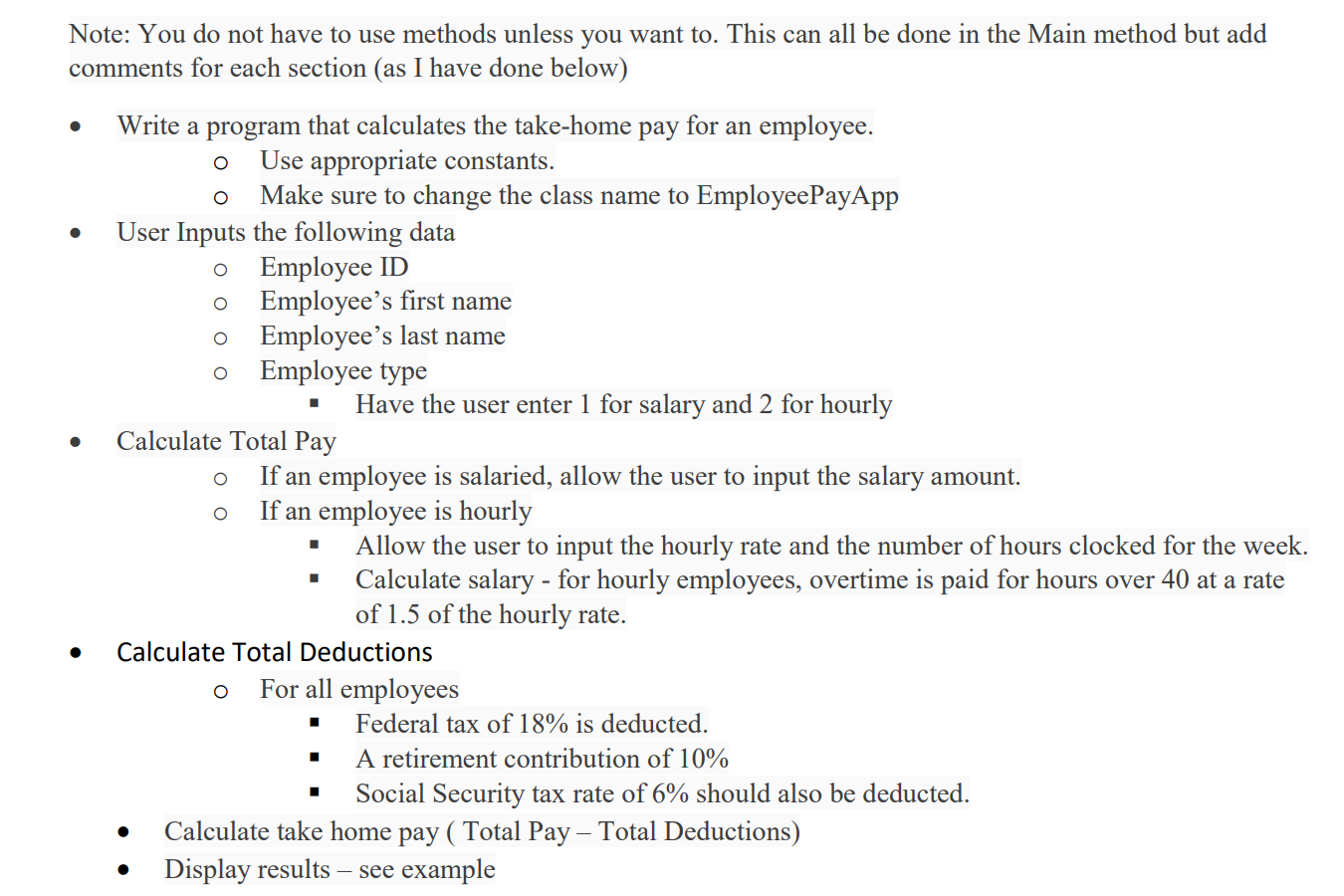
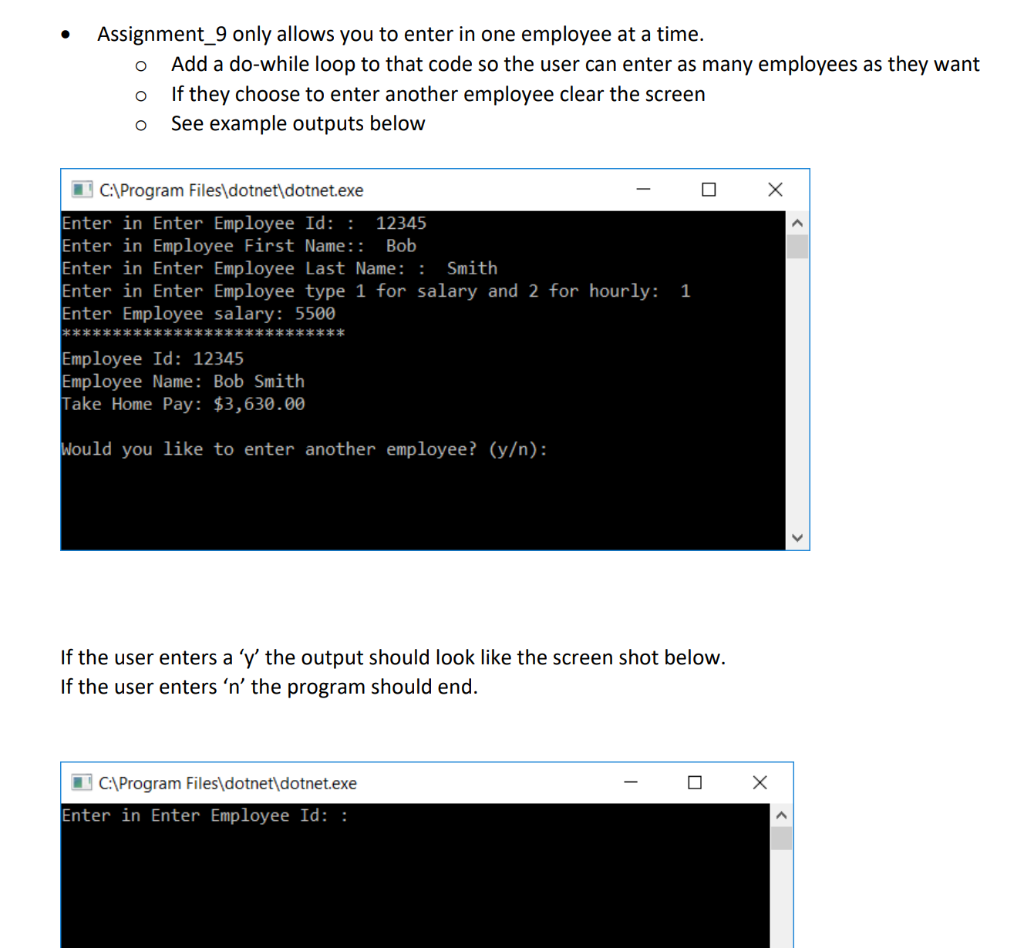
Note: You do not have to use methods unless you want to. This can all be done in the Main method but add comments for each section (as I have done below) Write a program that calculates the take-home pay for an employee. o Use appropriate constants. o Make sure to change the class name to EmployeePayApp User Inputs the following data o Employee ID o Employee's first name O Employee's last name O Employee type Have the user enter 1 for salary and 2 for hourly Calculate Total Pay If an employee is salaried, allow the user to input the salary amount. o If an employee is hourly Allow the user to input the hourly rate and the number of hours clocked for the week. Calculate salary - for hourly employees, overtime is paid for hours over 40 at a rate of 1.5 of the hourly rate. Calculate Total Deductions O For all employees Federal tax of 18% is deducted. A retirement contribution of 10% Social Security tax rate of 6% should also be deducted. Calculate take home pay ( Total Pay Total Deductions) Display results see example . Acei Assignment_9 only allows you to enter in one employee at a time. o Add a do-while loop to that code so the user can enter as many employees as they want o If they choose to enter another employee clear the screen o See example outputs below 0 X 1 C:\Program Files\dotnet\dotnet.exe - Enter in Enter Employee Id: : 12345 Enter in Employee First Name: Bob Enter in Enter Employee Last Name: : Smith Enter in Enter Employee type 1 for salary and 2 for hourly: Enter Employee salary: 5500 **************************** Employee Id: 12345 Employee Name: Bob Smith Take Home Pay: $3,630.00 1 Would you like to enter another employee? (y): If the user enters a 'y' the output should look like the screen shot below. If the user enters 'n' the program should end. - 0 X C:\Program Files\dotnet\dotnet.exe Enter in Enter Employee Id
Step by Step Solution
There are 3 Steps involved in it

Get step-by-step solutions from verified subject matter experts
 Study Help