







Question: This question is based on Microsoft Access course. Use the following information and create a Student List database file. 1) Create a new blank database
This question is based on Microsoft Access course.
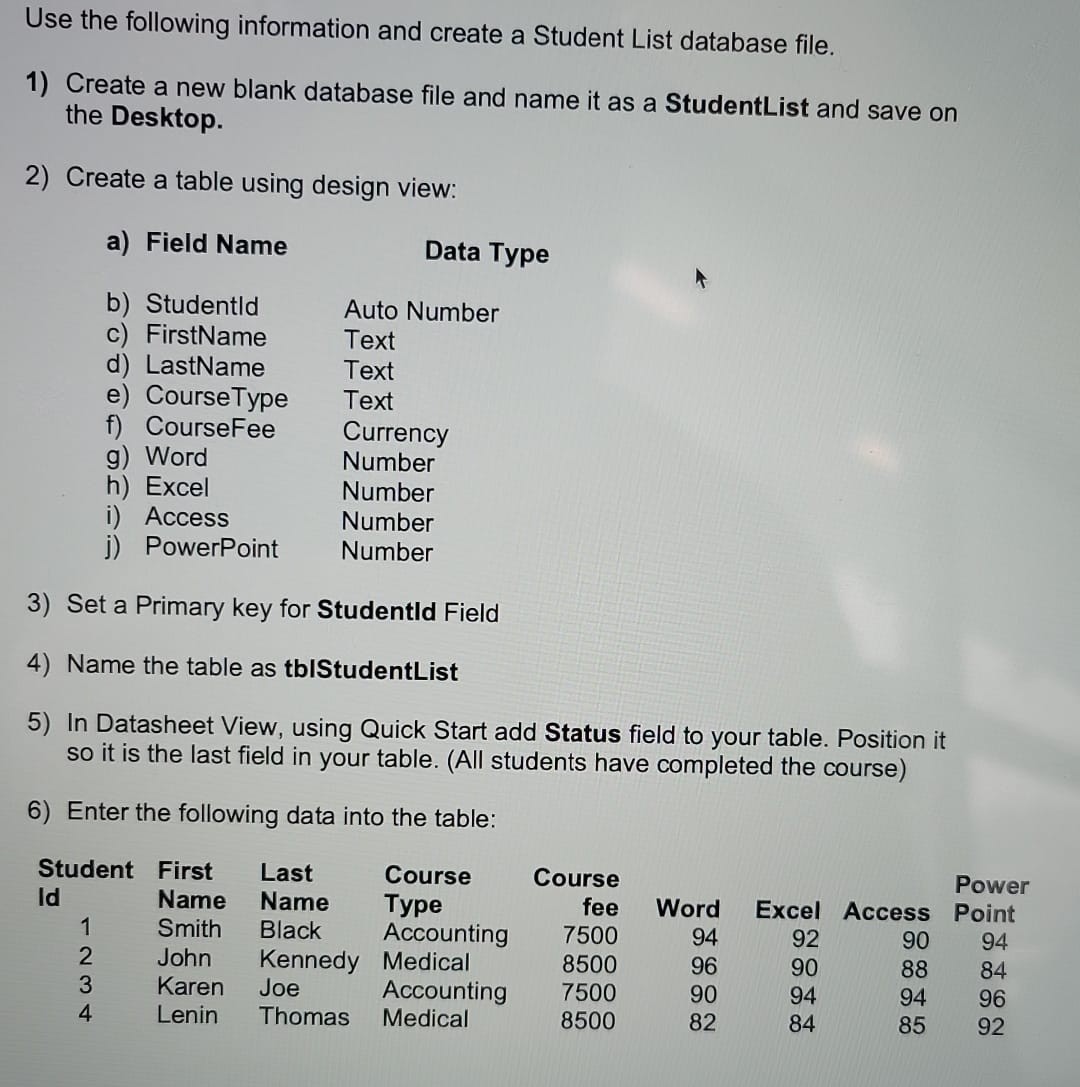
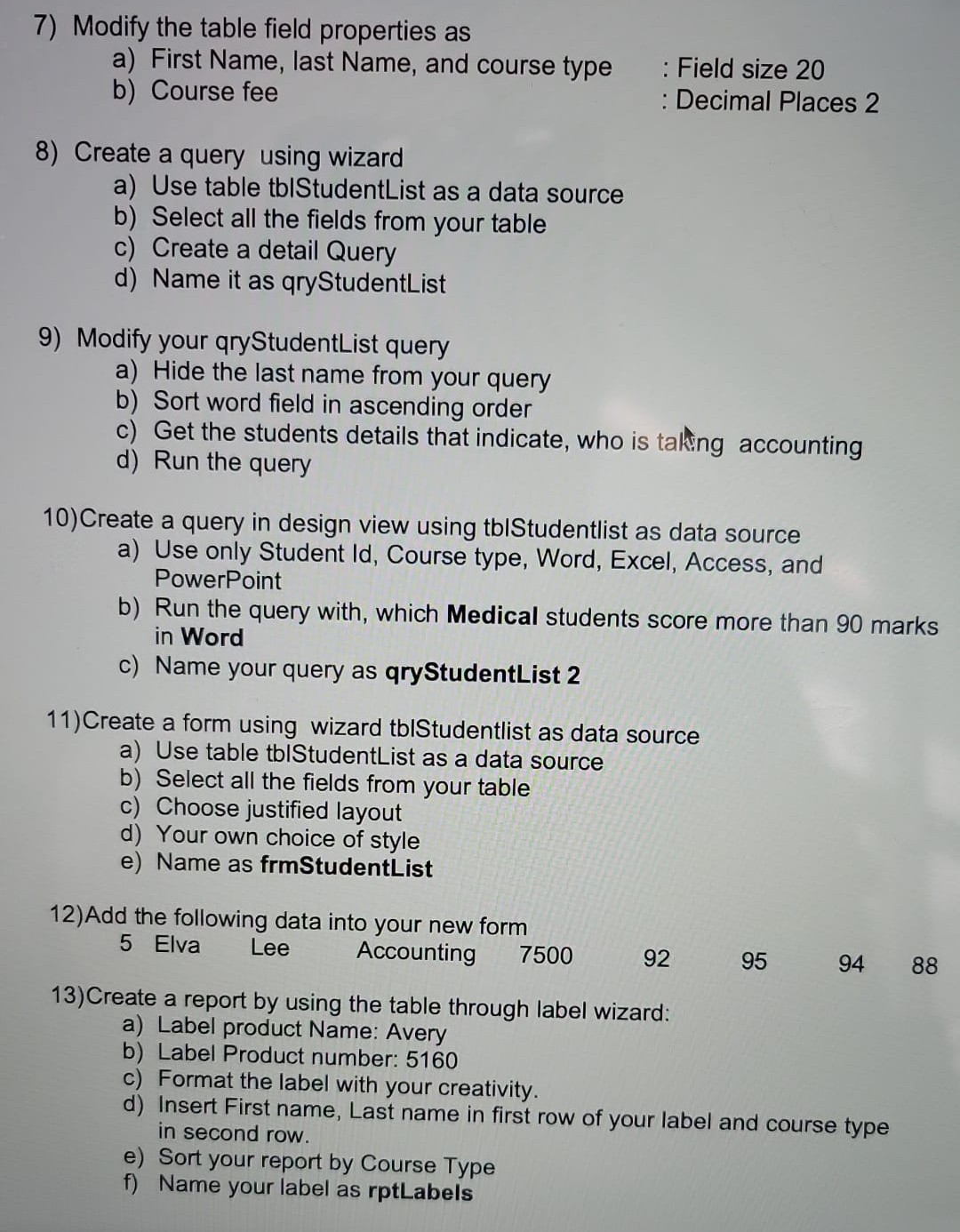
Use the following information and create a Student List database file. 1) Create a new blank database file and name it as a StudentList and save on the Desktop. 2) Create a table using design view: a) Field Name Data Type b) Studentld Auto Number C) FirstName Text d) LastName Text e) CourseType Text f) CourseFee Currency g) Word Number h) Excel Number i) Access Number j) PowerPoint Number 3) Set a Primary key for Studentld Field 4) Name the table as tblStudentList 5) In Datasheet View, using Quick Start add Status field to your table. Position it so it is the last field in your table. (All students have completed the course) 6) Enter the following data into the table: Student First Last Course Course Power Id Name Name Type fee Word Excel Access Point Smith Black Accounting 7500 94 92 90 94 John Kennedy Medical 8500 96 90 88 84 A WN - Karen Joe Accounting 7500 90 94 94 96 Lenin Thomas Medical 8500 82 84 85 927) Modify the table field properties as a) First Name, last Name, and course type : Field size 20 b) Course fee : Decimal Places 2 8) Create a query using wizard a) Use table tblStudentList as a data source b) Select all the fields from your table c) Create a detail Query d) Name it as qryStudentList 9) Modify your qryStudentList query a) Hide the last name from your query b) Sort word field in ascending order c) Get the students details that indicate, who is taking accounting d) Run the query 10) Create a query in design view using tblStudentlist as data source a) Use only Student Id, Course type, Word, Excel, Access, and PowerPoint b) Run the query with, which Medical students score more than 90 marks in Word c) Name your query as qryStudentList 2 11) Create a form using wizard tblStudentlist as data source a) Use table tblStudentList as a data source b) Select all the fields from your table c) Choose justified layout d) Your own choice of style e) Name as frmStudentList 12) Add the following data into your new form 5 Elva Lee Accounting 7500 92 95 94 88 13) Create a report by using the table through label wizard: a) Label product Name: Avery b) Label Product number: 5160 C) Format the label with your creativity. d) Insert First name, Last name in first row of your label and course type in second row. e) Sort your report by Course Type f) Name your label as rotLabels
Step by Step Solution
There are 3 Steps involved in it

Get step-by-step solutions from verified subject matter experts
 Study Help