







Question: This Quiz subject is Game Programming. Only the Unity Hub expert should answer this question. QUESTION 1 How can you move a game object in
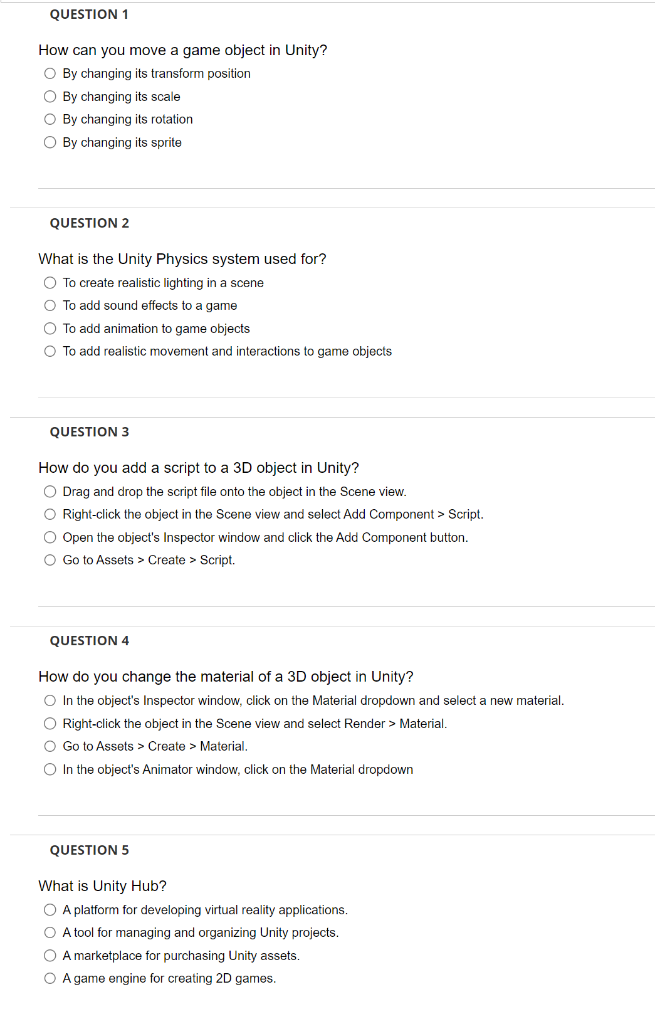 This Quiz subject is Game Programming. Only the "Unity Hub" expert should answer this question.
QUESTION 1 How can you move a game object in Unity? By changing its transform position By changing its scale By changing its rotation By changing its sprite QUESTION 2 What is the Unity Physics system used for? To create realistic lighting in a scene To add sound effects to a game To add animation to game objects To add realistic movement and interactions to game objects QUESTION 3 How do you add a script to a 3D object in Unity? Drag and drop the script file onto the object in the Scene view. Right-click the object in the Scene view and select Add Component > Script. Open the object's Inspector window and click the Add Component button. Go to Assets > Create > Script. QUESTION 4 How do you change the material of a 3D object in Unity? In the object's Inspector window, click on the Material dropdown and select a new material. Right-click the object in the Scene view and select Render > Material. Go to Assets > Create > Material. In the object's Animator window, click on the Material dropdown QUESTION 5 What is Unity Hub? A platform for developing virtual reality applications. A tool for managing and organizing Unity projects. A marketplace for purchasing Unity assets. A game engine for creating 2D games
Step by Step Solution
There are 3 Steps involved in it

Get step-by-step solutions from verified subject matter experts
 Study Help