







Question: This Quiz subject is Game Programming. Only the Unity Hub expert should answer this question. To attach a script to a GameObject in Unity void
This Quiz subject is Game Programming. Only the "Unity Hub" expert should answer this question.
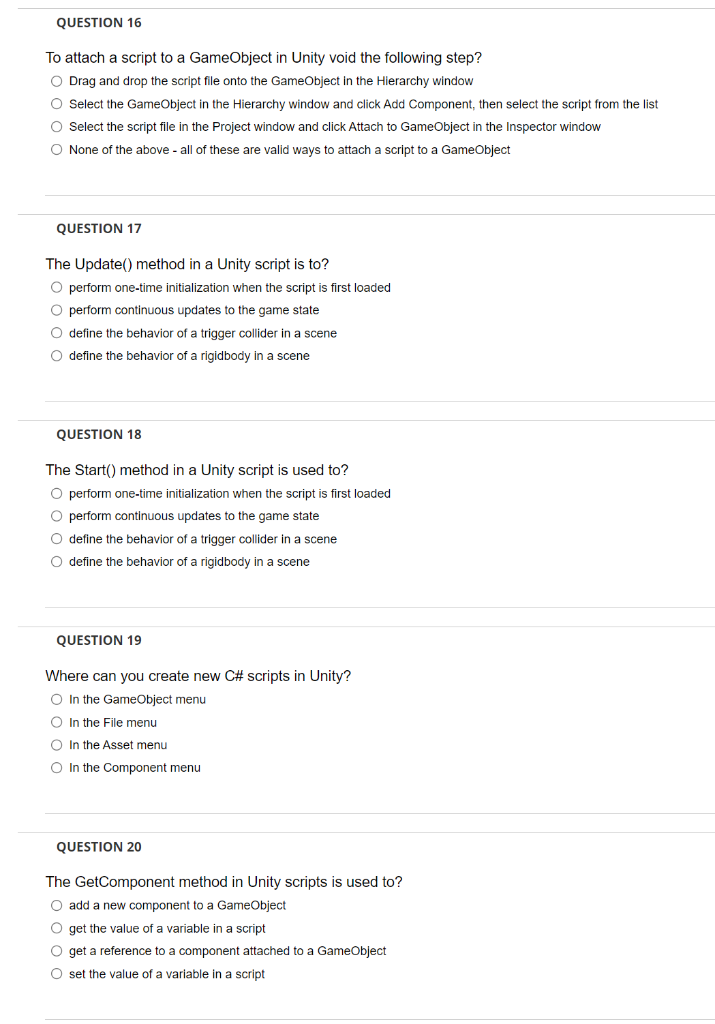
To attach a script to a GameObject in Unity void the following step? Drag and drop the script file onto the GameObject in the Hierarchy window Select the GameObject in the Hierarchy window and click Add Component, then select the script from the list Select the script file in the Project window and click Attach to Gameobject in the Inspector window None of the above - all of these are valid ways to attach a script to a GameObject QUESTION 17 The Update() method in a Unity script is to? perform one-time initialization when the script is first loaded perform continuous updates to the game state define the behavior of a trigger collider in a scene define the behavior of a rigidbody in a scene QUESTION 18 The Start() method in a Unity script is used to? perform one-time initialization when the script is first loaded perform continuous updates to the game state define the behavior of a trigger collider in a scene define the behavior of a rigidbody in a scene QUESTION 19 Where can you create new C\# scripts in Unity? In the GameObject menu In the File menu In the Asset menu In the Component menu QUESTION 20 The GetComponent method in Unity scripts is used to? add a new component to a GameObject get the value of a variable in a script get a reference to a component attached to a GameObject set the value of a variable in a script
Step by Step Solution
There are 3 Steps involved in it

Get step-by-step solutions from verified subject matter experts
 Study Help