







Question: This screen allows users to view and edit Profiles connected to the selected Reservation. O Accompanying Profiles O Select Another Profile O Linked Profiles
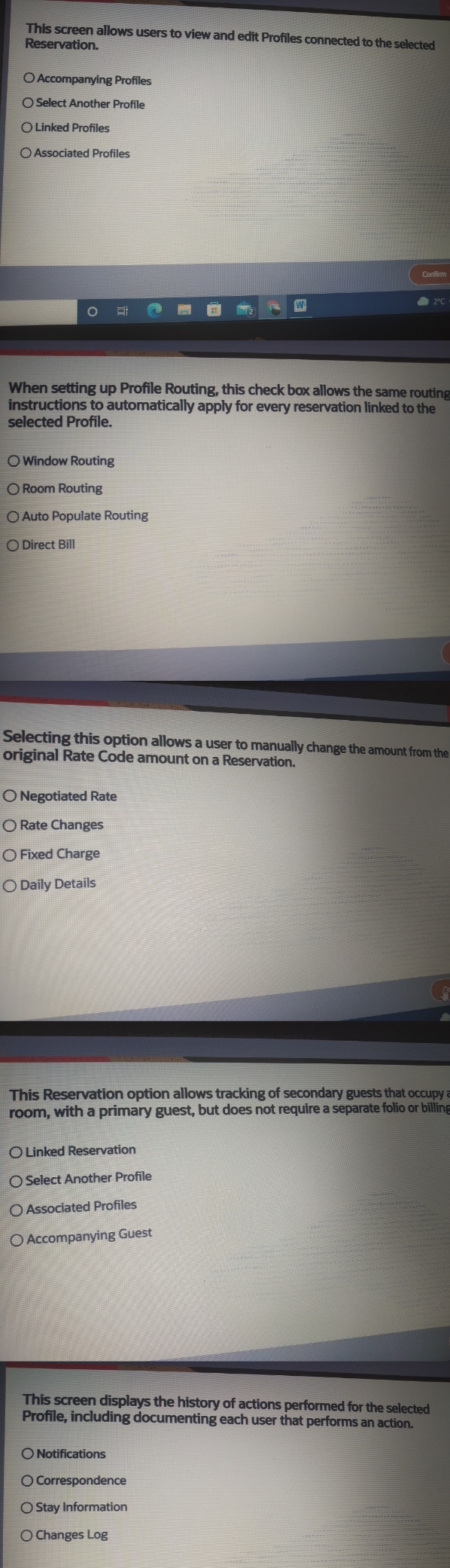
This screen allows users to view and edit Profiles connected to the selected Reservation. O Accompanying Profiles O Select Another Profile O Linked Profiles OAssociated Profiles O Confirm W 2C When setting up Profile Routing, this check box allows the same routing instructions to automatically apply for every reservation linked to the selected Profile. O Window Routing O Room Routing O Auto Populate Routing O Direct Bill Selecting this option allows a user to manually change the amount from the original Rate Code amount on a Reservation. O Negotiated Rate O Rate Changes O Fixed Charge Daily Details This Reservation option allows tracking of secondary guests that occupy a room, with a primary guest, but does not require a separate folio or billing O Linked Reservation O Select Another Profile O Associated Profiles O Accompanying Guest This screen displays the history of actions performed for the selected Profile, including documenting each user that performs an action. O Notifications O Correspondence O Stay Information O Changes Log
Step by Step Solution
There are 3 Steps involved in it

Get step-by-step solutions from verified subject matter experts
 Study Help