







Question: TIVA C Programming Please fix my program so SW1 AND SW2 can toggle with the LEDs. Here's the Code from previous week to help with:
TIVA C Programming
Please fix my program so SW1 AND SW2 can toggle with the LEDs.
Here's the Code from previous week to help with:
#include "tm4c123gh6pm.h" // device specific include file #define BLUE BIT2 #define DELAY_LOOPS 200000 int main(void) { int loopCount; // counter to generate delay volatile int temp; // temporary variable to force peripheral bus read // activate clock for GPIO Port F SYSCTL_RCGC2_R |= SYSCTL_RCGC2_GPIOF; // allow a few cycles for clock to start temp = SYSCTL_RCGC2_R;
// enable Port F Bit 2 connected to blue LED as digital output GPIO_PORTF_DIR_R |= BLUE GPIO_PORTF_DEN_R |= BLUE; while (1) { // generate delay for (loopCount = 0; lopCount
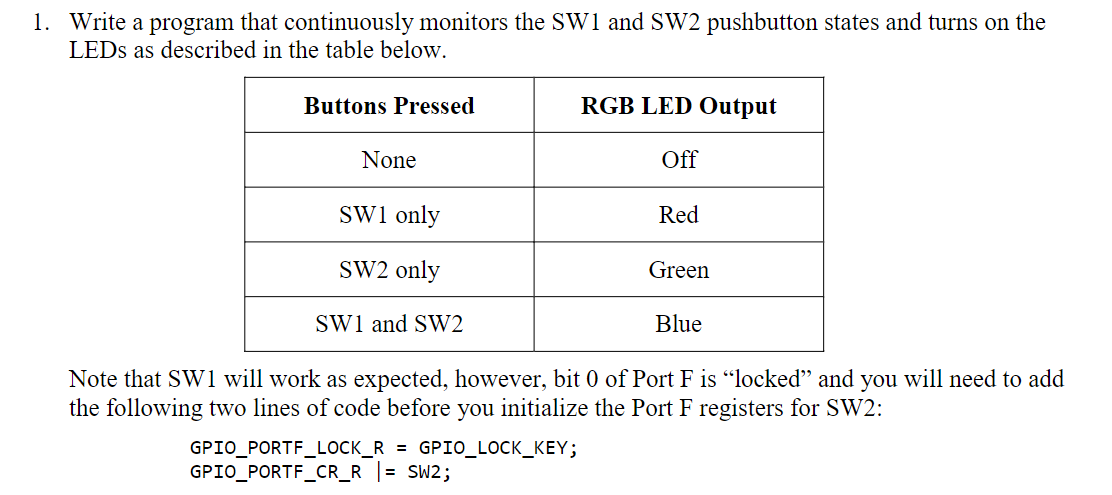
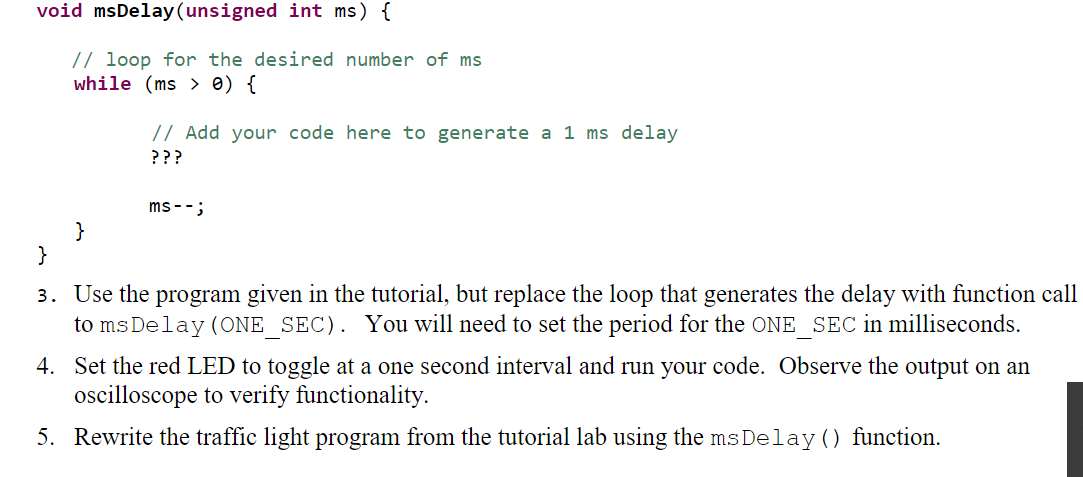
1. Write a program that continuously monitors the SW1 and SW2 pushbutton states and turns on the LEDs as described in the table below. Buttons Pressed RGB LED Output None Off SW1 only Red SW2 only Green SW1 and SW2 Blue Note that SW1 will work as expected, however, bit 0 of Port F is locked and you will need to add the following two lines of code before you initialize the Port F registers for SW2: GPIO_PORTF_LOCK_R = GPIO_LOCK_KEY; GPIO_PORTF_CR_R = SW2; void msDelay (unsigned int ms ) { // loop for the desired number of ms while (ms > 0) { // Add your code here to generate a 1 ms delay ??? ms--; } } 3. Use the program given in the tutorial, but replace the loop that generates the delay with function call to msDelay (ONE_SEC). You will need to set the period for the ONE_SEC in milliseconds. 4. Set the red LED to toggle at a one second interval and run your code. Observe the output on an oscilloscope to verify functionality. 5. Rewrite the traffic light program from the tutorial lab using the ms Delay () function
Step by Step Solution
There are 3 Steps involved in it

Get step-by-step solutions from verified subject matter experts
 Study Help